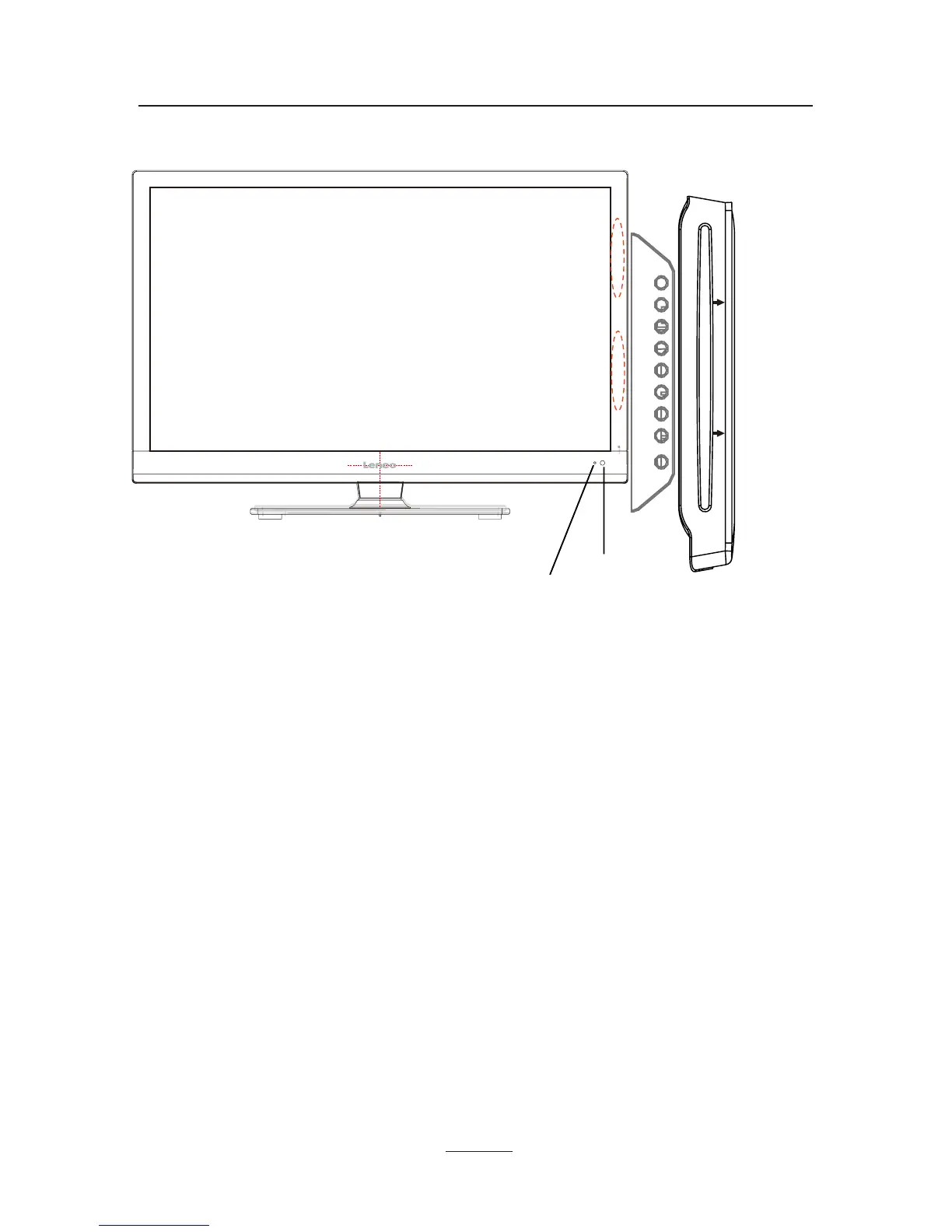
Remote Control Window
(keep clear)
LED Indicator
4
Product Introduction
Front View
INPUT: Display the input source menu.
MENU: Display/exit the OSD menu.
CH+/-: Scan through channels.
VOL+/-: Adjust the volume.
PLAY: Play/pause the disc playing.
EJECT: Eject the disc.
POWER: Turn on/standby the TV set.
DVD: Insert a 12cm disc according to the silk.
(IR) Infrared Receiver: Receives IR signals from the remote control.
(Power on/Standby) LED indicator: Press POWER to turn on and off.
The effective receiving range for the signal is 5-8 metres from the
front of the remote control window, and 30
0
to the left or right side
and 20
0
above or below the control window.
Indicator on(Blue) Standby mode
Indicator on(Off) Power on mode
Insert disc with label side towards back
INPUT MENU CH+ CH- VOL+ VOL- PLAY EJECT POWER



 To Next Page