29
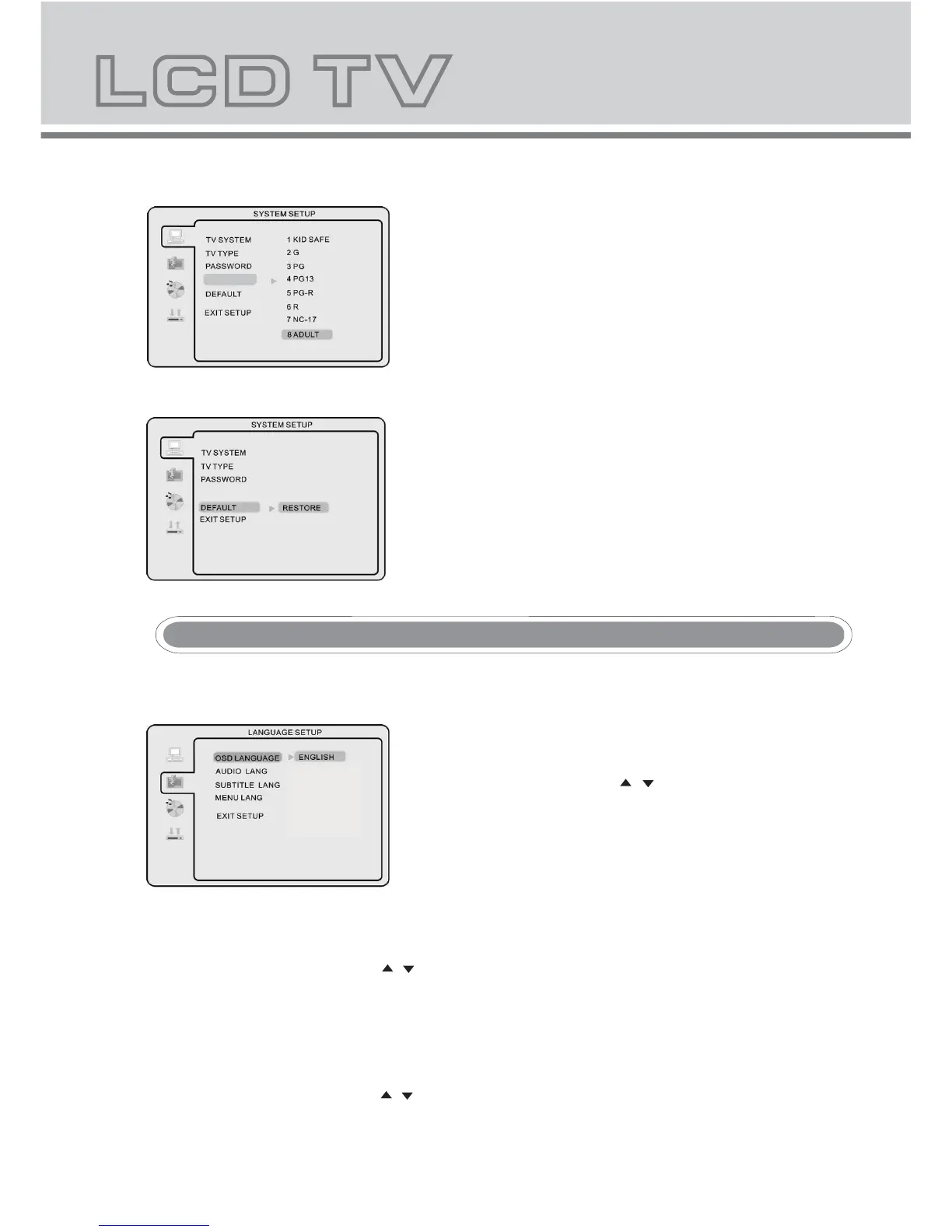
Default Setting
NOTE: Only editable when password is unlocked. And only
can function when password is locked. It does not,
however, reset either the Password or the PARENTAL
setting.
- Press ok button to restore factory default.
Press SETUP button to enter the DVD OSD menu.
-
FRENCH/GERMAN/SPANISH
/NETHERLANDS
OSD Language
Use navigation buttons to select the OSD LANGAUGE setup
icon, press OK button to confirm. There are 5 languages
for your selection, press & buttons to toggle between
different languages
ENGLISH/
NOTE: If the selected language is not included in you DVD disc
content, it will select the default language of the disc
automatically. The default language setting is English.
- Audio Language
Use navigation buttons to select the AUDIO LANG setup icon, press OK button to confirm. There are 5
languages for you selection, press & buttons to toggle between different languages. (
(ENGLISH / GERMAN /
SPANISH / FRENCH / NETHERLANDS)
). Press OK button to confirm.
NOTE: If the selected language is not included in you DVD disc content, it will select the default language of
the disc automatically. The default language setting is English.
- Subtitle Language
Use navigation buttons to select the SUBTITLE LANG setup icon, press OK button to confirm. There are 5
languages for you selection, press & buttons to toggle between different languages.
(
ENGLISH / GERMAN/
SPANISH / FRENCH /NETHEERLANDS/ OFF
) . PressOK button to confirm.



 To Next Page