Description of Parts Description of Parts
6
7
EngEng
Rear ViewFront View
13
12
11109 9
Top View
6378 4 5
1
2
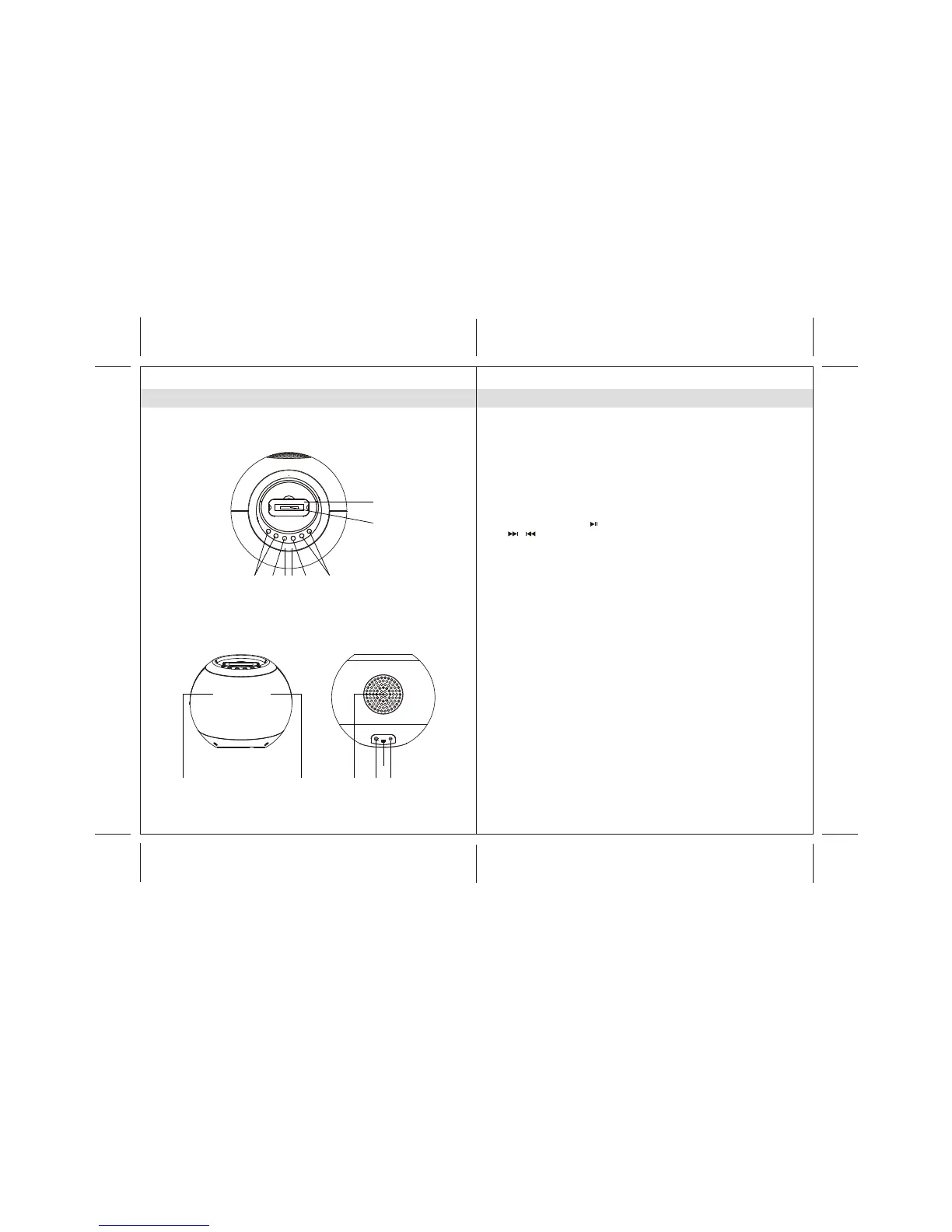
1. iPod docking station
2. iPod docking connector
3. POWER button ----- To turn the unit on and off ; select iPod or
AUX-IN mode
4. Power Status indicator: LED
5. Remote Control Sensor
6. VOL + / - button ----- Adjust volume level up or down
7. iPod PLAY / PAUSE button
8. / button ------- Skip tracks Forward / Backward ;
perform high-speed search
9. Speakers
10. Subwoofer
11. DC-in jack ----- For the connection of external DC power supply
12. iTunes mini USB connector
13. LINE IN jack ----- Auxiliary audio signal input
Main UnitMain Unit



 To Next Page