11
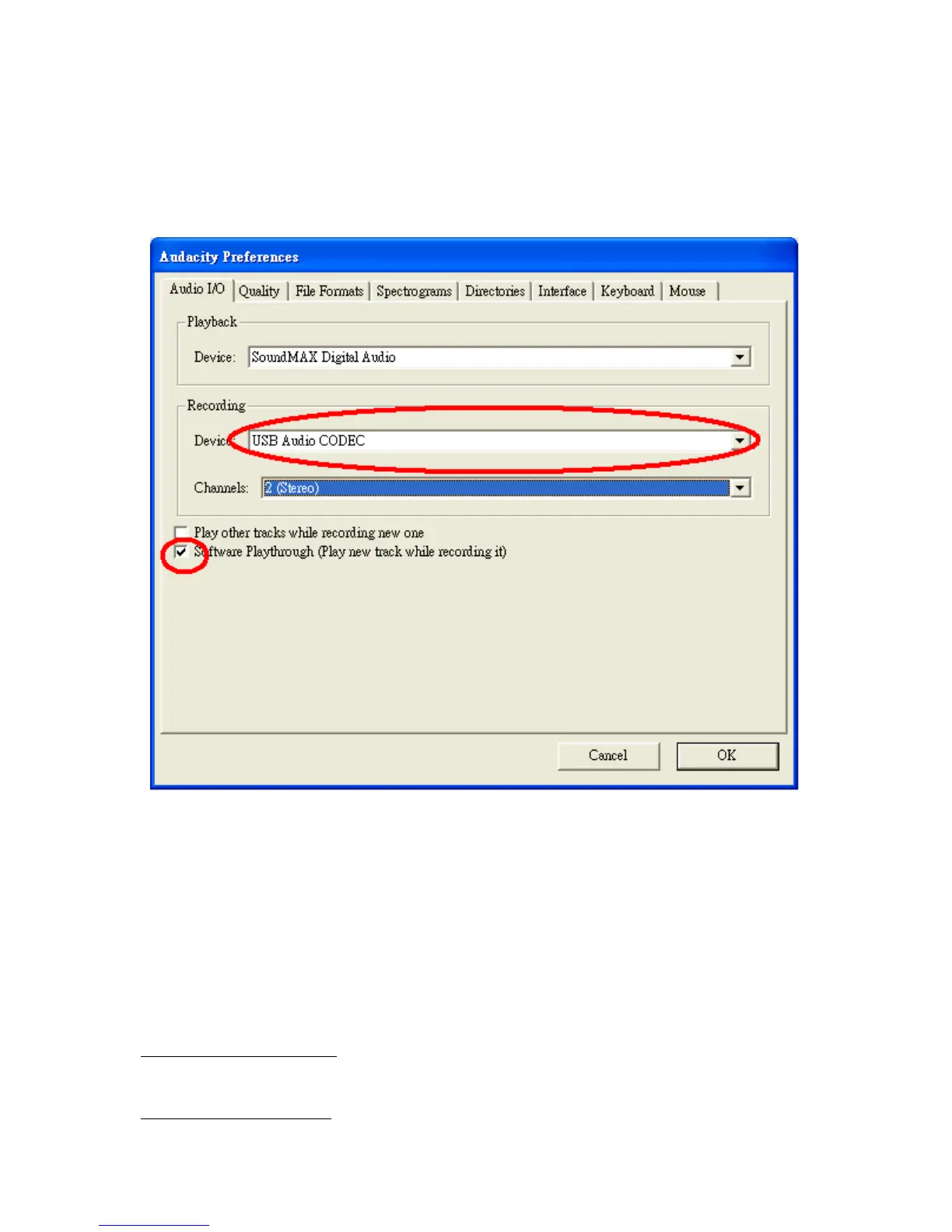
Select the USB audio device under the “Recording” selection as shown.
Select “Software Playthrough” to hear the audio while recording.
Note: The USB Turntable may show up with a different name in Windows
system.. This may depend on your computer model and operating system.
99% of the time it will contain “USB” in the Name.
Figure 2: Select USB Audio Device from Preferences
After completed the above settings, you are ready for recording.
If you are still having difficulties finding the USB Turntable, try to check
your system settings or control panel to adjust audio input settings from the
sound control panel. .
Note:
The attached Audacity software is for reference only. Please download the latest
version from the following website:
http://www.audacity.com
Please check the following website and download the trial software for more sound
editing software.
http://www.bias-inc.com


 To Next Page