1. Turn the LCD TV on.
2. Press the MENU button on the Remote Control.
3. Use the and buttons to navigate through the menu.
4. Press the EXIT button to exit the Menu.
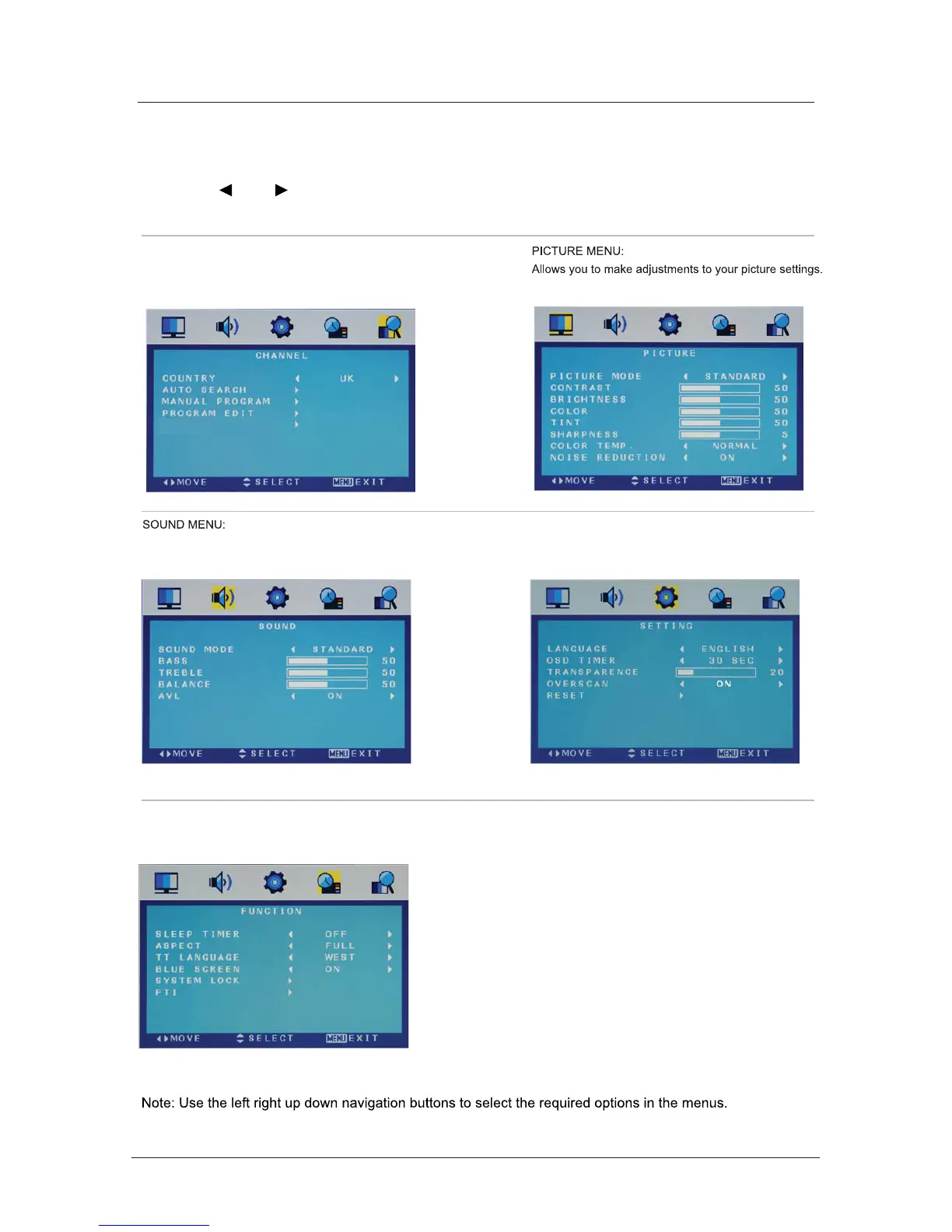
FUNCTION MENU:
Allows you to set up a variety of lock/time and setup options.
SETTING MENU:
Allows you to setup a variety of setup options.
CHANNEL MENU
Allows you to search channels and set up a variety of channel options.
Allows you to customize the sound options and effects.
Bas c Use
Menu Settings
13



 To Next Page