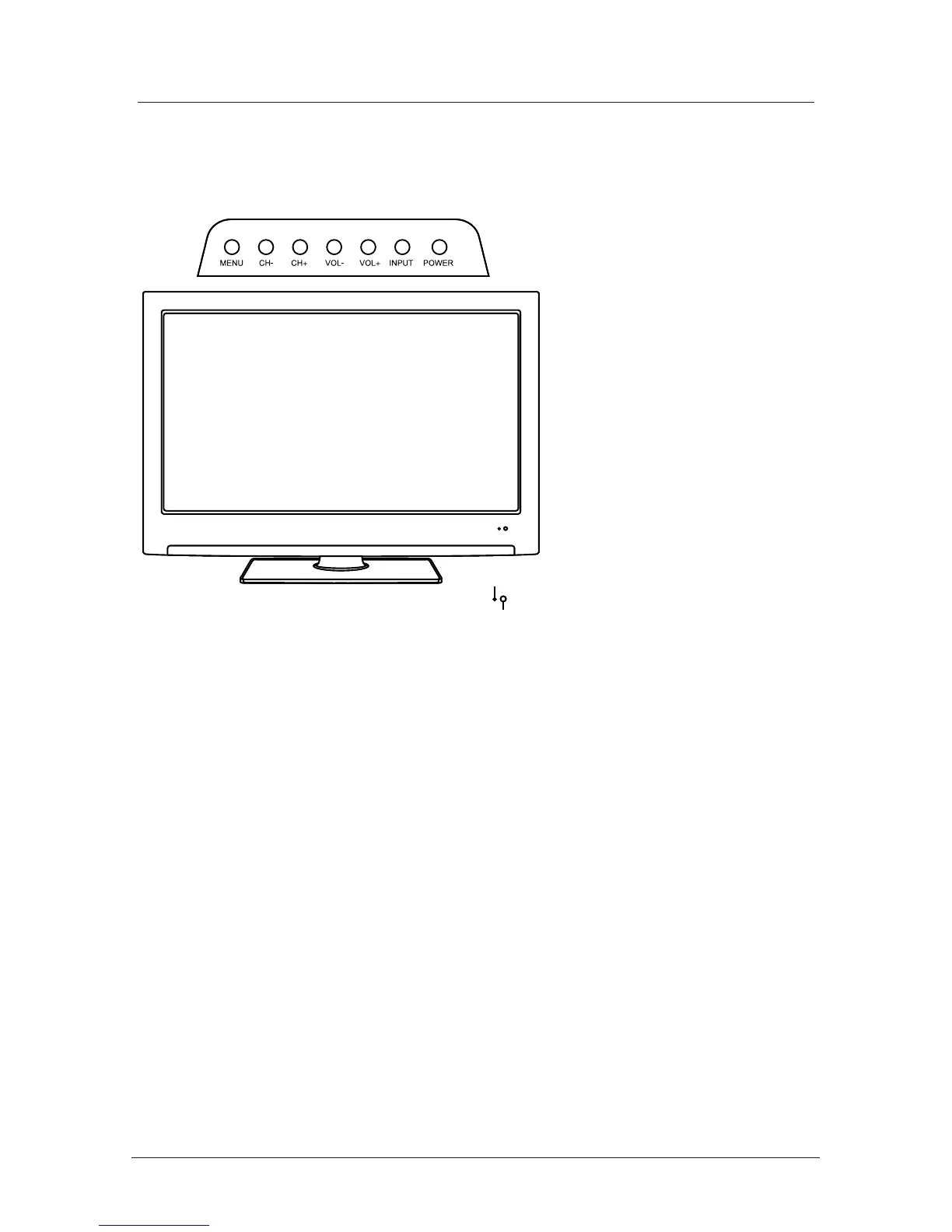
Unit and Accessories
The functions of the TV buttons are described below.
Remote Control Window
(keep clear)
LED Indicator
MENU Press to display the OSD menu, Press again to exit the menu. :
CH-/CH+: Press to scan through channels.
They are also can be used to move down/up in the OSD menu screen.
VOL-/VOL+: Press to adjust the volume.
They are also can be used to move left/right in the OSD menu screen.
VOL+ button can be used to skip forward to next menu.
INPUT: Press to select the source.
Power: Turn on/off the TV set.
4



 To Next Page