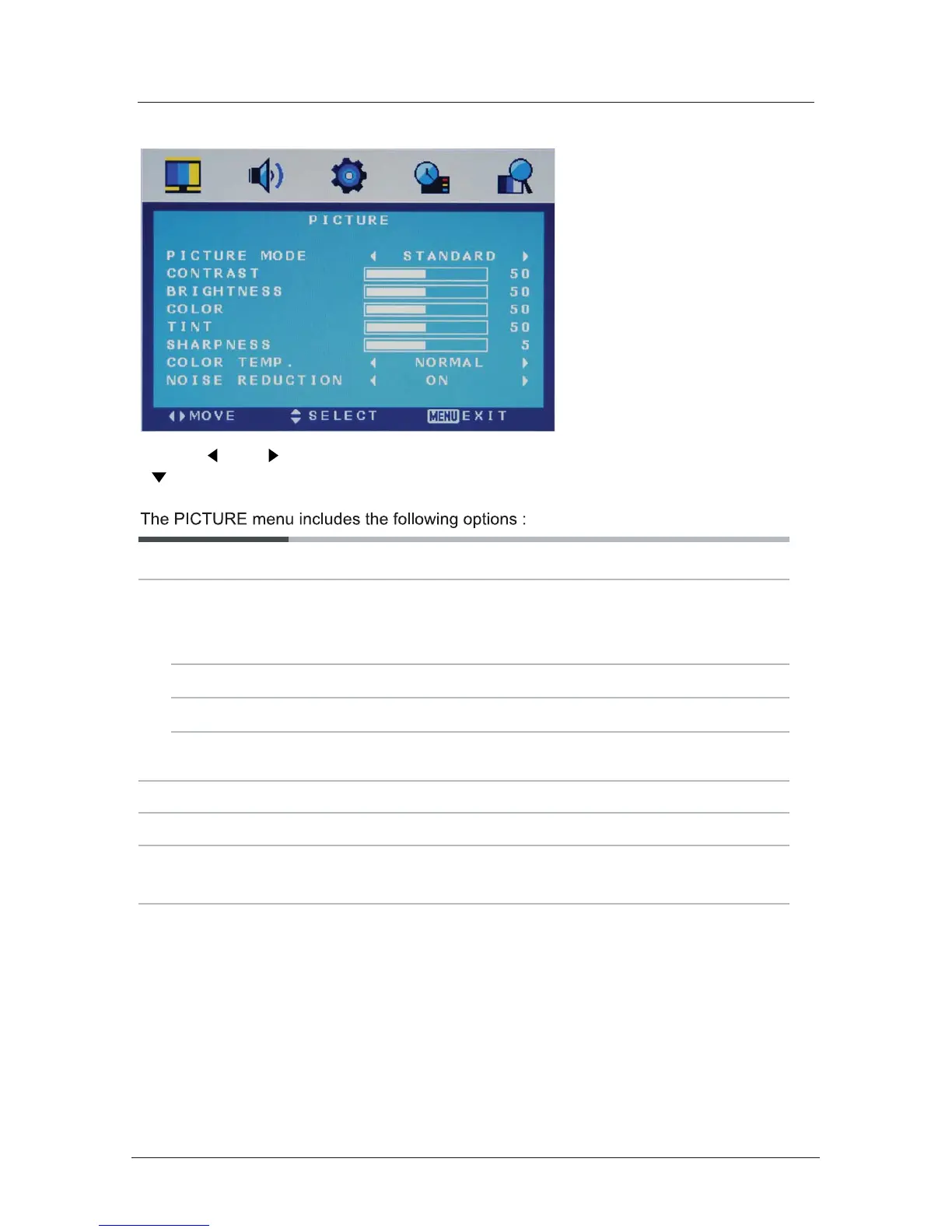
Picture Mode
Choose from Standard, Movie, Vivid and Personal.
Contrast Controls the difference between the brightest and darkest regions of
the picture.
Brightness Controls the overall brightness of the picture
Color Control the color.
Tint Controls the tint ( NTSC mode only).
(Can be selected in ATV mode).
Sharpness
Colour Temp.
Noise Reduction
Increase this setting to see crisp edges in the picture; decrease it for
soft edges .
Choose from Normal, Cool, and Warm.
Reduce any interference noise by selecting “ON”.
Note: Contrast, Brightness, Color and Sharpness can only be adjusted in the
Personal mode option in the Picture Mode Settings.
Use the and buttons to select the PICTURE menu (as the picture above), press
button to enter the menu.
Menu Settings (continued)
16



 To Next Page