21
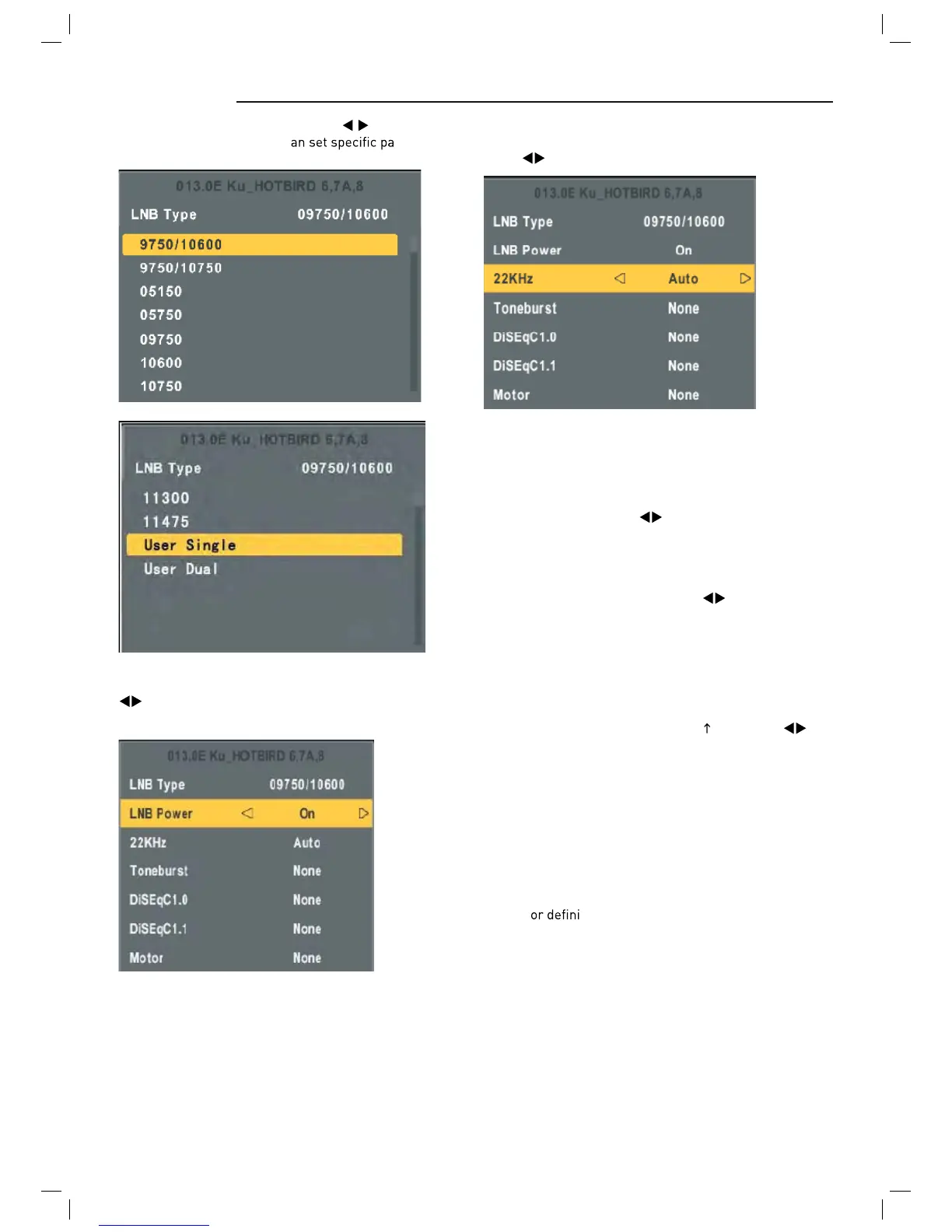
Highlight the LNB Type , and use the buttons and Ok
to enter submenu then you c
rameters.
KHz: The level of the LO switch / DS switch ( Require
the user to have installed 22KHzSatellite signal switch).
Press
to select Auto/On/Off.
Auto: Automatically issued 22 KHz pulse signal to control
switching.
On/Off: Manual control switch.
LNB Power: Polarization switching power supply, Press
to select On/Off.
On: Allowed to receive Horizontal / Vertical Polarization
program.
Off: out-off of supply.
Tone burst: Double Single Switch (Require users to install
Tone burst switch), Press
to select Burst A/Burst
B/None.
Burst A /Burst B: Manually switch the satellite A/B.
DiSEqC1.0.4: select 1 switch ( Require the user device
support DiSEqC 1.0 protocol). Press
to select LNB1/
LNB2/ LNB3/LNB4/None.
LNB1/LNB2/LNB3/LNB4: Corresponding to a satellite ,
After selecting the corresponding list will appear in the
satellite list.
DiSEqC 1.1: 16 select 1 switch ( Require the user device
support DiSEqC1 .0 protocol) Equipment needs support
DiSEqC 1.1 protocol, Most control 16
LNB. Press to
select LNB1~LBN16/None.
LNB 1-LNB 16: Corresponding to a satellite, After select-
ing the corresponding list will appear in the satellite list.
Motor: Control of multi-satellite polar (Require the user
device support DiSEqC1.2 or DiSEqC1.3 protocol), Left
and right buttons to select DisEqC1.2/ DisEqC1.3/None.
DisEqC1.2: DisEqC1.2 Protocol selection
DisEqC1.3: DisEqC1.3 Protocol selection
For Mot
te “DisEqC1.2” , Operating Instructions:
Press RED button to enter “Set Limit" menu.
Press OK button to enter Set Position menu.



 To Next Page