23
MENU SETTINGS
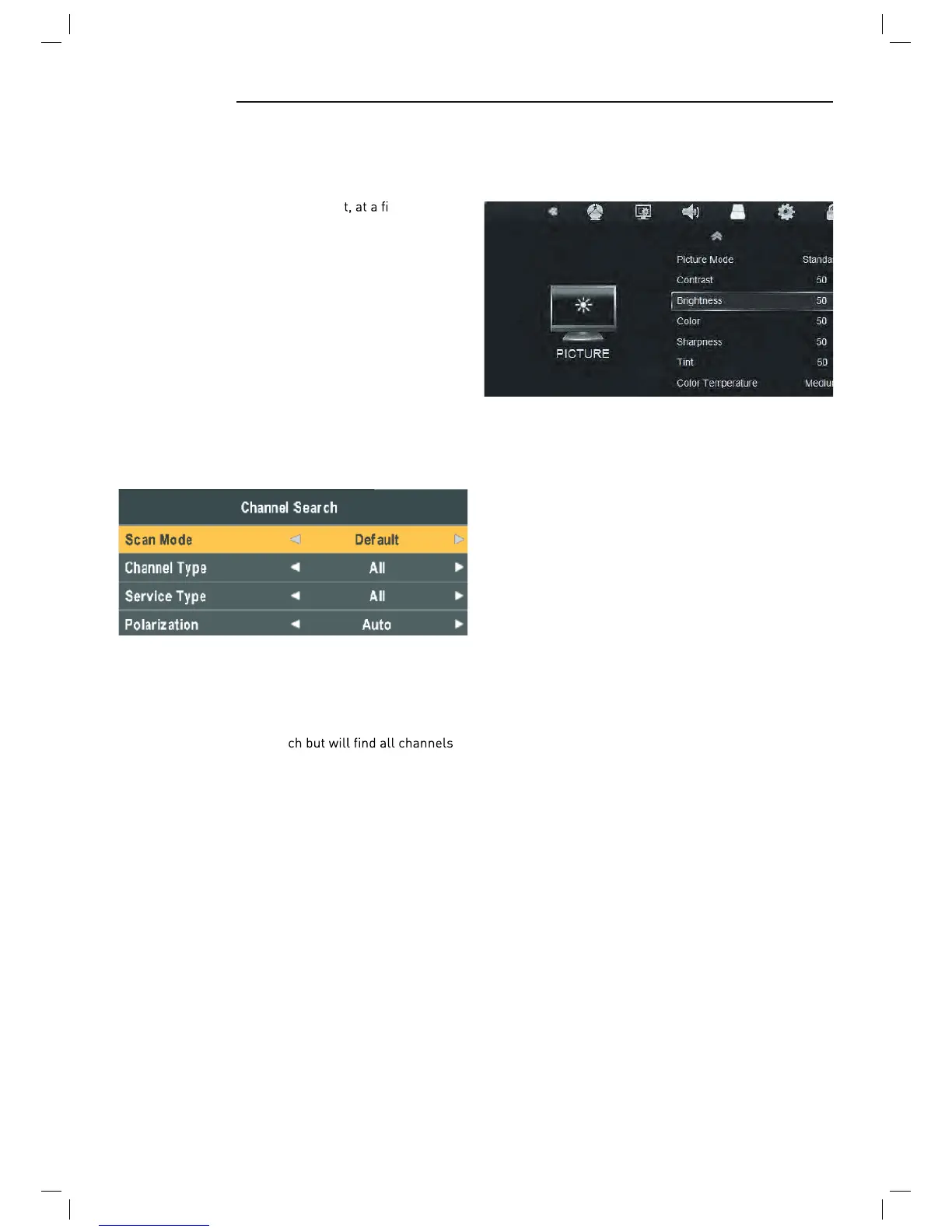
Picture menu
Picture Mode: Choose from Standard, Dynamic, User and
Mild.
Note: Contrast, Brightness, Colour and sharpness are
only available and can be adjusted in the User mode
option in the Picture Mode Settings.
Contrast: Controls the difference between the brightest
and darkest regions of the picture.
Brightness: Controls the overall brightness of the picture.
Colour: Control the colour.
Sharpness: Increase this setting to see crisp edges in the
picture; decrease it for soft edges.
Tint: Controls the tint ( NTSC mode only).
Colour Temperature: Choose from Medium, Cool, User
and Warm.
Red: Controls the red colour of the picture.
Green: Controls the green colour of the picture.
Blue: Controls the blue colour of the picture.
Aspect Ratio: Choose from , 4:3, 16:9, Zoom1,
Zoom2, and Panorama.
Noise Reduction: Choose interference noise modes from
Off, Low, Middle, High and Default.
Scan Mode: Scan from Default, Blind Scan and Network
to select.
Default: Default search program.
Blind Scan: Searches all the programs for the LNB
settings. (This is a long sear
including new Channels).
Network: Search the known channel frequencies for the
selected LNB & Satellite settings at the time of manufac-
ture. (This will be the quickest search)
Channel Type: FTA (Free to Air) or ALL (Free to Air and
Pay Channels)
Service Type: DTV (DVB TV) or Radio (DVB Radio) or both
DTV & Radio
Polarization: Polarization of the LNB (Low noise Block),
(H) Horizontal or (V) Vertical Or Auto (according to the set-
tings in the LNB set-up pane.)Menu Settings
Move Auto: East or west of Automatic Control continued
to turn the polar axis to the desired position.
Move Continue: Manual control of the east or the west
continued to turn the polar axis to the desired position.
Move Step: Control of the east or wes
xed polar
axis step rotation.
Store Position: Save the current rotation angle of polar
axis.
Goto Position: Control the polar angle automatically to
the previously saved.
Goto Reference: Control the angle of polar axis automati-
cally to the default.
GotoX: Area based on user input parameters, Automati-
cally calculate the satellite over the area,
Control the polar axis rotation to the right place.
Scan Menu
When all the parameters after. Press BLUE button to Tun-
ing the setup menu to enter.



 To Next Page