TROUBLESHOOTING
Power Indicator OFF
and NO sound
coming out
1. AC Power Button is still OFF
2.Battery run out of power
1. Turn the AC Power Button to ON.
2. Connect the power cord to AC
220V/50Hz outlet to test if speaker still
working and to re-charge the battery.
Power Indicator ON
But NO sound coming
out
1. Wrongly connect the RCA or
3.5mm Audio input.
2. Master Volume is in minimum.
1. Turn OFF the speaker and check all
audio cable connections.
2. Turn on the master volume to your
wanted level.
Sound coming out
with NOISES
Improper audio-cable connections
or cross talk
1. Turn OFF the speaker and check all
audio cable connections to see if they
are correctly connected.
2. If all cables are well connected, that
might be caused by some external cross
talks from your audio equipment, you
can turn down the volume to solve it.
Gear whines when
using the
microphones
1. The MIC Volume is too loud.
2. The microphones are close to
the speaker
1. Turn down the MIC Volume
2. Keep the microphones at least 2 meters
away from the speaker
Treble and Bass are
no loud enough
The Treble and Bass volume are in
minimum
Turn on both Treble and Bass volume to
your wanted level
If the speaker still out of work after checking with the above troubleshooting, please ask qualified service
centers to check and repair it. DO NOT attempt to service the system beyond that specified in this operation
instructions. All servicing should be referred to qualified service centres.
ACCESSORIES
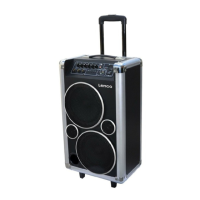
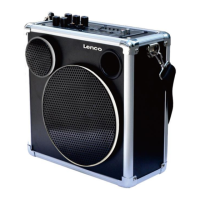
1. ONE speaker
2. ONE belt
3. ONE power cord
4. ONE user’s manual


 To Next Page