FM Operation
Select stations
To search for an FM station from 87.5 to 108.0MHz.
1. Press and hold the / to skip to the previous or next station of
strongest reception. Once a station has been found, it stops
scanning automatically. If no station is found, the unit will stop
after it has cycled through the entire frequency.
2. Briefly press the / to reward or forward the frequency by the
step of 0.05MHz.
3. Long press the ENTER button to auto scan the 30 stations.
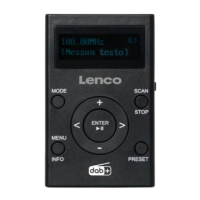
4. To locate the required station, long press PRESET, press / to
select required station from the scanned stations, then press ENTER
to confirm. To Store Stations, refer to General Operation.
Station tuning
Press and hold the INFO/MENU button to enter the <Audio setting>,
press ENTER, then press the / to select one of the audio mode
Stereo or mono or Mono only, at last press ENTER to confirm.
9


 To Next Page