8
indicator will be off).
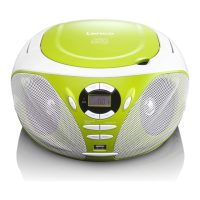
2. Insert an USB to the USB port.
3. Press the SOURCE button repeatedly to switch to USB mode.
4. When the inserted USB is detected and read, the first track will be
played automatically.
5. Press the PLAY/PAUSE/CH+ button to pause or resume the
playback.
6. Press the STOP/CH- button to cease the playback.
SKIP TRACKS AND SEARCH FOR A SPECIFIC POINT TO PLAY
(CD/MP3/USB)
1. Press once the SKIP/SEARCH UP button in music play to skip to
the next track; press once the SKIP/SEARCH DOWN button in
music play to go back to beginning of the current track, press the
button twice continuously to skip to the previous track.
2. Press and hold the SKIP/SEARCH UP button or the
SKIP/SEARCH DOWN button in music play to search at quick
rate for a specific point to play.
3. Press the FOLDER/10+ button once in play to skip to the track 10
tracks ahead, twice to skip to the track 20 tracks ahead. You can
reach the last track of the disc using this button.
SKIP TO THE PREVIOUS/NEXT FOLDER (MP3/USB)
1. During playback, press and hold the FOLDER/10+ button until the
folder number flashes on the screen.
2. Press the SKIP/SEARCH DOWN button or SKIP/SEARCH UP
button to select the folder you want.
3. Wait several seconds or press the FOLDER/10+ button to confirm,
the playback starts from the selected folder.


 To Next Page