-15-
CASSETTE TAPE
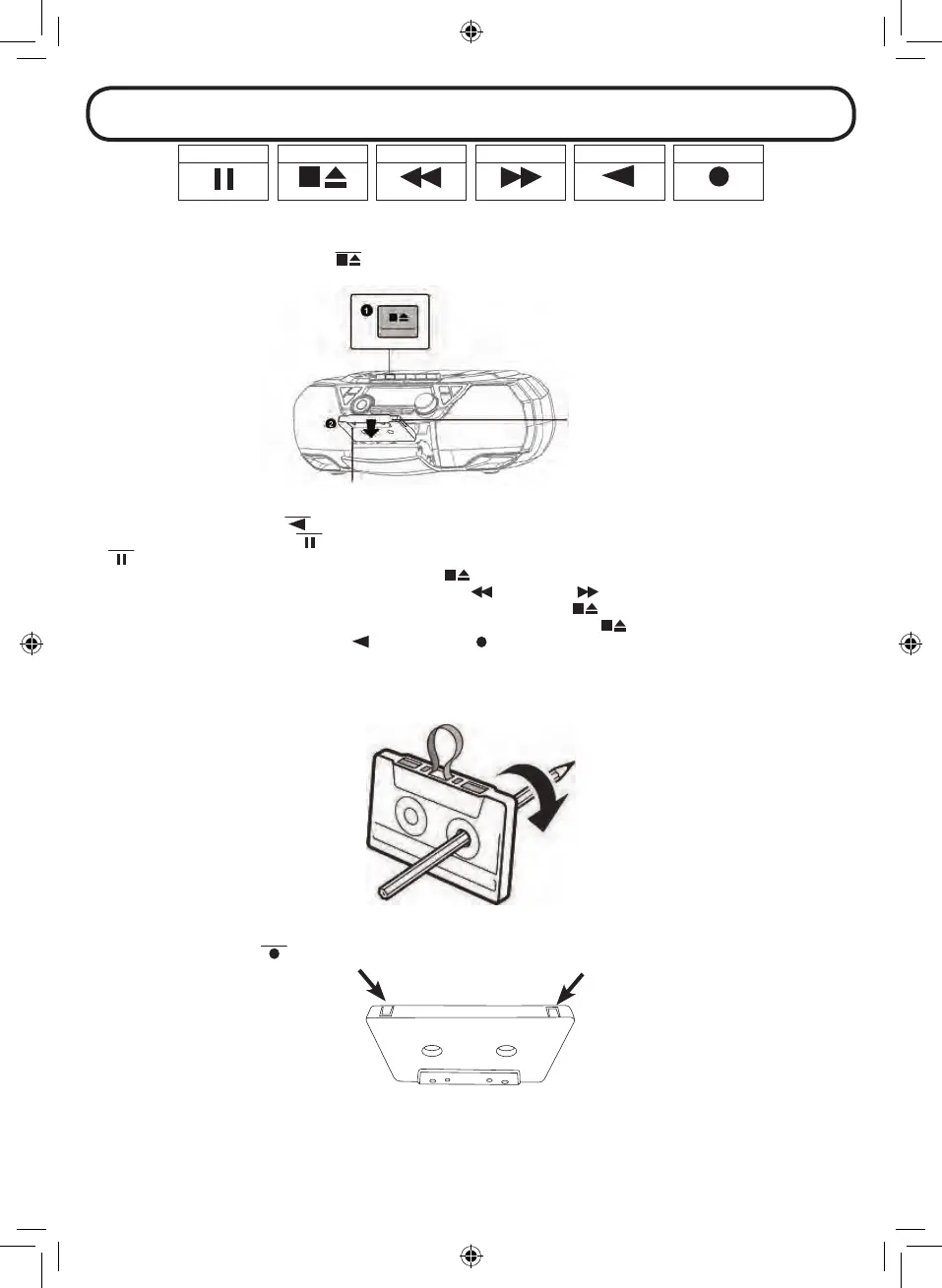
Press the SOURCE button repeatedly to enter the Cassette tape mode. The display will show “TAPE”. The cassette control
buttons are location at the top front of the unit.
1. Press the CASSETTE STOP/EJECT
button to open the cassette tape door.
2. Insert the cassette tape and close the door rmly.
Play side is facing forward
Insert the cassette tape with the tape side
facing up
3. Press the CASSETTE PLAY
button to playback.
4. Press the CASSETTE PAUSE
button to pause the playback. To resume the playback, press the CASSETTE PAUSE
button to release it.
5. To stop playback, press the CASSETTE STOP/EJECT
button.
6. While it is in stop mode, press the CASSETTE FORWARD
or REWIND button to forward or rewind the tape.
7. To open the cassette door during stop, press the CASSETTE STOP/EJECT
button once.
8. To open the cassette door during playback, press the CASSETTE STOP/EJECT
button twice.
9. To record, press the CASSETTE PLAY
and RECORD button together.
NOTE:
- Only type 1 Normal cassette tape can be used for recording.
- If there is tape slack, rewind the slack using a pencil to avoid damaging the tape or the unit.
- On the back of the cassette are left and right tabs. This tab can be broken out. If this tab is broken out, it is no longer
possible to record on that side of the cassette. When both tabs are removed, it is no longer possible to record to the
cassette. The RECORD
button then locks and cannot be pressed anymore.


 To Next Page