-8-
BATTERY INSERT
~AC IN
AUX IN
C 1,5V
C 1,5V C 1,5V
C 1,5V
C 1,5V C 1,5V
+
+
OPEN
OPEN
+ 1,5V
+ 1,5V
+ 1,5V
1,5V + 1,5V + 1,5V +
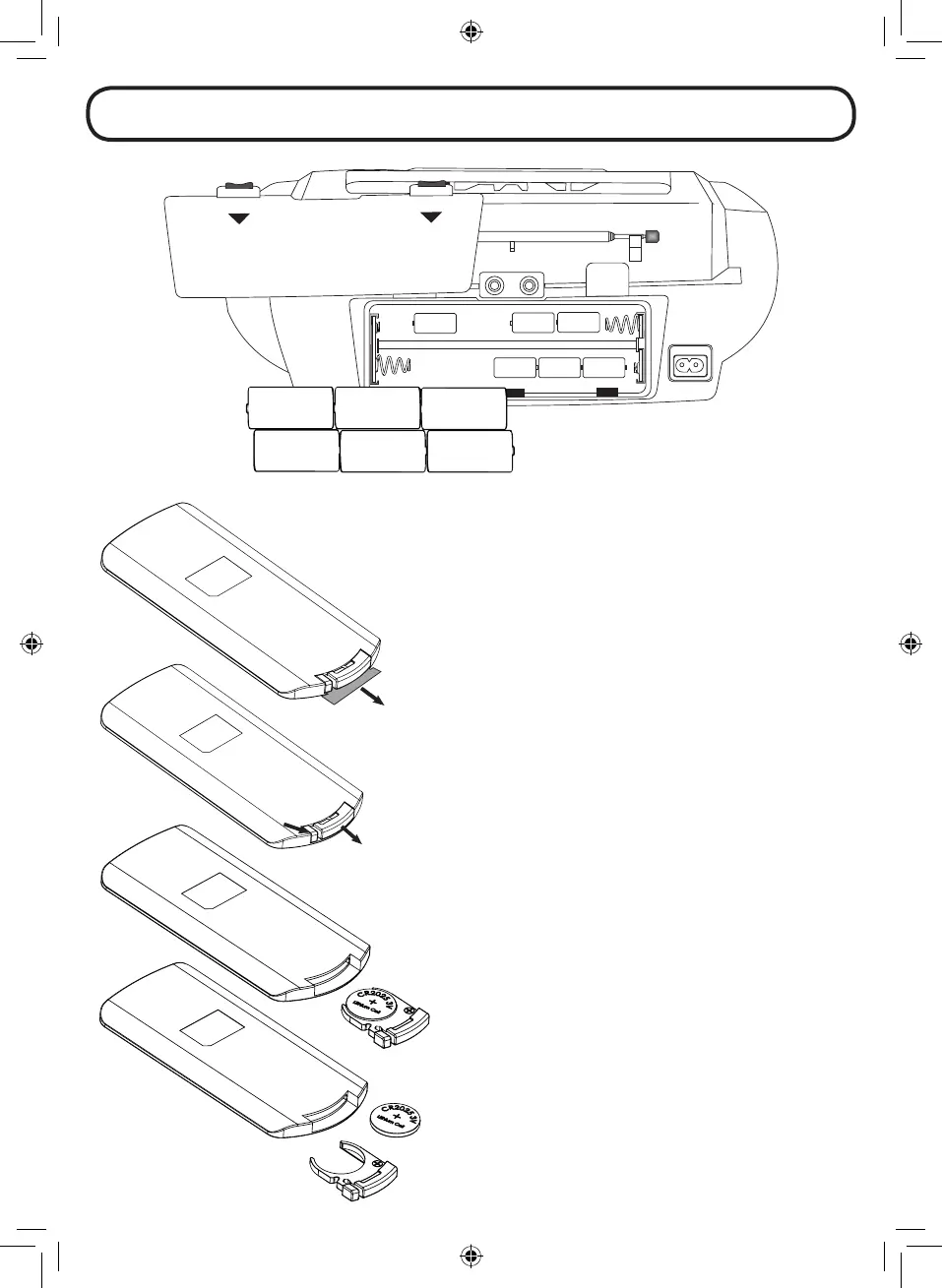
BATTERY OPERATION:
For DC operation, rstly remove the AC plug from the AC outlet and
disconnect the AC cord from the ~ AC IN jack. Remove the battery
compartment door at the rear of the unit. Install 6pcs UM-2 (LR14)
C size batteries (NOT supplied) according to the polarity markings
shown inside of the compartment. Install the battery compartment
door.
Note:
- Since the unit draws a little power from the batteries in standby
mode, remove the batteries if the unit is not going to be used for
a long time.
- Since the unit is at power saving status when it is in battery stand
by mode, you can ONLY use the unit’s STANDBY button by press
and hold it more than 5 seconds to turn on the unit. To turn o,
press the STANDBY button again.
REMOTE CONTROL OPERATION:
A CR2025 battery is already installed in the remote control unit.
Before using, pull out the battery insulation sheet as shown on the
left.
To replace a new battery, please refer to the gure shown on the left.
When inserting a battery, be sure to do so in the proper direction.


 To Next Page