EasyManua.ls Logo

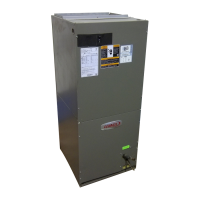
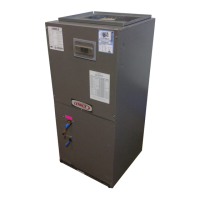
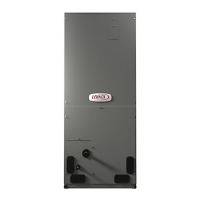
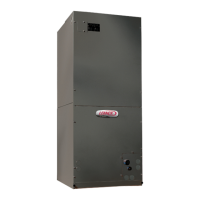
Lennox CBX32MV-018 - User Manual

Lennox CBX32MV-018
2 pages
Print Icon
To Next Page IconTo Next Page
Loading...
2017 Lennox Industries Inc.
Dallas, Texas, USA
ATTENTION SERVICE PERSONNEL
AIR HANDLER CONTROL SET-UP
PLEASE KEEP WITH UNIT FOR FUTURE USE!
7-SEGMENT DISPLAY AND CONFIGURATION
GUIDE
Refer to unit installation instruction for configuring unit size code
and electric heat.
Unit Size Codes For Air Handlers
Unit
Size
Code
Air Handler
Model
Unit
Size
Code
Air Handler
Model
Unit
Size
Code
Air Handler
Model
0 CBX32MV-018,
-024
6 CBX40UHV-024 A CBA38MV-018,
-024
1 CBX32MV-024,
-030
7 CBX40UHV-030 C
CBA38MV-030
2 CBX32MV-036 8 CBX40UHV-036 E
CBA38MV-036
3 CBX32MV-048 9 CBX40UHV-042 F
CBA38MV-042
4 CBX32MV-060 L CBX40UHV-048 H
CBA38MV-048
5 CBX32MV-068 U CBX40UHV-060 Y
CBA38MV-060
Code Action
Power-
Up
Unit Size Code (number or letter) represents air handler
model size and capacity. Refer to Unit Size Codes For Air
Handlers table above. If three horizontal bars are
displayed, AHC does not recognize size and capacity.
Idle mode — decimal blinks at 1 Hertz > 0.5 second ON, 0.5
second OFF. Idle mode is when the system is energized but
no demand.
A
Cubic feet per minute (CFM) setting for indoor blower - 1
second ON, 0.5 second OFF > CFM setting for current
mode displayed.
C
Cooling stage — 1 second ON, 0.5 second OFF > 1 or 2
displayed > pause > CFM setting displayed > pause >
repeat codes) .
d
Dehumidification mode — 1 second ON > pause > CFM
setting displayed > pause > repeat codes.
d F Defrost Mode
H
Heat Stage is 1 second ON, 0.5 second OFF > 1 or 2
displayed > pause > CFM setting displayed > pause >
repeat codes. Electric heat available in 1 to 5 stages.
h Stage heat pump (shows active heat pump stages, h1 or h2)
U
Discharge air sensor temperature (discharge air sensor
must be installed, properly configured and indoor blower
must be operating).
Code Action
Indoor Blower Test
A
Release push button — Control cycles indoor blower on for 10
seconds at 70% of maximum air for selected capacity size
unit. Control will automatically exit Field Test Mode.
Error Code Recall Mode (Note - control must be in idle mode)
E E
To enter Error Code Recall Mode, push and hold but
ton until solid E appears, then release button. AHC
will display up to 10 error codes stored in memory. If
E000 is displayed, there are no stored error codes.
Solid
-
-
-
To exit Error Code Recall Mode push and hold button
until solid three horizontal bars appear, then release
button.
Note - Error codes are not cleared.
Solid c
To clear error codes stored in memory, continue to
hold push button while the three horizontal bars are
displayed. Release push button when solid c is
displayed.
Blink
ing
c
Push and hold for one (1) second, release button.
Seven-segment will display 0000 and exit error recall
mode.
Error Status of Air Handler
E105
The air-handler has lost communication with the rest of the
system. Check for mis-wired and/or loose connections be
tween the thermostat, indoor unit and outdoor unit. Check for a
high voltage source of noise close to the system. This is a self-
recoverable error.
E114
There is a frequency/distortion problem with the power to the
air-handler. Check the voltage and line power frequency
E115
The 24VAC to the air-handler control is lower than the required
range of 18 to 30VAC. Check the voltage and line power fre
quency.
E120
There is a delay in the air-handler responding to the system.
Check all wiring connections.
E124
The iComfort thermostat has lost communication with the air-
handler for more than 3 minutes. Check the wiring connec
tions, ohm wires and cycle power.
E130 An air-handler configuration jumper is missing.
E131
The air-handler control parameters are corrupted. Replace
control.
E132
The air-handler control software is corrupted. Replace con
trol.
E180
The iComfort thermostat has found a problem with the air-
handler outdoor sensor. Compare outdoor sensor resistance
to temperature/resistance charts in unit installation instruc
tions. Replace sensor pack if necessary.
E201
The system has lost communication with the air-handler in
door blower motor. Check for loose wiring.
E202
The unit size code for the air-handler and the size of blower
motor do not match. Reconfigure control.
E203
The unit size code for the air-handler has not been selected.
Configure unit size code.
E292
The air-handler's blower motor will not start. Check for seized
bearing, stuck wheel, obstruction etc.
E295
The indoor blower motor is overheating. Check motor bear
ings and amps. Replace if necessary.
E310
There is a problem with air-handler discharge air sensor.
Compare outdoor sensor resistance to temperature
/resistance charts in installation instructions. Replace sensor
if necessary.
E312
The blower cannot provide the requested CFM due to high
static. Check filter and duct system.
E313 The indoor and outdoor unit capacities do not match.
E345
The O relay on the air-handler has failed. Either the pilot relay
contacts did not close or the relay coil did not energize.
E346 The R to O jumper was not removed on the air-handler control.
E347
The Y1 relay on the air-handler has failed. Either the pilot relay
contacts did not close or the relay coil did not energize.
E348
The Y2 relay on the air-handler has failed. Either the pilot relay
contacts did not close or the relay coil did not energize.
E350 The air-handler's electric heat is not configured.
E351
There is a problem with the air-handler's first-stage electric
heat. Either the pilot relay contacts did not close, or the relay
coil in the electric heat section did not energize.
E352
There is a problem with the air-handler's second-stage elec
tric heat. Either the pilot relay contacts did not close, or the
relay coil in the electric heat section did not energize. The air-
handler will operate on first-stage electric heat until the issue
is resolved.
E353
There is a problem with the air-handler's third-stage electric
heat. Either the pilot relay contacts did not close, or the relay
coil in the electric heat section did not energize. The air-han
dler will operate on first-stage electric heat until the issue is re
solved.
E354
There is a problem with the air-handler's fourth-stage electric
heat. Either the pilot relay contacts did not close, or the relay
coil in the electric heat section did not energize. The air-han
dler will operate on first-stage electric heat until the issue is re
solved.
E355
There is a problem with the air-handler's fifth-stage electric
heat. Either the pilot relay contacts did not close, or the relay
coil in the electric heat section did not energize. The air-han
dler will operate on first -stage electric heat until the issue is
resolved.
E409
The secondary voltage for the air-handler has fallen below
18VAC. If this continues for 10 minutes, the iComfort thermo
stat will turn off the air-handler.
See unit installation instruction or information manual for details on
clearing the alarms.
Question and Answer IconNeed help?

Do you have a question about the Lennox CBX32MV-018 and is the answer not in the manual?

Overview

This document provides comprehensive instructions and guidance for the setup, operation, and maintenance of a Lennox air handler, focusing on its 7-segment display and configuration options. It serves as a vital resource for service personnel, ensuring proper installation and troubleshooting.

Function Description

The Lennox air handler is a key component of a heating, ventilation, and air conditioning (HVAC) system, responsible for circulating conditioned air throughout a building. Its control system, accessible via a 7-segment display, allows for precise configuration and monitoring of various operational parameters. The device supports multiple modes of operation, including cooling, heating (both electric and heat pump), dehumidification, and continuous fan operation.

The control system features an "Error Code Recall Mode" which allows service personnel to diagnose issues by displaying up to 10 stored error codes. This mode is activated by pressing and holding a button until a solid "E" appears on the 7-segment display. If "E000" is displayed, it indicates no stored errors. To exit this mode, the button is held until three horizontal bars appear. To clear stored error codes, the button is held while the three horizontal bars are displayed, then released when a solid "c" appears. A quick press and hold for one second will display "0000" and exit error recall mode.

The 7-segment display also provides real-time status updates through various codes. During "Power-Up," the display shows a unit size code (number or letter) representing the air handler's model size and capacity. If three horizontal bars are displayed, the AHC (Air Handler Control) does not recognize the size and capacity. In "Idle mode," the decimal point blinks at 1 Hertz (0.5 seconds ON, 0.5 seconds OFF), indicating the system is energized but without a demand.

Operational modes are indicated by specific display patterns. For "Cubic feet per minute (CFM) setting for indoor blower," the display shows "1 second ON, 0.5 second OFF" followed by the current CFM setting. "Cooling stage" displays "1 second ON, 0.5 second OFF" followed by "1 or 2," then a pause, then the CFM setting, another pause, and then repeats the codes. "Dehumidification mode" shows "1 second ON" followed by a pause, then the CFM setting, another pause, and then repeats the codes. "Defrost Mode" is indicated by "d F." "Heat Stage" displays "1 second ON, 0.5 second OFF" followed by "1 or 2," then a pause, then the CFM setting, another pause, and then repeats the codes, indicating electric heat availability in 1 to 5 stages. "Stage heat pump" shows "h" followed by "h1" or "h2" to indicate active heat pump stages. "Discharge air sensor temperature" is indicated by "U," requiring the discharge air sensor to be installed, properly configured, and the indoor blower to be operating.

The "Indoor Blower Test" is initiated by releasing the push button. This cycles the indoor blower on for 10 seconds at 70% of maximum air for the selected capacity size unit. The control automatically exits Field Test Mode after this test.

Usage Features

The air handler's control system is designed for flexible configuration through a series of jumpers and links on the control board. These allow customization of blower speed, heating and cooling modes, and other operational parameters.

Blower Speed:

  • Cooling Mode (Cooling & HP Mode): Offers High, Medium-High, Medium-Low, and Low speed settings.
  • Heating Mode (Electric HT Mode): Offers High, Medium-High, Medium-Low, and Low speed settings.
  • Continuous Fan Blower Speed: Allows selection of High (100%), Medium-High (70%), Medium-Low (38%), and Low (28%) speeds.

Option Selection:

  • Dehumidification - Harmony Link (Jumpers R to DS): This link is cut for Harmony Zoning or ComfortSense 7000 with DS connection. If not cut, it's for no Harmony Zoning or no ComfortSense 7000 with DS connection.
  • Heat Pump Link (Jumpers R to O): This link is cut for a heat pump unit. If not cut, it's for an A/C unit.
  • 2-Stage Compressor Link (Jumpers Y1 to Y2): This link is cut for a 2-stage compressor. If not cut, it's for a 1-stage compressor.

Operating Modes:

  • Standard Heat Mode (Default): Staged by the thermostat.
  • Humidification Mode: Provides a 24VAC output on "H" for a humidifier or accessory interlock.
  • Smart Mode:
    • Heat Active: "H" is enabled when heat is active (HP or Elect. HT).
    • Auto Mode: "H" is enabled when the blower is active and no cooling or dehumidification is active.
  • EvenHeaterMode: Enabled with an optional discharge air sensor. This mode allows setting a discharge temperature target (85, 100, 115, or 130 degrees).

Blower Adjust Selection:

  • Cooling Blower Ramping (Cooling Mode Unless Noted):
    • Delay Profile #4: OFF-50%-82%-100%-50%-OFF
    • Delay Profile #3: OFF-82%-100%-OFF
    • Delay Profile #2: OFF-100%-Demand Satisfied 100% for 45 seconds-OFF (Normal CLG, -10% Setting, Normal HP)
    • Delay Profile #1: OFF-30 second delay-100%-Demand Satisfied-100% for 45 second-OFF (Normal HT, +10% Setting)

Error Status of Air Handler:

The control system provides detailed error codes to assist in troubleshooting:

  • E105: Loss of communication with the system. This is a self-recoverable error.
  • E114: Frequency/distortion problem with power.
  • E115: 24VAC to the air-handler control is lower than required.
  • E120: Delay in air-handler responding to the system.
  • E124: iComfort thermostat has lost communication with the air-handler for more than 3 minutes.
  • E130: An air-handler configuration jumper is missing.
  • E131: Air-handler control parameters are corrupted.
  • E132: Air-handler control software is corrupted.
  • E180: iComfort thermostat has found a problem with the air-handler outdoor sensor.
  • E201: System has lost communication with the air-handler indoor blower motor.
  • E202: Unit size code for the air-handler and the size of blower motor do not match.
  • E203: Unit size code for the air-handler has not been selected.
  • E292: Blower motor not starting.
  • E295: Indoor blower motor is overheating.
  • E310: Problem with air-handler discharge air sensor.
  • E312: Blower cannot provide requested CFM due to high static.
  • E313: Indoor and outdoor unit capacities do not match.
  • E345: O relay on the air-handler has failed.
  • E346: R to O jumper was not removed on the air-handler control.
  • E347: Y1 relay on the air-handler has failed.
  • E348: Y2 relay on the air-handler has failed.
  • E350: Air-handler's electric heat is not configured.
  • E351-E355: Problems with first through fifth-stage electric heat.
  • E409: Secondary voltage for the air-handler has fallen below 18VAC.

Maintenance Features

The manual emphasizes the importance of proper configuration and provides guidance for troubleshooting common issues. For instance, if the air handler's blower motor does not start (E292), service personnel should check for seized bearings, a stuck wheel, or obstructions. If the indoor blower motor is overheating (E295), motor bearings and amps should be checked, and the motor replaced if necessary.

For discharge air sensor problems (E310), the outdoor sensor resistance should be compared to temperature/resistance charts in the installation instructions, and the sensor replaced if needed. Similarly, for outdoor sensor issues (E180), the outdoor sensor resistance should be compared to charts in the unit installation instructions.

Communication errors (E105, E124, E201) require checking wiring connections, ohm wires, and cycle power. Power-related issues (E114, E115, E409) necessitate checking voltage and line power frequency.

Corrupted control parameters (E131) or software (E132) indicate a need to replace the control board. Missing configuration jumpers (E130) or mismatched unit size codes (E202, E203) require reconfiguring the control or selecting the correct unit size code.

For electric heat failures (E351-E355), service personnel should check if pilot relay contacts closed or if the relay coil in the electric heat section energized. The air handler will operate on the lowest available electric heat stage until the issue is resolved.

The manual also highlights the importance of carefully cutting on-board links (solder traces) to prevent damage to the control board. It advises consulting unit installation instructions or information manuals for detailed procedures on clearing alarms and other maintenance tasks.

Lennox CBX32MV-018 Specifications

General IconGeneral
ModelCBX32MV-018
TypeAir Handler
Cooling Capacity1.5 Tons
RefrigerantR-410A
Voltage208/230V
Phase1
Width21 inches
Maximum External Static Pressure0.8 in. w.g.

Related product manuals