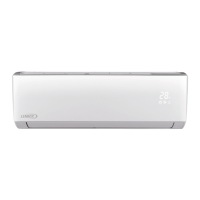
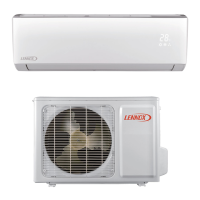
This document is an owner's manual for a Lennox Super-Slim Four-Way Cassette air conditioner, designed for cassette-type air conditioning systems. It provides comprehensive information on operating, maintaining, and troubleshooting the unit, ensuring proper function and extended lifespan.
Function Description
The Lennox Super-Slim Four-Way Cassette air conditioner is designed to provide cooling, heating (for relevant models), and dehumidification (DRY mode) for indoor spaces. It features a four-way airflow distribution system, allowing for even temperature control throughout a room. The unit can be operated via a remote control or through a manual button on the indoor unit's display panel, which is useful if the remote is misplaced or its batteries are depleted.
Key operational modes include:
- COOL Mode: For cooling the room.
- HEAT Mode: For heating the room (available on heating models).
- DRY Mode: For dehumidifying the air.
- AUTO Mode: The unit automatically selects the operating mode based on the room temperature.
- FORCED COOL Mode: A temporary cooling mode that runs at high wind speed for 30 minutes before switching to AUTO mode. The remote control is disabled during this operation.
- FAN Mode: Circulates air without cooling or heating.
The unit incorporates several features to enhance user experience and safety:
- Default Setting: After a power failure, the unit restarts with factory settings (AUTO mode, AUTO fan, 24°C/76°F).
- Auto-Restart (some models): Automatically restarts the unit with the previous settings after a power interruption.
- Louver Angle Memory Function (Optional): Remembers the horizontal louver angle after a power failure. The louver angle should not be set too small to prevent condensation.
- Refrigerant Leak Detection System (some models): Displays "EC" on the LCD screen and flashes the LED indicator in case of a refrigerant leak, signaling a potential safety hazard.
Important Technical Specifications
The operating conditions for the unit are specified by temperature ranges for safe and effective operation:
-
Indoor Temperature:
- COOL Mode: 17-32°C (62-90°F)
- HEAT Mode: 0-30°C (32-86°F)
- DRY Mode: 17-32°C (62-90°F)
-
Outdoor Temperature:
- COOL Mode: 0-50°C (32-122°F)
- HEAT Mode: -15-24°C (5-76°F)
- DRY Mode: 0-50°C (32-122°F)
- For low-temperature cooling models, the outdoor temperature range for COOL mode is -15-50°C (5-122°F).
The manual lists specific model numbers covered:
- LICH4024180P431-C
- LICH4036180P431-C
- LICH4048180P431-C
The document also includes a detailed list of error codes, indicating potential malfunctions and their corresponding causes. These codes are displayed via the timer indicator and LED display, helping in diagnosing issues. Examples include:
- E0: Indoor EEPROM error
- E1: Indoor and outdoor unit communication malfunction
- E3: Indoor fan speed malfunction
- EC: Refrigerant leak detection system malfunction
- F0: Overload protection
- P0: Inverter module IPM protection
Usage Features
The air conditioner is designed for ease of use with both remote control and manual operation capabilities. The manual button on the indoor unit allows users to cycle through AUTO, FORCED COOL, and OFF modes.
Energy-saving tips are provided to optimize efficiency:
- Avoid setting the unit to extreme temperatures.
- Close curtains to block direct sunlight during cooling.
- Keep doors and windows closed to maintain desired room temperature.
- Do not obstruct air inlets and outlets.
- Utilize timer and SLEEP/ECONOMY modes.
- Remove remote control batteries if the unit will not be used for a long time.
- Regularly clean the air filter.
- Adjust louvers to avoid direct airflow.
Safety precautions are emphasized throughout the manual, warning against improper installation, unauthorized repairs, and unsafe operating practices. It highlights the importance of professional installation and maintenance to prevent water leakage, electric shock, or fire. Users are advised not to insert objects into air inlets/outlets, use flammable sprays near the unit, or operate it with wet hands.
Maintenance Features
Regular maintenance is crucial for the unit's performance and longevity. The manual provides detailed instructions for unit maintenance and air filter cleaning.
Unit Maintenance:
- Always turn off the system and disconnect power before cleaning.
- Do not use chemicals, benzene, paint thinner, polishing powder, or other solvents, as they can damage the plastic surface.
- Do not wash the unit with running water or water hotter than 40°C (104°F).
- Clean the unit with a damp, lint-free cloth and neutral detergent, then dry with a dry, lint-free cloth.
Air Filter Cleaning:
- The air filter prevents dust and particles from entering the indoor unit.
- Clean the air filter every two weeks, or more frequently in dusty environments.
- To clean, unlock the grille by pushing two tabs, unplug the display panel cable, and detach the grille.
- Remove the air filter.
- Clean the filter by vacuuming the inlet side or washing it in warm water with mild detergent, ensuring the inlet side faces down and away from the water stream if washing.
- Rinse with clean water and air-dry, avoiding direct sunlight.
- Reinstall the filter, front grille, and reconnect the display panel cable.
- Some models feature an auto-lifting panel for easier filter cleaning.
Repairing Refrigerant Leaks:
- In case of a refrigerant leak, immediately turn off the unit, ventilate the room, and contact a dealer. Refrigerant is toxic and flammable.
- The refrigerant leak detection system (on some models) will display "EC" and flash the LED indicator.
Preparation for Periods of Non-Use:
- Maintenance after Extended Non-Use: Remove vent obstacles, clean the air filter and front grille, and turn on the main power switch at least 12 hours before operation.
- Storing the Unit: Run the appliance on FAN mode for 12 hours in a warm room to dry it and prevent mold, then turn off and unplug. Clean and reinstall the air filter, and remove batteries from the remote control.
Troubleshooting:
The manual includes a comprehensive troubleshooting guide for common problems, distinguishing between non-malfunctions and issues requiring repair. It provides possible causes and solutions for various scenarios, such as the unit not turning on, poor cooling/heating performance, frequent starting/stopping, and unusual noises. Users are advised to contact an authorized dealer if problems persist or if specific warning conditions (e.g., continuous flashing operation light, non-responsive remote, tripped fuses, water leakage) occur.
European Disposal Guidelines:
For users in European countries, specific guidelines are provided for disposing of the unit, which contains refrigerant and potentially hazardous materials. Disposal options include municipal electronic waste collection facilities, retailer take-back programs (when buying a new appliance), manufacturer take-back programs, or certified scrap metal dealers. It explicitly warns against disposing of the appliance as household waste or in natural surroundings due to environmental and health risks.


 To Next Page
 General