Need help?
Do you have a question about the Lenovo 10HV and is the answer not in the manual?
This document is the Hardware Maintenance Manual for the Lenovo S500, covering machine types 10HS, 10HV, 10JH, 10JJ, 10JK, and 10JL. It provides service and reference information for trained service technicians, emphasizing the importance of reading and understanding safety information before servicing the computer.
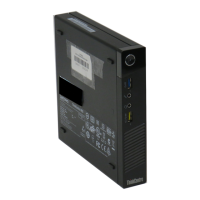
The Lenovo S500 is a computer designed to provide a range of computing capabilities. It supports various storage drives, including 2.5-inch solid-state drives, 3.5-inch hard disk drives, and 3.5-inch hybrid drives. The computer features integrated graphics with DisplayPort and VGA connectors, with an optional discrete graphics card for enhanced display. Audio capabilities include audio line-in, audio line-out, headphone, and microphone connectors. Input/Output (I/O) features comprise serial, audio, card reader (optional), DisplayPort, VGA, Ethernet, and USB connectors (both 2.0 and 3.0). For expansion, it includes a card reader (optional), optical drive (optional), storage drive bay, memory slots, and a PCI Express x16 graphics card slot. Network features include an Ethernet LAN (with an optional discrete network interface card) and optional Wireless LAN and Bluetooth. The computer is preinstalled with either Windows 7 or Windows 10 operating systems, with Linux® also certified or tested for compatibility on some models.
Dimensions:
Weight:
Environmental Conditions:
Electrical Input:
Power Supply:
System Management Features:
Security Features:
The manual details how to register the computer, set the volume, and add icons to the Windows notification area. It provides guidelines for using the optical drive, handling and storing discs, and playing/removing/recording discs. Instructions for connecting to an Ethernet LAN, wireless LAN (optional), and Bluetooth-enabled devices (optional) are also included. The manual offers advice on arranging a workspace for comfort, minimizing glare, ensuring proper air circulation, and considering electrical outlet locations and cable lengths.
The manual outlines basic maintenance tips such as keeping the computer in a clean, dry environment, not covering air vents, keeping food and drinks away, avoiding moisture on power switches, and disconnecting power cords by grasping the plug. Good maintenance practices include keeping software, device drivers, and the operating system up-to-date, regularly emptying the recycle bin and e-mail folders, cleaning up files and storage drive space, maintaining a log book of changes and problems, and regularly backing up data. For Windows 10, creating a recovery medium is recommended.
The manual also covers troubleshooting, diagnostics, and recovery. It provides a basic procedure for resolving computer problems, starting with checking cable connections and power, running antivirus programs, consulting troubleshooting sections, running diagnostic programs (Lenovo Solution Center, UEFI diagnostic program), and finally, recovering the operating system. Specific troubleshooting sections address startup problems (computer not starting, operating system failure, multiple beeps), audio problems (no audio, sound from one speaker), CD/DVD problems (disc not working, black screen, movie not playing, no audio), intermittent problems, storage drive problems (missing drives, "No Operating System Found" message), networking problems (Ethernet LAN connection failure, Gigabit Ethernet speed issues, Wake On LAN not working, wireless LAN problems), Bluetooth problems, and performance problems (fragmented files, insufficient storage space).
Instructions for installing or replacing hardware components are provided, including handling static-sensitive devices, removing the computer cover, replacing the front bezel, optical drive, storage drive, card reader, front audio and USB assembly, system fan assembly, thermal sensor, power supply assembly, coin-cell battery, microprocessor, memory module, PCI Express card, Wi-Fi card, and Wi-Fi antennas (front and rear). It also includes steps for updating and recovering the BIOS.
The manual also contains regulatory information for various regions, including export classification, electronic emissions notices (FCC, Industry Canada, European Union, Japan, Korea), Brazil audio notice, Mexico wireless-radio compliance information, and additional regulatory details. It includes WEEE and recycling information for the European Union, Japan, Brazil, and Taiwan, as well as Restriction of Hazardous Substances Directive (RoHS) compliance for the European Union, China, Turkey, Ukraine, and India. Finally, it provides ENERGY STAR model information, detailing power-management features for Windows 7 and Windows 10 operating systems.


 To Next Page
 General