20
Chapter 2. Using Your Computer
Using the Internet - - - - - - - - - - - - - - - - - - - - - - - - - - - - - - - - - - - - - - - - - - - - - - - - - - - - - - - - - - - - - - - - - - - -
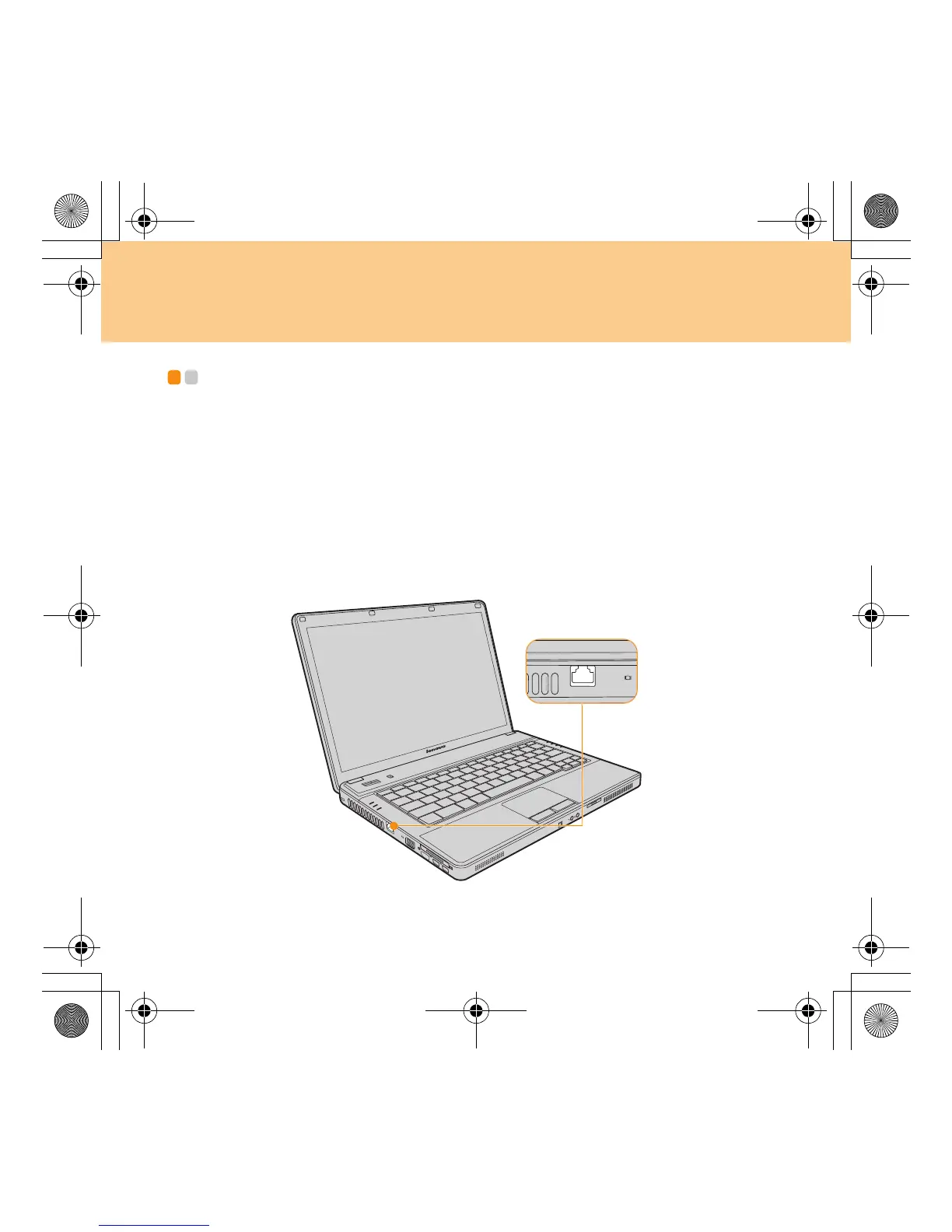
Your computer comes with a LAN port for high-speed DSL/cable modem
connection and local area network (LAN), wireless LAN for wireless
connection and modem port for dial-up connection.
Using LAN Port
The LAN port accepts a standard RJ-45 connector, and allows you to
connect the computer to a high-speed DSL/cable modem connection and
local area network (LAN).
Lenovo 3000 G430-G530 UG V1.0_en.book Page 20 Tuesday, July 1, 2008 7:51 PM




 To Next Page