40
Chapter 3. Using External Devices
Connecting an External Display - - - - - - - - - - - - - - - - - - - - - - - - - - - - - - - - - - - - - - - - - -
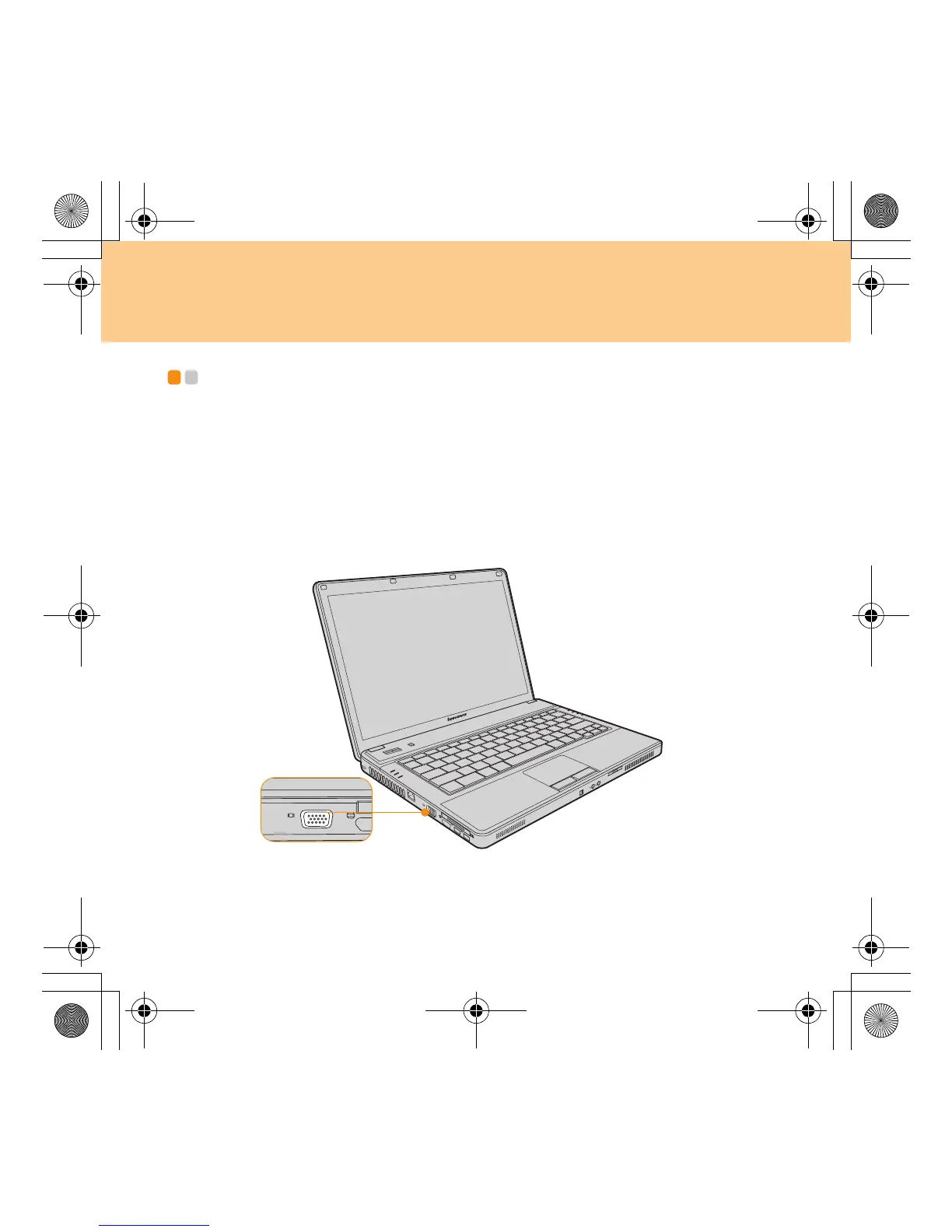
You can connect an external display to your computer, such as VGA
monitor.
Connecting a VGA monitor
You can connect a VGA monitor by using a VGA port. To connect a VGA
monitor plug the display cable to VGA port on your computer. Press Fn +
F3 to switch to the external display.
Lenovo 3000 G430-G530 UG V1.0_en.book Page 40 Tuesday, July 1, 2008 7:51 PM




 To Next Page