Installing your keyboard
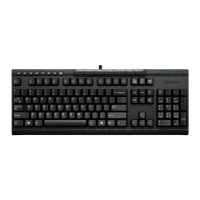
Attach the keyboard cable to the USB port as shown
above.
Note: If a fingerprint reader is attached to the computer,
you will need to disconnect the reader before attaching
the computer.
A palm rest is included with this option. If you want to
attach it, use the installation sheet included in the option
package. For additional tips on setting up your keyboard,
visit the IBM Healthy Computing website, at:
http://www.ibm.com/pc/ww/healthycomputing
Connectez le cordon du clavier au port USB, comme
illustré ci-dessus.
Remarque : Si un lecteur d’empreintes digitales est
connecté à l’ordinateur, vous devrez le déconnecter avant
de brancher l’ordinateur.
Un repose-mains est fourni avec cette option. Si vous
souhaitez l’utiliser, consultez le livret d’installation
associé. Pour plus de conseils sur l’installation du clavier,
consultez le site Web IBM Healthy Computing, à l’adresse
suivante :
http://www.ibm.com/pc/ww/healthycomputing
Schließen Sie das Tastaturkabel wie in der Abbildung
oben dargestellt an den USB-Anschluss an.
Anmerkung: Wenn ein Lesegerät für Fingerabdrücke an
den Computer angeschlossen ist, müssen Sie dieses
Lesegerät vor dem Anschließen des Computers entfernen.
Im Lieferumfang dieser Zusatzeinrichtung ist eine
Handauflage enthalten. Lesen Sie zum Anbringen der
Handauflage das mit dieser Zusatzeinrichtung
mitgelieferte Blatt mit Installationshinweisen. Weitere
Hinweise zur Konfiguration der Tastatur finden Sie auf
der IBM Website ″Healthy Computing″ unter der
folgenden Adresse:
http://www.ibm.com/pc/ww/healthycomputing
Conecte el cable del teclado al puerto USB tal como se
mostraba anteriormente.
Nota: si hay un lector de huellas dactilares conectado al
sistema, deberá desenchufarlo antes de conectar el
sistema.
Esta opción incluye un reposamuñecas. Si desea
incorporarla, utilice la hoja de instalación que viene con
el paquete de la opción. Para obtener consejos adicionales
sobre cómo configurar el teclado, visite el sitio web de
IBM sobre Healthy Computing en:
http://www.ibm.com/pc/ww/healthycomputing.

 Need help?



 To Next Page
 General