EN
4
IMPORTANT NOTES
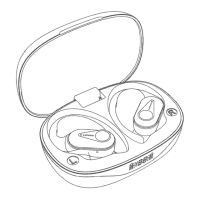
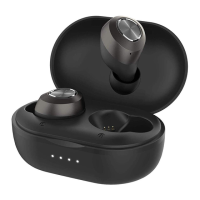
• Before using HT10 wireless earbuds, please charge
both the case and earbuds;
• While you are trying to connect the earbuds to a new
device, make sure the earbuds are not connected with
any other devices;
• We provide 3 pairs of ear tips (include one pair installed
on the earbuds), please select the best one for dierent
occasions;
• A Key to sound quality in any earbud is the FIT of rubber
ear tips to the listener If you don’t have a snug t, you
could lose up to 30-75% of the sound quality;
• If the earbuds cut in and out frequently in routine use,
it should be a defective item. Feel free to contact us. We
would help to solve your issue within 8 hours normally.
CONNECT SETTINGS FOR STEREO MODE
Stereo Mode (Dual Mode: The left and right earbud as
a whole)
Follow the tips to connect your earbuds:
Step 1 Power on
The earbuds will power on AUTOMATICALLY when
you remove the earbuds from the charging case with a
voice prompt of “POWER ON”. (Or you can also press
the power keys on both earbuds up to one time to turn
them on manually).


 To Next Page