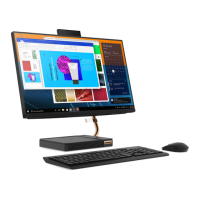
1. Account
Change account settings, lock the computer, or sign out from the current account.
2. Settings
Launch Settings.
3. Power
Shut down, restart, or put the computer into sleep mode.
4. Start button
Open the Start menu.
5. Windows Search
Type what you are looking for in the search box and get search results from your
computer and the Web.
6. Task View
Display all opened apps and switch among them.
7. Windows notification area
Display notifications and status of some features.
8. Network icon
Connect to an available wireless network and display the network status. When
connected to a wired network, the icon changes to
.
9. Action center
Display the latest notifications from apps and provide quick access to some
features.
Open the Start menu
• Click the Start button.
• Press the Windows logo key on the keyboard.
Open the Start context menu
Right-click the Start button.
Access Control Panel
• Open the Start menu and click Windows System ➙ Control Panel.
• Use Windows Search.
Launch an app
• Open the Start menu and select the app you want to launch.
• Use Windows Search.
Connect to networks
Your computer helps you connect to the world through a wired or wireless network.
Connect to the wired Ethernet
Connect your computer to a local network through the Ethernet connector on your computer with an
Ethernet cable.
Connect to Wi-Fi networks
1. Click the network icon in the Windows notification area. A list of available wireless networks is displayed.
2. Select a network to connect. Provide required information, if needed.
Lenovo Vantage and Lenovo PC Manager
Lenovo Vantage and Lenovo PC Manager is software developed by Lenovo. Using the software, you can:
• View product information
Chapter 2. Get started with your computer 13



 To Next Page
 Loading...