Chapter 1. Meet your computer
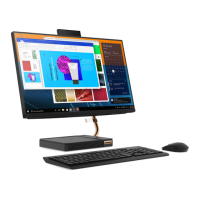
Front
1. Integrated camera activity
indicator
The indicator is on when the camera is in use.
2. Integrated microphones (2) Capture or record sound and voice.
3. Integrated camera
Take pictures or record videos by clicking Camera from the Start menu.
If you use other apps that support photographing, video chatting, and video
conference, the camera starts automatically when you enable the camera-
required feature from the app.
4. Infrared camera Sign in to your account with face authentication.
5. Screen
Displays text, graphics, and videos. Selected models support multi-touch
function. See “Use the multi-touch screen” on page 14.
© Copyright Lenovo 2019 1



 To Next Page
 Loading...