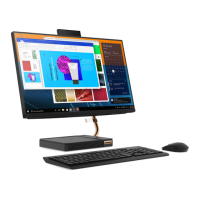
Rear
24–inch models
1. HDMI™ in/out switcher
Switch between HDMI-in mode and HDMI-out mode manually.
2. HDMI 1.4 in connector
Receive audio and video signals to the computer. For more information, see
https://www.hdmi.org/manufacturer/hdmi_1_4/index.aspx.
3. Ethernet connector
Connect to a local area network (LAN). When the green indicator is on, the
computer is connected to a LAN. When the yellow indicator blinks, data is being
transmitted.
4. HDMI 1.4 out connector
Send audio and video signals from the computer to another audio or video device,
such as a high-performance monitor. For more information, see
https://
www.hdmi.org/manufacturer/hdmi_1_4/index.aspx
.
5. USB 2.0 connectors (2)
Connect USB-compatible devices, such as a USB keyboard, USB mouse, USB
storage device, or USB printer.
6. USB 3.1 connector Gen 1/Gen
2*
Connect USB-compatible devices, such as a USB keyboard, USB mouse, USB
storage device, or USB printer.
Chapter 1. Meet your computer 3



 To Next Page
 Loading...