• “Computer cover” on page 14
• “Bottom cover” on page 15
• “Power supply assembly” on page 18
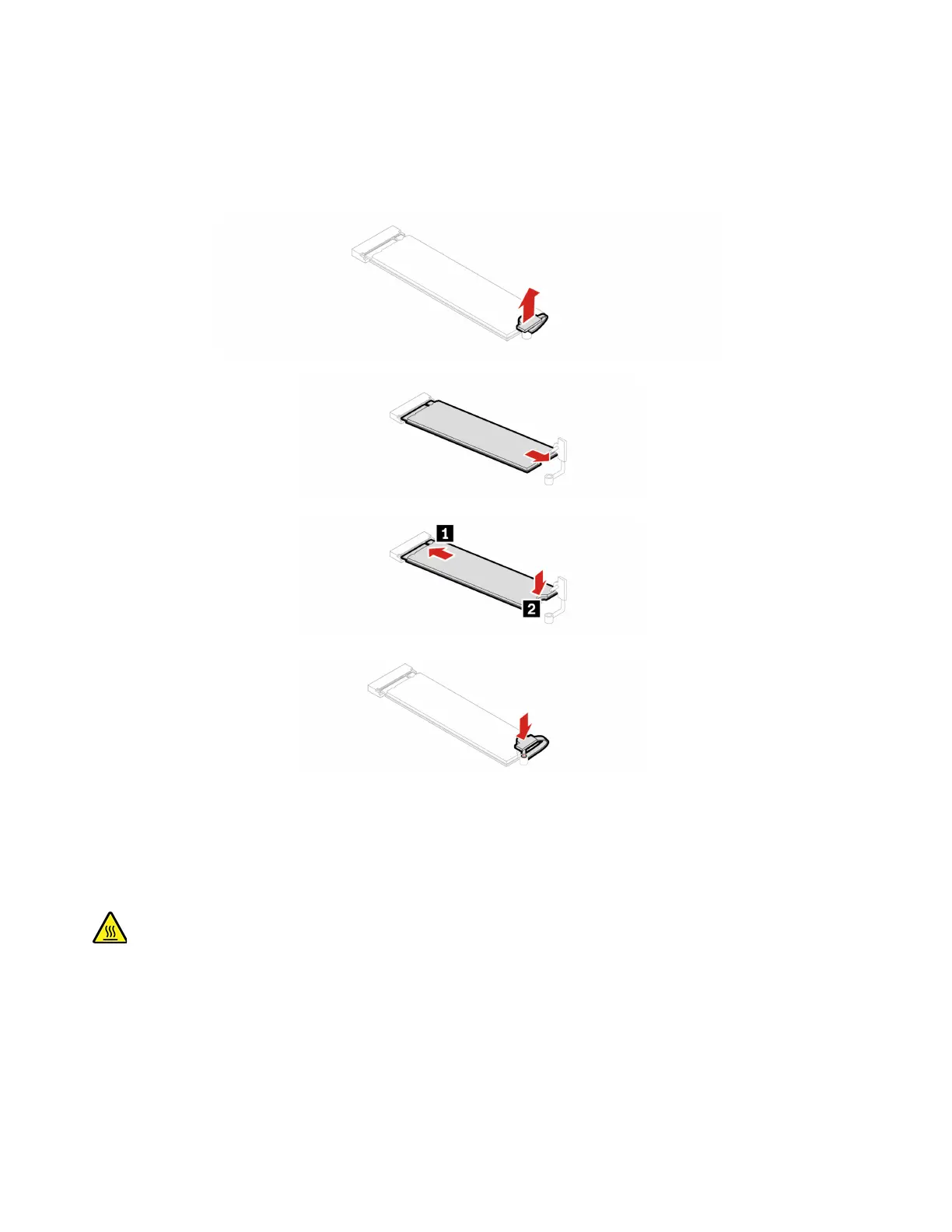
Replacement procedure
System fan
Prerequisite
Before you start, read Generic Safety and Compliance Notices, and print the following instructions.
Before you open the computer cover, turn off the computer and wait several minutes until the computer is
cool.
For access, remove the following parts in order:
• “Computer stand” on page 12
• “Computer cover” on page 14
• “Bottom cover” on page 15
20
IdeaCentre Mini User Guide











 To Next Page