Chapter1.LenovoandThinkPadmice
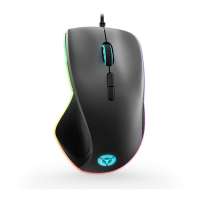
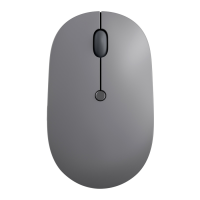
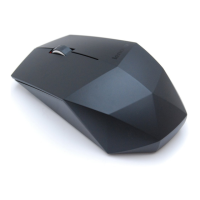
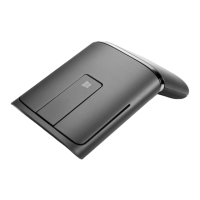
Thischapterprovidesinformationaboutthefollowingmice:
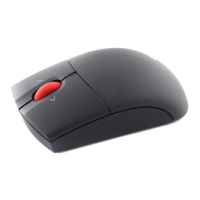
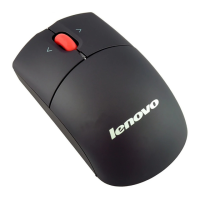
•LenovoScrollPointMouse
•LenovoUSBLaserMouse
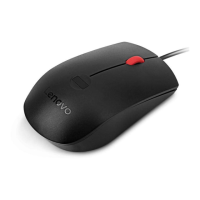
•LenovoOpticalMouse
•ThinkPadPrecisionUSBMouse
•ThinkPadUSBLaserMouse
•ThinkPadUSBTravelMouse
Productdescription
TheLenovoScrollPointMousehasascrollingpoint,whichenablesyoutocontrolverticalandhorizontal
scrolling.TheLenovoUSBLaserMouse,theThinkPadPrecisionUSBMouse,andtheThinkPadUSBLaser
Mouseenableyoutocontrolverticalandhorizontalscrollingusingthetiltwheel.FortheLenovoOptical
MouseandtheThinkPadUSBTravelMouse,youcanusethescrollingwheeltocontrolverticalscrolling.
Note:InstalltheLenovoMouseSuitesoftwarebeforeusingthehorizontalscrollingfunction.
EachmousecanbeconnectedtoanyenabledUniversalSerialBus(USB)connectoronyourcomputer.
Eachmouseissupportedonthefollowingoperatingsystems:
•Microsoft
®
Windows
®
XP(32-bit)
•MicrosoftWindowsVista
®
(32-bitor64-bit)
•MicrosoftWindows7(32-bitor64-bit)
•MicrosoftWindows8(32-bitor64-bit)
•MicrosoftWindows8.1(32-bitor64-bit)
Eachoptionpackageincludesthefollowing:
•Amouse
•Setupandwarrantyposter
•LaserSafetyInformation
Note:TheLaserSafetyInformationisonlyavailableinlasermousepackages.
Installingthesoftware
ItisrecommendedthatyouinstalltheLenovoMouseSuitesoftwaretocustomizeadvancedsettingsbefore
youusethemouse.
Note:Itisrecommendedthatyouuninstallanypreviouslyinstalledmousesoftwarebeforeinstallingthe
LenovoMouseSuitesoftware.
ToinstalltheLenovoMouseSuitesoftware,dothefollowing:
Notes:
•IntheHardwareInterfaceSelectionwindow,selectUSB(UniversalSerialBus)Interface.
©CopyrightLenovo2005,2014
1



 To Next Page