
 Need help?
Do you have a question about the Lenovo P27h-20 and is the answer not in the manual?
Prepare soft cloth and sponge as working platform to place LCD monitor horizontally.
Hold LCD by the side carefully and DON'T touch or press panel directly.
Phillips screwdriver (#2) is required for disassembly and re-assembly.
A C/D disassembly tool is needed for releasing rear cover hooks.
Gloves or soft cloth are used for safe handling of components.
Place monitor on a flat surface and release the stand using the button.
Remove four screws from the monitor casing using a Phillips screwdriver.
Use a disassembly tool to release rear cover hooks from bottom holes.
Carefully remove all internal tapes and foil from the components.
Remove all screws securing the main casing using a Phillips screwdriver.
Unplug keypad, light bar, LVDS, and speaker cables from the motherboard.
Take out the mylar sheet from the main chassis and remove associated tape.
Remove all screws from the PCB using a Phillips screwdriver.
Take out the PCB and peel off the bottom mylar and gasket.
Carefully detach the front bezel from the LCD panel assembly.
This document outlines the simplified service manual for dismantling the Lenovo P27h-20 monitor, providing essential information for technicians and users performing maintenance or repair. The primary function of this manual is to guide the user through the safe and effective disassembly of the monitor, ensuring that components can be accessed, replaced, or repaired without causing damage to the device or injury to the user.
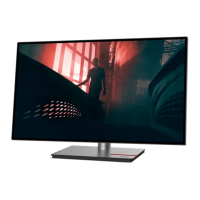
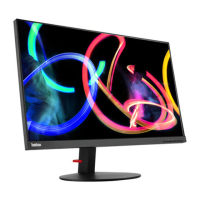
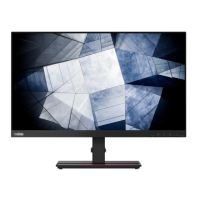
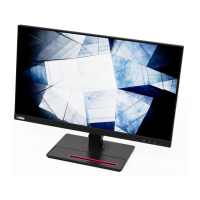
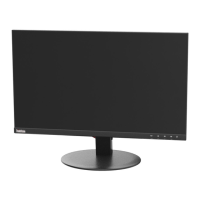
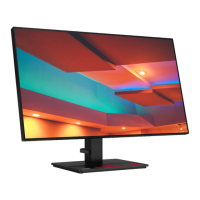
The Lenovo P27h-20 is a display monitor designed for various computing tasks, ranging from general office work to more demanding applications. Its core function is to provide a visual interface for computers, displaying images, text, and videos with clarity and precision. The monitor is built with multiple internal components, including an LCD panel, printed circuit boards (PCBs), a power supply unit, and various cables and connectors, all housed within a protective casing. The manual focuses on the process of accessing these internal components for service.
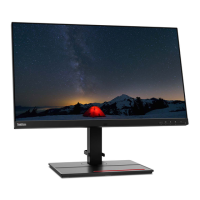
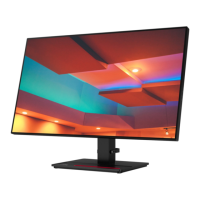
While this manual primarily details maintenance, understanding the monitor's usage context is helpful. The P27h-20 typically features a stand that allows for ergonomic adjustments, such as tilt, swivel, pivot, and height adjustment, to optimize viewing comfort. It connects to a computer via standard video input ports, such as HDMI or DisplayPort, and may include additional features like USB hubs for peripheral connectivity. The monitor is designed for stable operation on a flat surface, and its robust construction ensures durability during regular use. The stand is designed for easy attachment and detachment, a key feature highlighted in the disassembly process.
The maintenance features of the Lenovo P27h-20 are central to this manual. The document emphasizes a systematic approach to disassembly, starting with crucial precautions to prevent damage and ensure safety.
Precautionary Measures: Before any disassembly, the manual stresses the importance of removing all power connectors and ensuring the monitor is in an "off" status. This is a fundamental safety step to prevent electrical shock or damage to sensitive electronic components. Furthermore, it advises preparing a soft cloth and sponge as a working platform to protect the LCD panel from scratches or impact during the process. Users are explicitly warned to handle the LCD panel by its sides and avoid direct contact or pressure on the screen itself, as this can cause irreversible damage.
Appropriate Tools: The manual specifies the necessary tools for disassembly and re-assembly, ensuring that technicians use the correct equipment to avoid stripping screws or damaging components. The primary tools identified are:
Disassembly SOP (Standard Operating Procedure): The manual provides a step-by-step guide for dismantling the monitor, making the process clear and replicable.
This detailed, step-by-step approach ensures that maintenance can be performed efficiently and safely, allowing for component replacement, troubleshooting, or recycling of parts. The emphasis on specific tools and careful handling underscores the precision required for servicing modern electronic displays.
 General
| Screen Size | 27 inches |
|---|---|
| Resolution | 2560 x 1440 |
| Panel Type | IPS |
| Aspect Ratio | 16:9 |
| Refresh Rate | 60 Hz |
| Brightness | 350 cd/m² |
| Contrast Ratio | 1000:1 |
| Color Gamut | 99% sRGB |
| Viewing Angle | 178°/178° |
| VESA Mount | 100 x 100 mm |
| Response Time | 4 ms (Extreme mode) |
| Ports | HDMI, DisplayPort, USB-C |
| USB Ports | 4 |
| Stand Adjustments | Tilt, Height, Pivot, Swivel |




 To Next Page