Camera
Camera basics
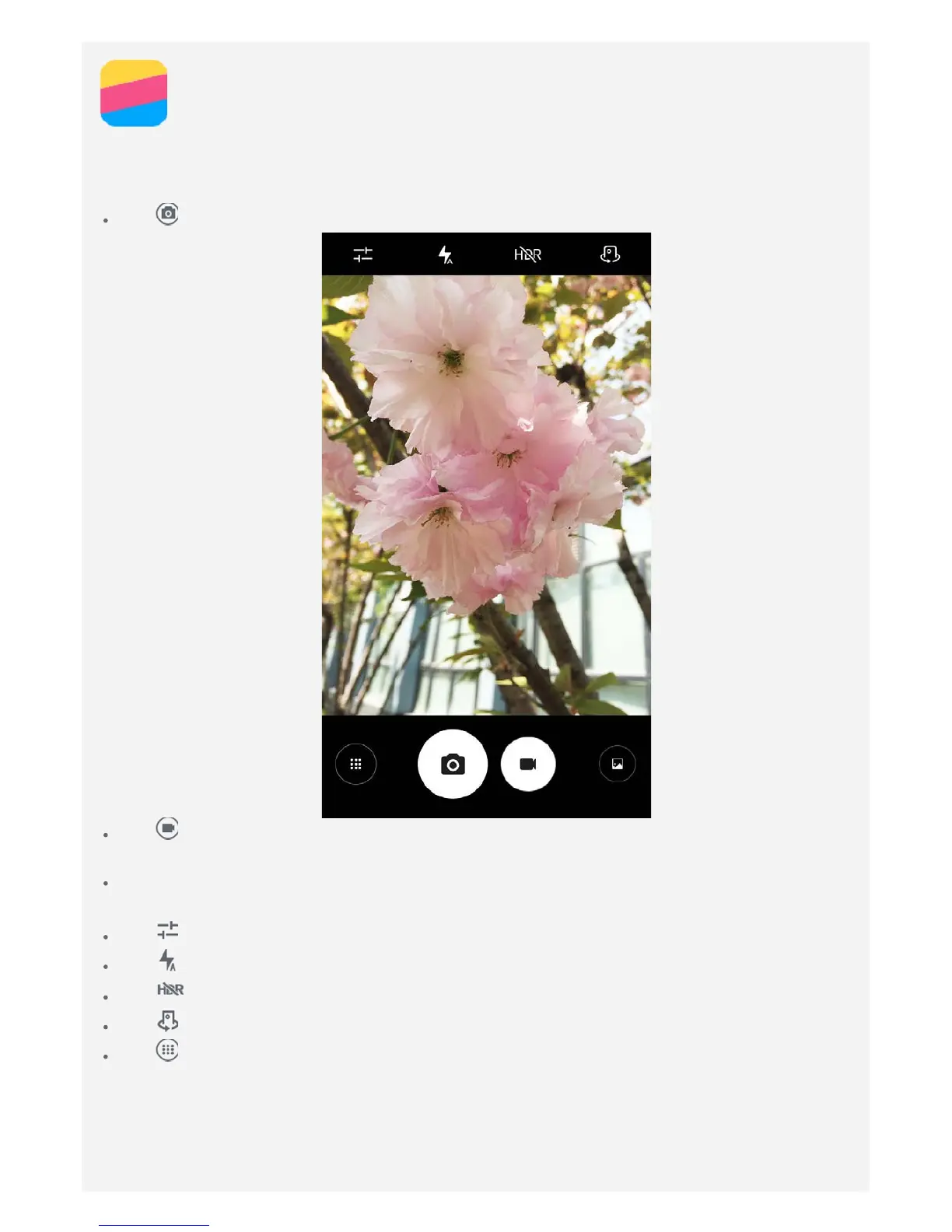
You can use the Camera app to take photos and record videos.
Tap to take a photo.
Tap to record a video, you'd better choose a landscape mode to better experience Dolby
Atmos.
Tap the photo or video thumbnail to view the photo or video in the Photos app. For more
information, see Photos.
Tap to configure the other camera settings.
Tap to choose different flash modes.
Tap to use HDR (High Dynamic Range).
Tap to switch between the front-facing camera and the rear-facing camera.
Tap to access camera mode.


 To Next Page