Thissectionprovidesinstructionsonhowtoreplacethekeyboardormouse.
Toreplacethekeyboardormouse,dothefollowing:
1.Disconnecttheoldkeyboardcableormousecablefromthecomputer.
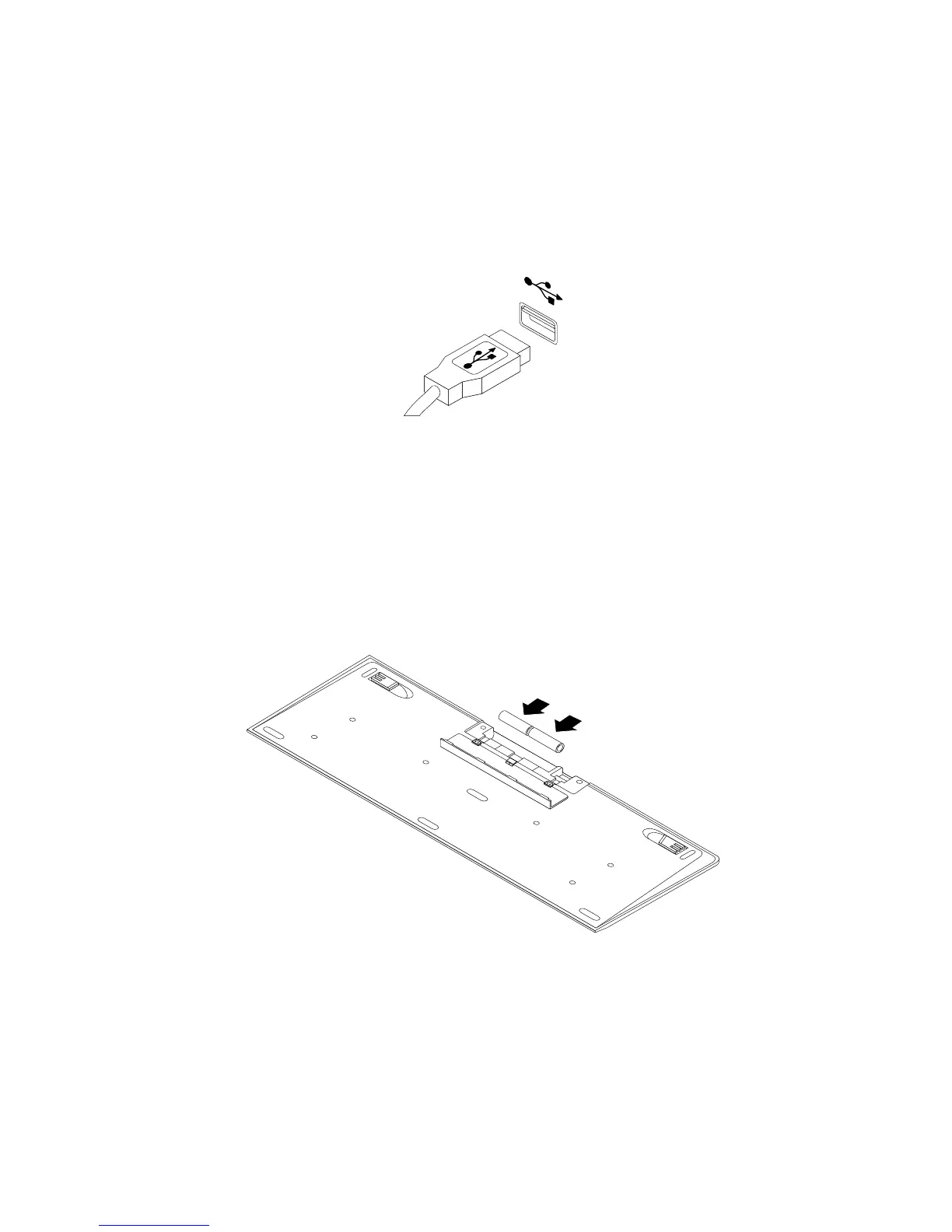
2.ConnectanewkeyboardormousetooneoftheUSBconnectorsonthecomputer.Dependingonwhere
youwanttoconnectthenewkeyboardormouse,see“Locatingconnectors,controls,andindicatorson
thefrontofyourcomputer”onpage8or“Locatingconnectorsontherearofyourcomputer”onpage9.
Figure7.ConnectingtheUSBkeyboardormouse
Replacingthewirelesskeyboard
Toreplacethewirelesskeyboard,dothefollowing:
1.Takeawayyourfailingwirelesskeyboard.
2.Removethenewwirelesskeyboardfromthepackage.
3.InstallthekeyboardbyopeningthebatterycompartmentcoverandinstallingtwoAAAbatteries
accordingtothepolarityindicators.
Figure8.Installingthekeyboardbatteries
4.RemovetheUSBdonglefromthekeyboardcompartmentorfromthewirelessmousecompartment
andconnectittoanavailableUSBconnectorsonthecomputer.See“Replacingthewirelessmouse”
onpage35.
5.Closethecompartmentcover.Thekeyboardisreadyforuse.
34ThinkCentreE73zUserGuide












 To Next Page