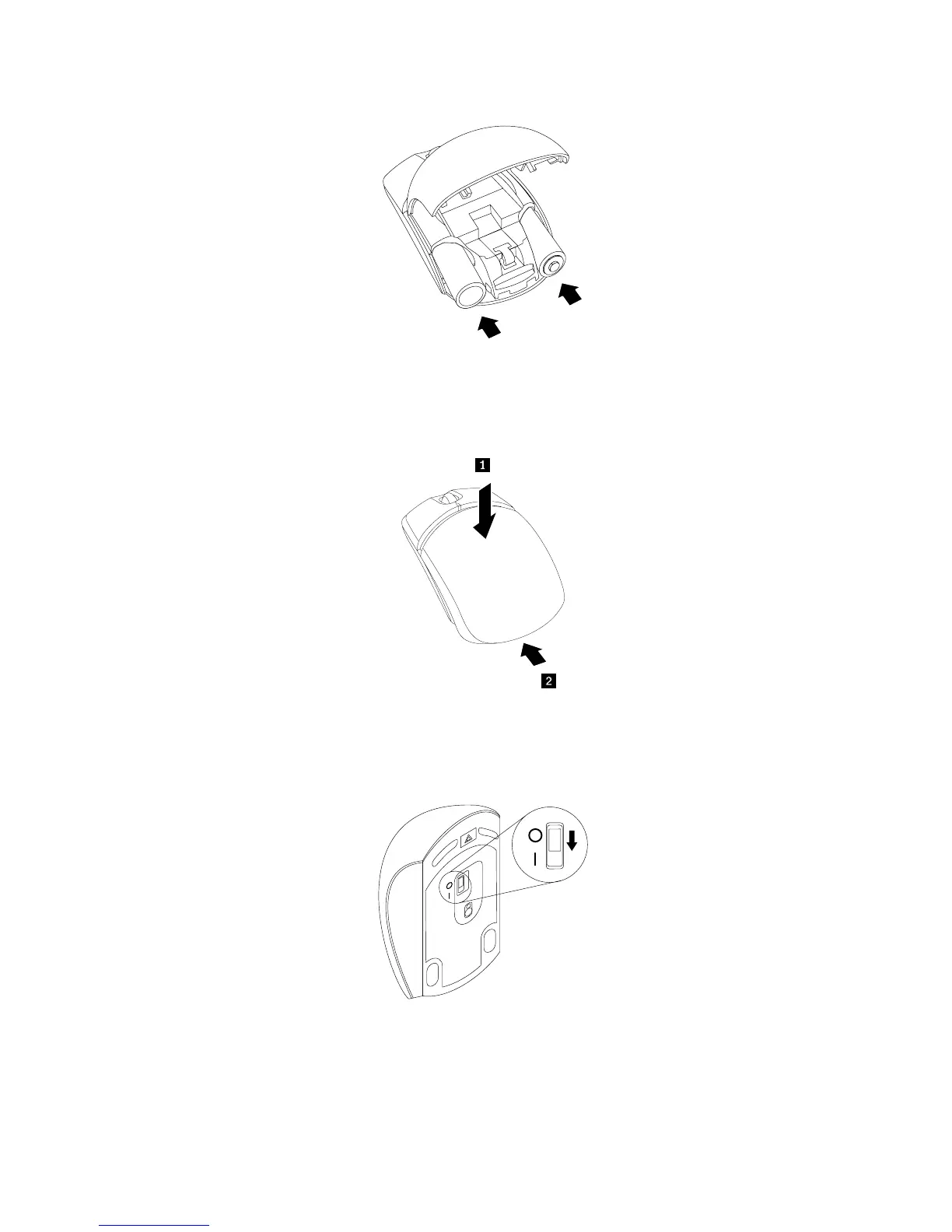
Figure12.Installingthemousebatteries
7.Closethebatterycompartmentcoverandslideitforwarduntilitclicksintoplace.
Figure13.Closingthebatterycompartmentcover
8.Switchonthepowerbuttononthebottomofthewirelessmouse,andthenitisreadytouse.
Figure14.Pushingthepowerswitchon
Notes:
•ThegreenLEDindicatesthatthemouseisreadyforuse.
•TheflashingamberLEDindicatesalowbatterypowerlevel.
36ThinkCentreE73zUserGuide












 To Next Page