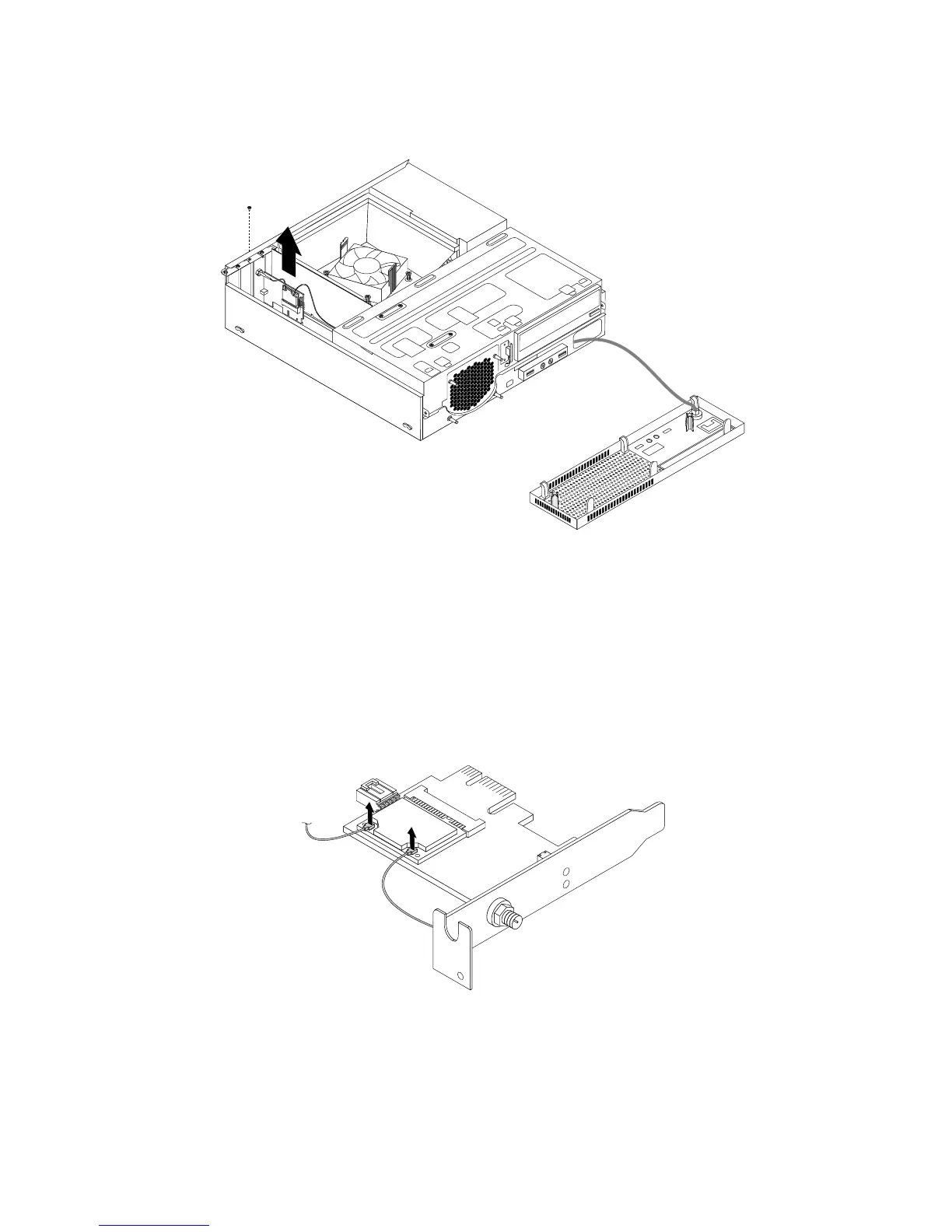
5.GrasptheWi-Fiadaptercardthatiscurrentlyinstalledandgentlypullitoutoftheslot.
Figure55.RemovingtheWi-Fiadaptercard
Note:Thecardfitstightlyintothecardslot.Ifnecessary,alternatemovingeachsideofthecarda
smallamountuntilitisremovedfromthecardslot.
RemovingtheWi-Ficardmodule
ToremovetheWi-Ficardmodule,dothefollowing:
1.RemovetheWi-Fiadaptercardfromthecomputer,andthendisconnectthefrontandrearWi-Fiantenna
cablesfromtheWi-Ficardmodule.
Figure56.RemovingtheWi-Fiantennacables
76ThinkCentreE93UserGuide












 To Next Page