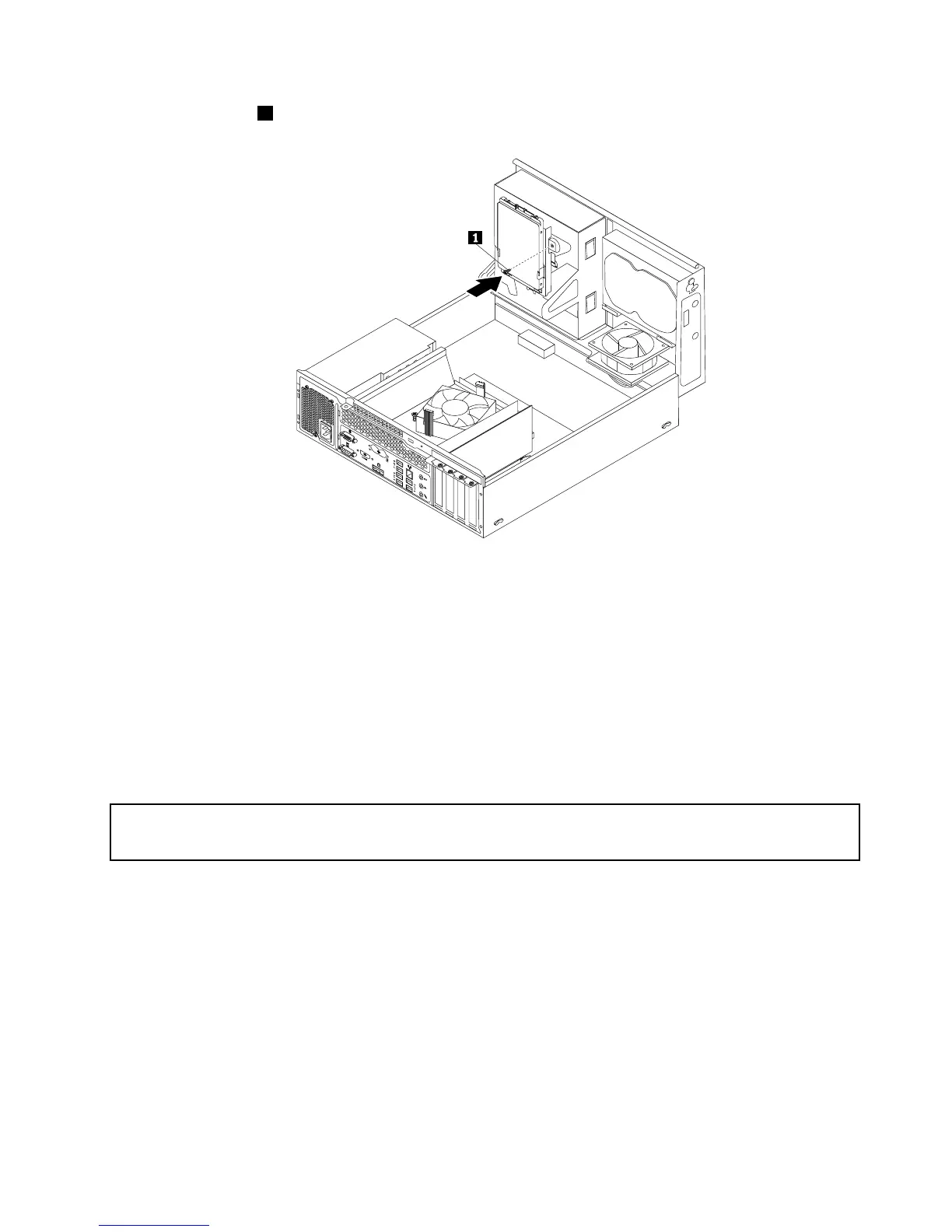
11.Installthescrew1tosecurethebracketonthebottomoftheopticaldrivebay.
Figure31.Installingthescrewtosecurethebracketonthebottomoftheopticaldrivebay
12.Connectoneendofthesignalcabletothebottomofthenewsolid-statedriveandtheotherendto
anavailableSATAconnectoronthesystemboard.See“Locatingpartsonthesystemboard”on
page12.Then,locateanavailablefour-wirepowerconnectorandconnectittothebottomofthe
newsolid-statedrive.
Whattodonext:
•Toworkwithanotherpieceofhardware,gototheappropriatesection.
•Tocompletetheinstallationorreplacement,goto“Completingthepartsreplacement”onpage84.
Replacingtheopticaldrive
Attention:
Donotopenyourcomputerorattemptanyrepairbeforereadingandunderstandingthe“Importantsafetyinformation”
onpagev.
Thissectionprovidesinstructionsonhowtoreplacetheopticaldrive.
Note:Theopticaldriveisonlyavailableinsomemodels.
Toreplacetheopticaldrive,dothefollowing:
1.Removeallmediafromthedrivesandturnoffallattacheddevicesandthecomputer.Then,disconnect
allpowercordsfromelectricaloutletsanddisconnectallcablesthatareconnectedtothecomputer.
2.Removethecomputercover.See“Removingthecomputercover”onpage40.
3.Removethefrontbezel.See“Removingandreinstallingthefrontbezel”onpage40.
4.Pivotthedrivebayassemblyupward.See“Accessingthesystemboardcomponentsanddrives”
onpage42
.
5.Disconnectthesignalcableandthepowercablefromtheopticaldrive.
Chapter5.Installingorreplacinghardware55












 To Next Page