Chapter 3. Product overview
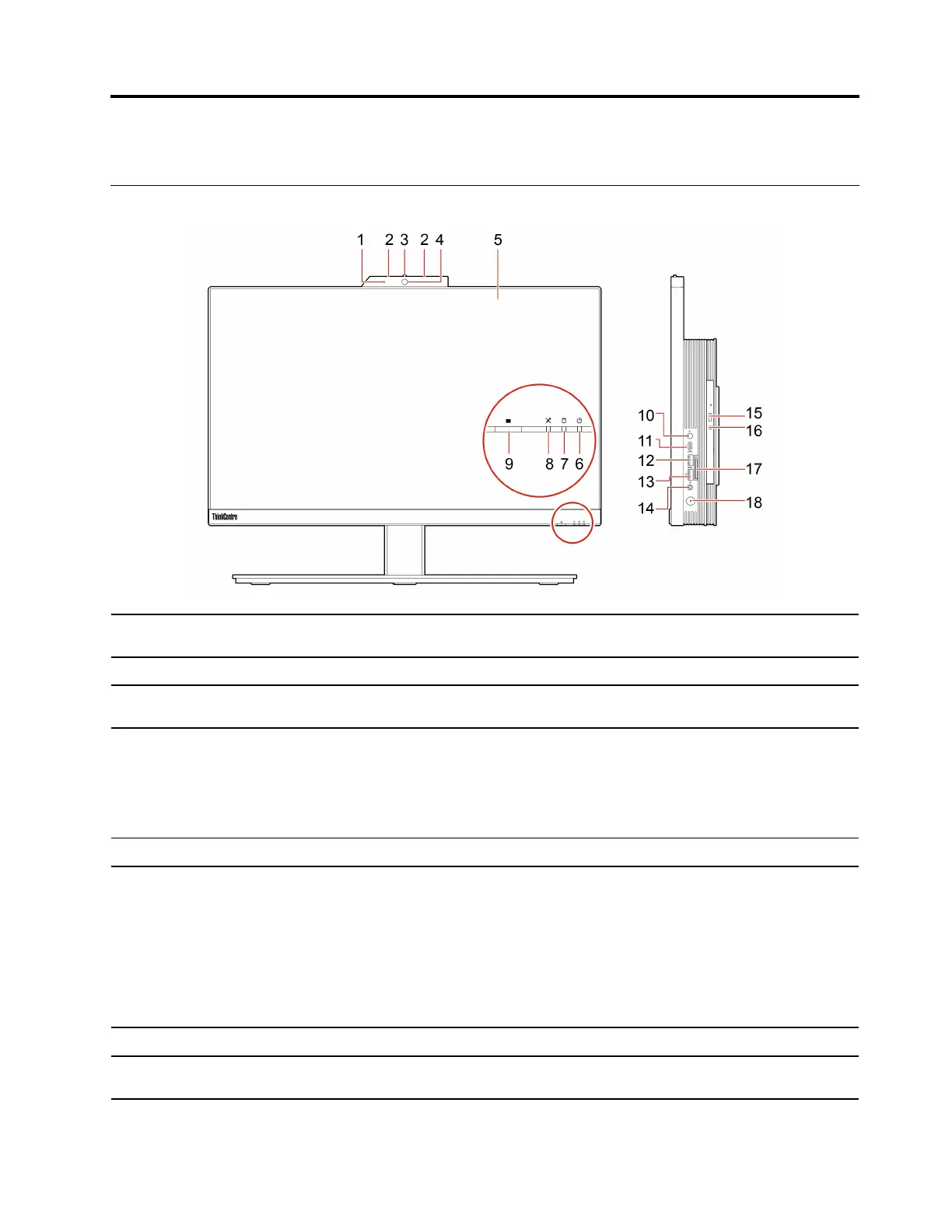
Front
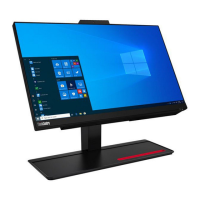
1. Integrated camera activity
indicator*
This indicator is on when the camera is in use.
2. Microphones* Capture or record sound and voice.
3. Integrated camera or IR
camera shield*
Slide to cover the camera lens whenever you need.
4. Integrated camera or IR
camera*
• Take pictures or record videos by clicking Camera from the Start menu.
• Log in to your computer with face authentication.
If you use other apps that support photographing, video chatting, and video
conference, the camera starts automatically when you enable the camera-
required feature from the app.
5. Multi-touch screen*
Enable you to use your computer with simple touch gestures.
6. System status indicator
The indicator shows the system status of your computer.
• Blinking for three times: The computer is initially connected to power.
• On: The computer is on.
• Off: The computer is off or in hibernation mode.
• Blinking rapidly: The computer is entering hibernation mode.
• Breathing (blinking slowly): The computer is in sleep or modern standby
mode.
7. Storage drive activity indicator This indicator is on when the storage drive is in use.
8. Microphone mute/unmute
indicator*
This indicator is on when the microphones are muted.
© Copyright Lenovo 2021 29




 To Next Page