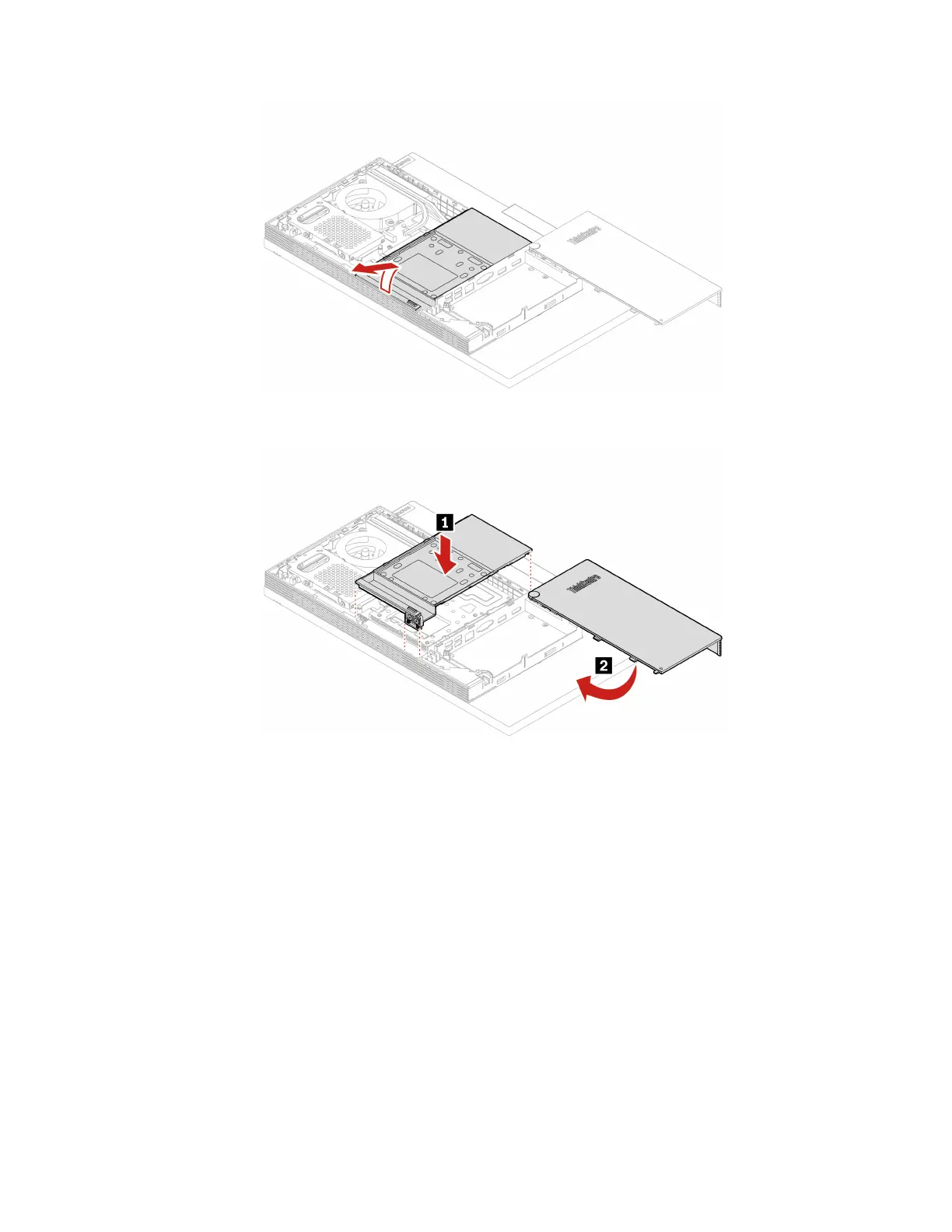
Figure 34. Removing the VESA mount bracket cover
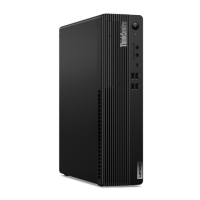
Figure 35. Installing the VESA mount bracket cover
7. Reinstall the removed parts.
8. Place the computer in an upright position.
9. If a locking device is available, use it to lock the computer.
10. Reconnect the external cables and power cords to the corresponding connectors on the computer.
VESA mount bracket
Prerequisite
Before you start, read Chapter 1 “Important safety information” on page 1 and print the following
instructions.
Replacement procedure
1. Remove the computer stand. See “Computer stand” on page 61.
2. Remove the rear cover. See “Rear cover” on page 65.
76
M70a and M90a Hardware Maintenance Manual




 To Next Page