3. Remove the optical drive. See “Optical drive” on page 66.
4. Remove the optical drive holder. See “Optical drive holder” on page 69.
5. Remove the system board shield. See “System board shield” on page 71.
6. Remove the VESA mount bracket cover. See “VESA mount bracket cover” on page 74.
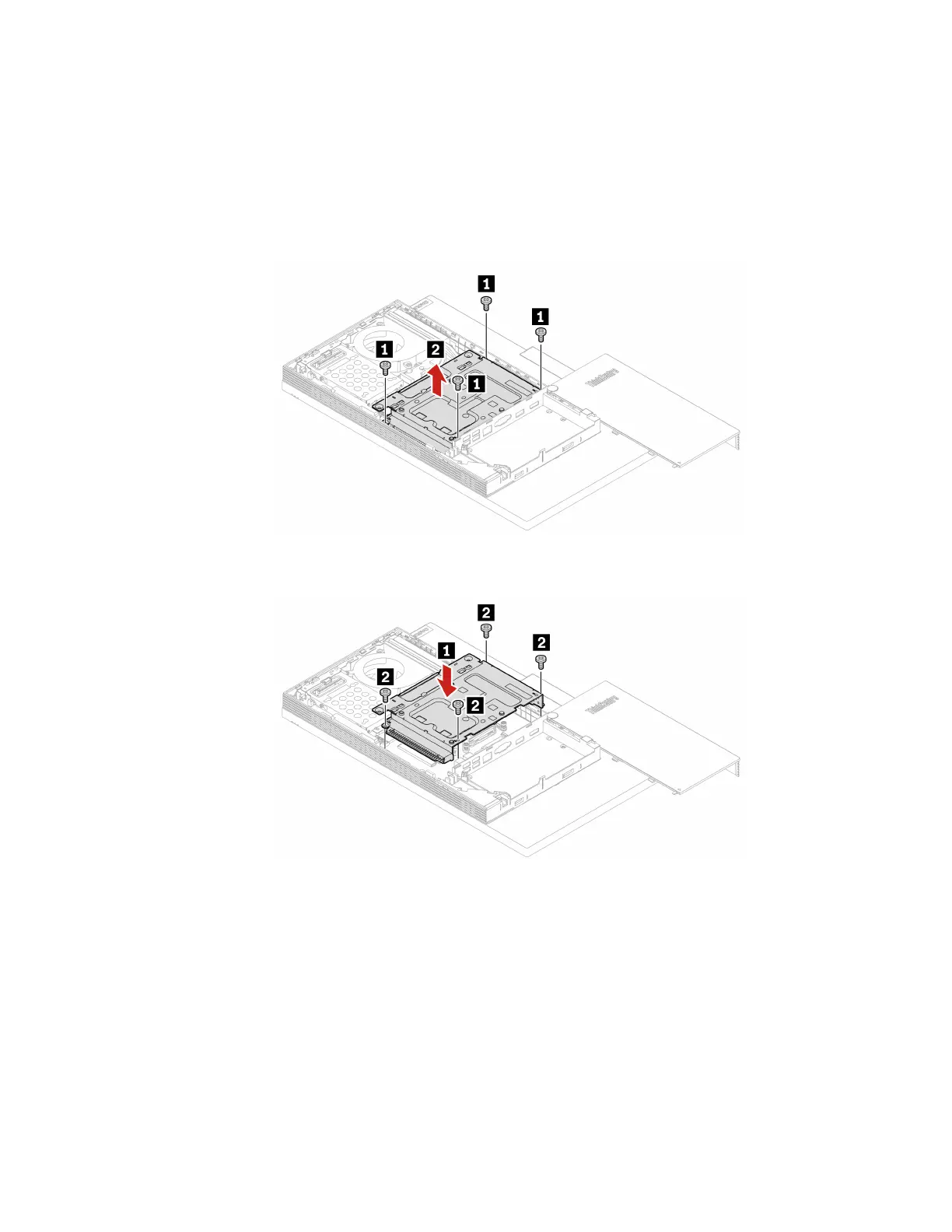
7. Depending on your computer model, refer to one of the following to replace the VESA mount bracket.
• M70a
Figure 36. Removing the VESA mount bracket
Figure 37. Installing the VESA mount bracket
• M90a
Chapter 6. Hardware removal and installation 77




 To Next Page