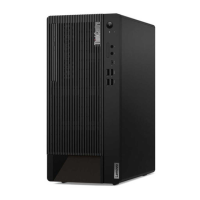
4. Power button
Press to turn on the computer.
To turn off the computer, open the Start menu, click
Power, and then select
Shut down.
The indicator in the power button shows the system status of your computer.
• On: The computer is on.
• Off: The computer is off or in hibernation mode.
• Blinking: The computer is in sleep mode.
• Breathing: The computer is in modern standby mode.
Note: Modern standby mode is supported on some models.
5. Storage drive activity indicator This indicator is on when the storage drive is in use.
6. ThinkCentre
®
LED
This indicator is on when the computer is on.
7. Microphone connector Connect a microphone.
8. Headset connector
Connect a headset or headphones to your computer.
9. USB-C
™
(3.2 Gen 1) connector
• Charge USB-C compatible devices with the output voltage and current of 5 V
and 3 A.
• Transfer data at USB 3.2 speed, up to 5 Gbps.
10. USB 3.2 connectors Gen 1
Connect USB-compatible devices, such as a USB keyboard, USB mouse, USB
storage device, or USB printer.
11. USB 3.2 connectors Gen 2
Enable you to experience higher data transfer rate when you connect USB-
compatible devices, such as a USB keyboard, USB mouse, USB storage device,
or USB printer.
12. Internal speaker Enable you to experience high-quality sound.
* for selected models
2
M90t User Guide



 To Next Page
 Loading...