EasyManua.ls Logo

Lenovo ThinkCentre TIO27 - User Manual

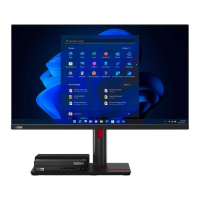
Lenovo ThinkCentre TIO27
54 pages
Print Icon
To Next Page IconTo Next Page
Loading...
ThinkCentre TIO27
User Guide
Machine Types: 10YF

Table of Contents

Questions and Answers

Summary

Safety Information

General Safety Guidelines

Essential safety precautions for operating the Lenovo ThinkCentre TIO27 monitor.

Getting Started

Shipping Contents

Lists all items included in the product package for initial setup and operation.

Locating Connectors and Controls

Identifies and describes the monitor's ports, buttons, and other external controls.

Setting Up Your Monitor

Guides on assembling the monitor stand and preparing it for use.

Connecting Cables

Detailed instructions for connecting necessary video and USB cables.

Turning On Monitor and Computer

Step-by-step guide for powering on the monitor and connected computer.

Adjusting and Using Your Monitor

Adjusting the Monitor Stand

Instructions for adjusting monitor tilt, swivel, pivot, and height for ergonomic comfort.

IR-Camera and Windows Hello Setup

Information on the integrated IR camera and configuring Windows Hello for face recognition.

Speakers and Audio

Details on the monitor's built-in speakers and audio input options.

Wall Mounting (Optional)

Steps for safely mounting the monitor on a wall using a VESA bracket.

Installing the Monitor Driver

Guidance on installing the monitor driver for optimal performance and features.

Comfort and Accessibility

Tips for ergonomic setup, work area arrangement, and accessibility features for user comfort.

Adjusting Monitor Image Settings

How to adjust image quality using user controls and the On-Screen Display (OSD) menu.

Using User Controls

Explains the functions of the monitor's physical user control buttons for adjustments.

Using OSD Controls

Details how to navigate and utilize the monitor's On-Screen Display (OSD) menu for settings.

Using USB Connectors

Explains the functionality and connection procedures for the monitor's USB ports.

Wake on System and Display

Procedures for waking the computer and monitor from standby or sleep modes.

Supported Display Modes

Lists the display resolutions and refresh rates supported by the monitor.

Understanding Power Management

Information on monitor power states and energy-saving features.

Caring for Your Monitor

Recommendations for cleaning and maintaining the monitor's appearance and function.

Reference Information

Disassembling Your Monitor

Step-by-step instructions for safely taking apart the monitor for service or disposal.

Monitor Specifications

Detailed technical specifications, dimensions, and performance data of the monitor.

Troubleshooting

Common problems encountered during setup and use, with suggested solutions.

Manual Image Setup

Guide for manually adjusting image settings like clock and phase for optimal display.

Installing Monitor Drivers

Detailed instructions for manually installing monitor drivers in Windows 7 and Windows 10.

Installing Camera Drivers

Procedures for installing IR and RGB camera drivers for functionality.

Service Information

Information on product identification, customer responsibilities, and getting further help.

Service Parts

Lists field-replaceable units (FRUs) and their part numbers for service purposes.

Service and Support

Registering Your Option

Information on registering the product for service updates and accessory offers.

Online Technical Support

How to access technical assistance and support resources via the Lenovo website.

Telephone Technical Support

Contact information and procedures for obtaining telephone support.

Notices

Recycling Information

Guidance on responsible recycling of IT equipment and Lenovo's programs.

Collecting and Recycling a Disused Monitor

Procedures for disposing of company-owned or home-used Lenovo monitors.

Turkish Statement of Compliance

Statement confirming compliance with Turkish directives on hazardous substances.

Trademarks and Power Cords

Information on Lenovo trademarks and guidelines for using power cords and adapters.

Summary

Safety Information

General Safety Guidelines

Essential safety precautions for operating the Lenovo ThinkCentre TIO27 monitor.

Getting Started

Shipping Contents

Lists all items included in the product package for initial setup and operation.

Locating Connectors and Controls

Identifies and describes the monitor's ports, buttons, and other external controls.

Setting Up Your Monitor

Guides on assembling the monitor stand and preparing it for use.

Connecting Cables

Detailed instructions for connecting necessary video and USB cables.

Turning On Monitor and Computer

Step-by-step guide for powering on the monitor and connected computer.

Adjusting and Using Your Monitor

Adjusting the Monitor Stand

Instructions for adjusting monitor tilt, swivel, pivot, and height for ergonomic comfort.

IR-Camera and Windows Hello Setup

Information on the integrated IR camera and configuring Windows Hello for face recognition.

Speakers and Audio

Details on the monitor's built-in speakers and audio input options.

Wall Mounting (Optional)

Steps for safely mounting the monitor on a wall using a VESA bracket.

Installing the Monitor Driver

Guidance on installing the monitor driver for optimal performance and features.

Comfort and Accessibility

Tips for ergonomic setup, work area arrangement, and accessibility features for user comfort.

Adjusting Monitor Image Settings

How to adjust image quality using user controls and the On-Screen Display (OSD) menu.

Using User Controls

Explains the functions of the monitor's physical user control buttons for adjustments.

Using OSD Controls

Details how to navigate and utilize the monitor's On-Screen Display (OSD) menu for settings.

Using USB Connectors

Explains the functionality and connection procedures for the monitor's USB ports.

Wake on System and Display

Procedures for waking the computer and monitor from standby or sleep modes.

Supported Display Modes

Lists the display resolutions and refresh rates supported by the monitor.

Understanding Power Management

Information on monitor power states and energy-saving features.

Caring for Your Monitor

Recommendations for cleaning and maintaining the monitor's appearance and function.

Reference Information

Disassembling Your Monitor

Step-by-step instructions for safely taking apart the monitor for service or disposal.

Monitor Specifications

Detailed technical specifications, dimensions, and performance data of the monitor.

Troubleshooting

Common problems encountered during setup and use, with suggested solutions.

Manual Image Setup

Guide for manually adjusting image settings like clock and phase for optimal display.

Installing Monitor Drivers

Detailed instructions for manually installing monitor drivers in Windows 7 and Windows 10.

Installing Camera Drivers

Procedures for installing IR and RGB camera drivers for functionality.

Service Information

Information on product identification, customer responsibilities, and getting further help.

Service Parts

Lists field-replaceable units (FRUs) and their part numbers for service purposes.

Service and Support

Registering Your Option

Information on registering the product for service updates and accessory offers.

Online Technical Support

How to access technical assistance and support resources via the Lenovo website.

Telephone Technical Support

Contact information and procedures for obtaining telephone support.

Notices

Recycling Information

Guidance on responsible recycling of IT equipment and Lenovo's programs.

Collecting and Recycling a Disused Monitor

Procedures for disposing of company-owned or home-used Lenovo monitors.

Turkish Statement of Compliance

Statement confirming compliance with Turkish directives on hazardous substances.

Trademarks and Power Cords

Information on Lenovo trademarks and guidelines for using power cords and adapters.

Lenovo ThinkCentre TIO27 Specifications

General IconGeneral
Screen Size27 inches
Panel TypeIPS
Contrast Ratio1000:1
Aspect Ratio16:9
Refresh Rate60 Hz
Viewing Angle178° (H) / 178° (V)
Color Gamut72% NTSC
VESA Mount100 x 100 mm
Webcam1080p
Resolution1920 x 1080 (Full HD)
Brightness250 cd/m²
Response Time6 ms
ConnectivityDisplayPort, HDMI
Speakers2 x 3W

Related product manuals