e. Press F10 to save changes and exit.
2. Disable the built-in battery. See “Disabling the built-in battery” on page 76.
3. Ensure that the computer is turned off and disconnected from ac power and all cables.
4. Close the computer display and turn the computer over.
5. Remove the base cover assembly. See “Replacing the base cover assembly” on page 84.
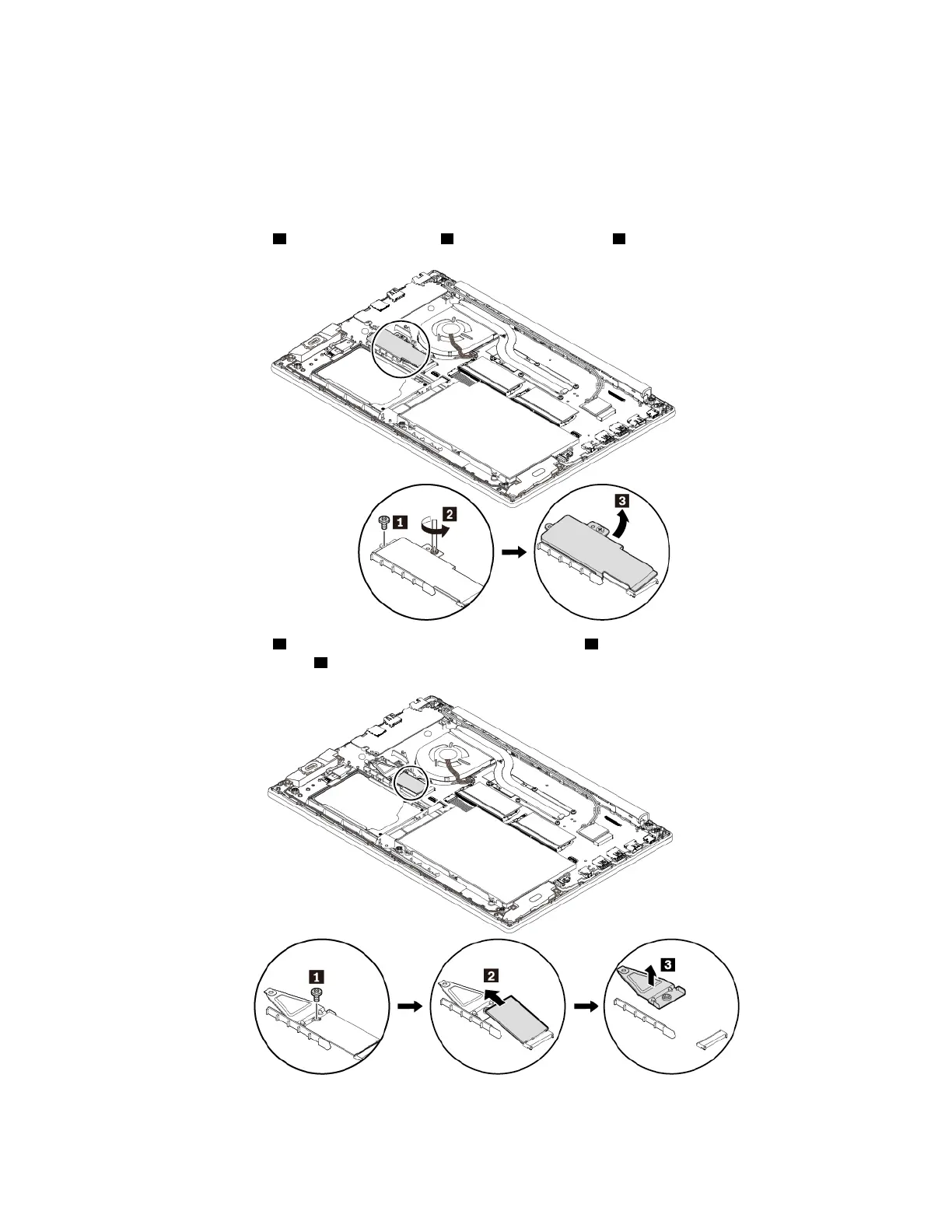
6. Remove the screw
1 and loosen the screw 2 to remove the bracket 3 .
7. Remove the screw 1 and remove the short M.2 solid-state drive 2 . Remove the short bracket if you
want to replace it as well
3 .
Chapter 9. Replacing devices 97














 To Next Page