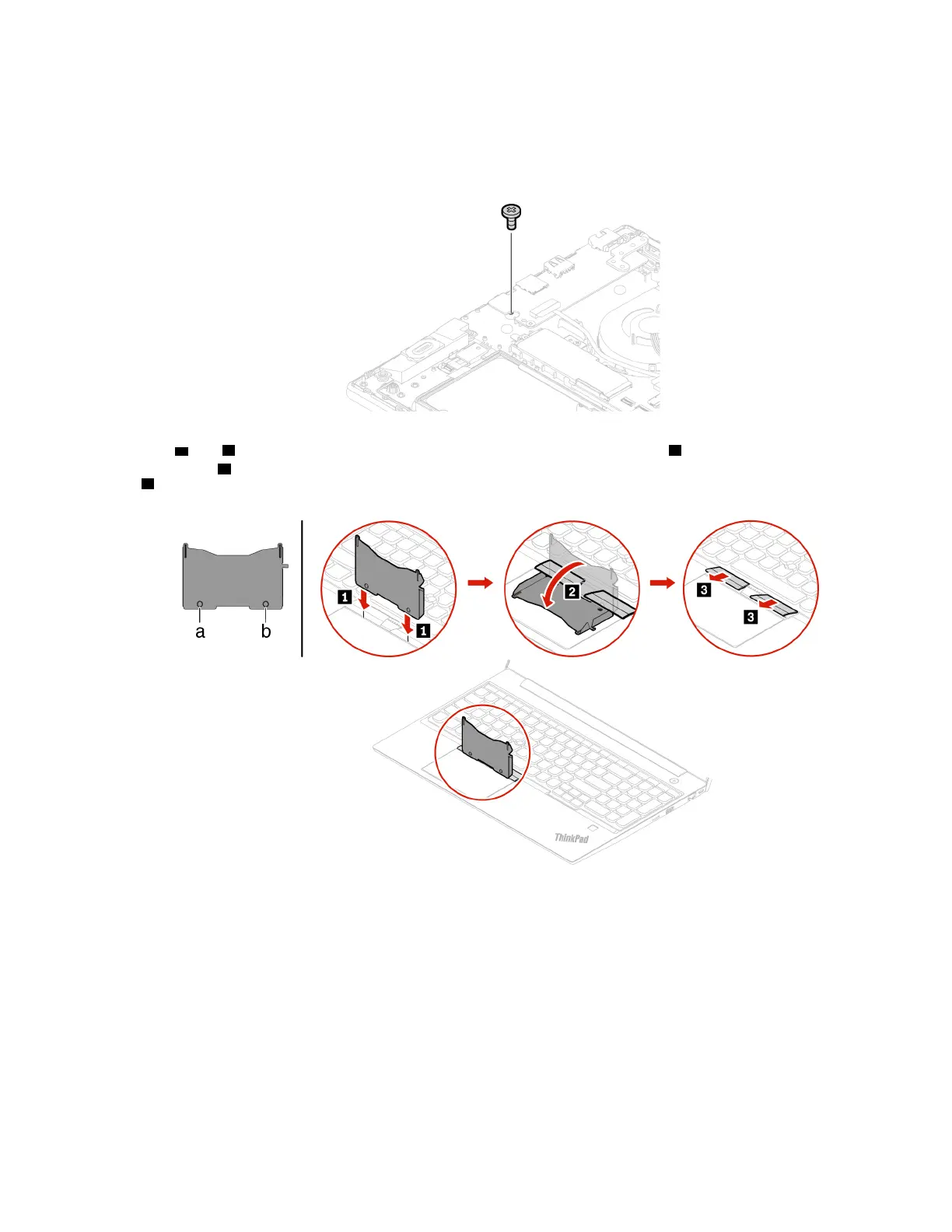
3. Close the computer display and turn the computer over.
4. Remove the base cover assembly. See “Base cover assembly” on page 36.
5. Remove the screw that secures the keyboard.
6. Turn the computer over and open the display. Take the tool out of the new keyboard package. Insert the
tabs
a and b into the slot between the TrackPoint buttons and the trackpad 1 . Slightly pivot the tool
downward
2 to release the left and right Trackpoint buttons. Then remove the two Trackpoint buttons
3 .
Chapter 6. CRU replacement 53















 To Next Page