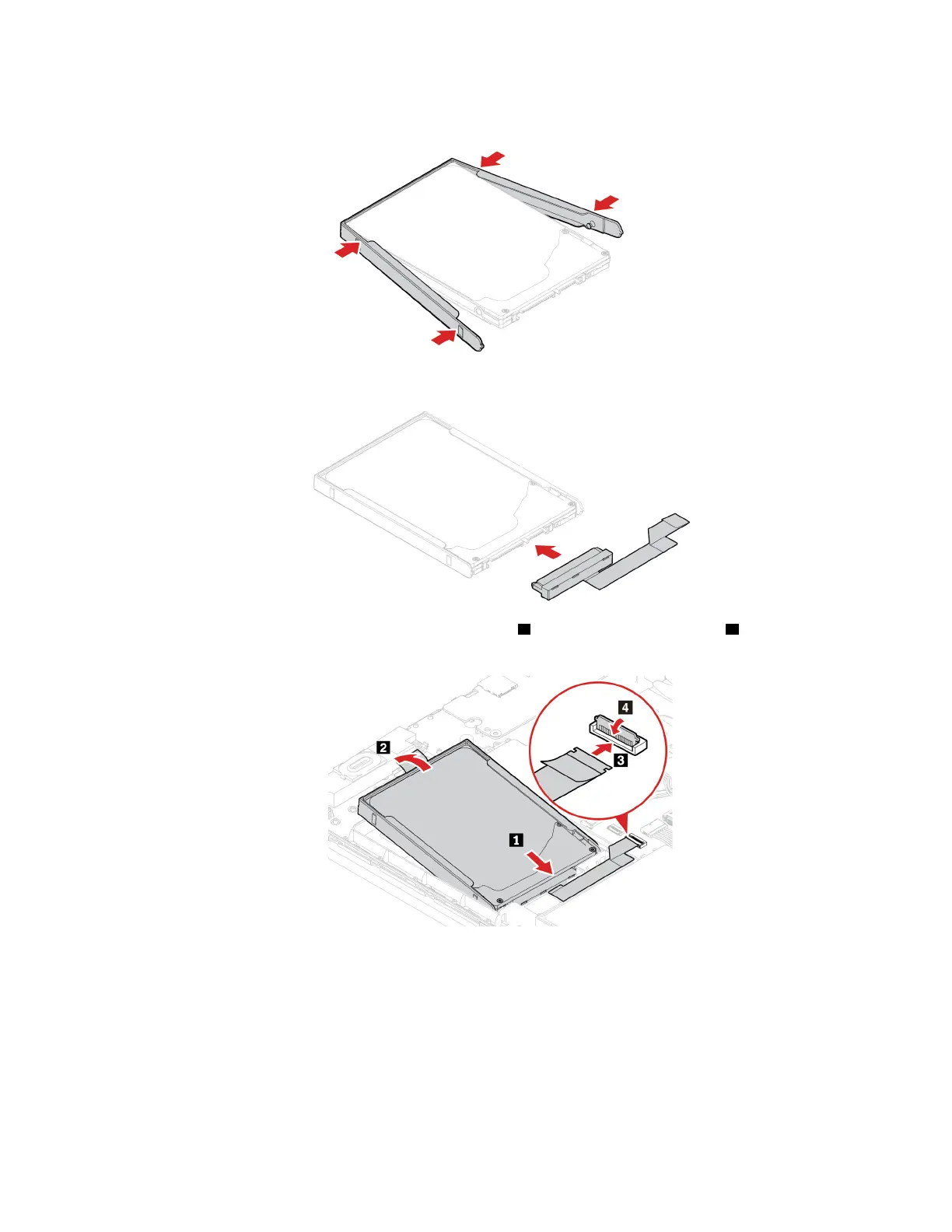
8. Attach the bracket to the new hard disk drive.
9. Connect the cable to the new hard disk drive.
10. Insert the new hard disk drive together with its bracket 1 and then pivot it downward 2 . Ensure that the
new hard disk drive is seated in place. Connect the hard-disk-drive cable to the system board.
11. Reinstall the base cover assembly.
12. Turn the computer over. Connect the ac power adapter and all disconnected cables to the computer.
M.2 solid-state drive
Prerequisite
Before you start, read Appendix A “Important safety information” on page 65 and print the following
instructions.
Chapter 6. CRU replacement 43















 To Next Page