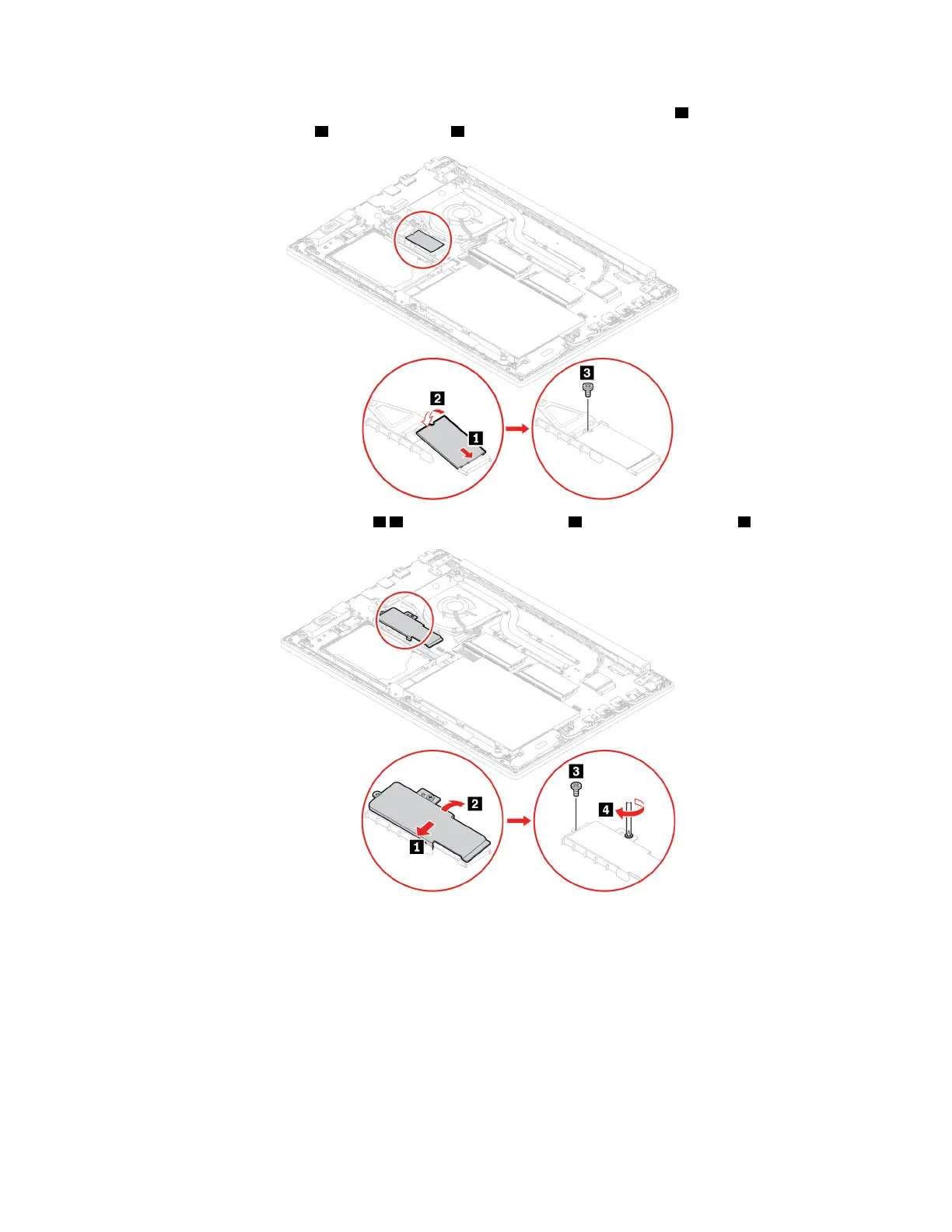
7. Insert the new M.2 solid-state drive into the slot at an angle of about 20 degrees 1 and pivot the M.2
solid-state drive downward
2 . Install the screw 3 to secure the M.2 solid-state drive.
8. Reinstall the long bracket into place 1 2 . Then, install the screw 3 and tighten the screw 4 .
9. Reinstall the base cover assembly.
10. Turn the computer over. Connect the ac power adapter and all disconnected cables to the computer.
Fingerprint reader
Prerequisite
Before you start, read Appendix A “Important safety information” on page 65 and print the following
instructions.
48
E590 and R590 User Guide















 To Next Page