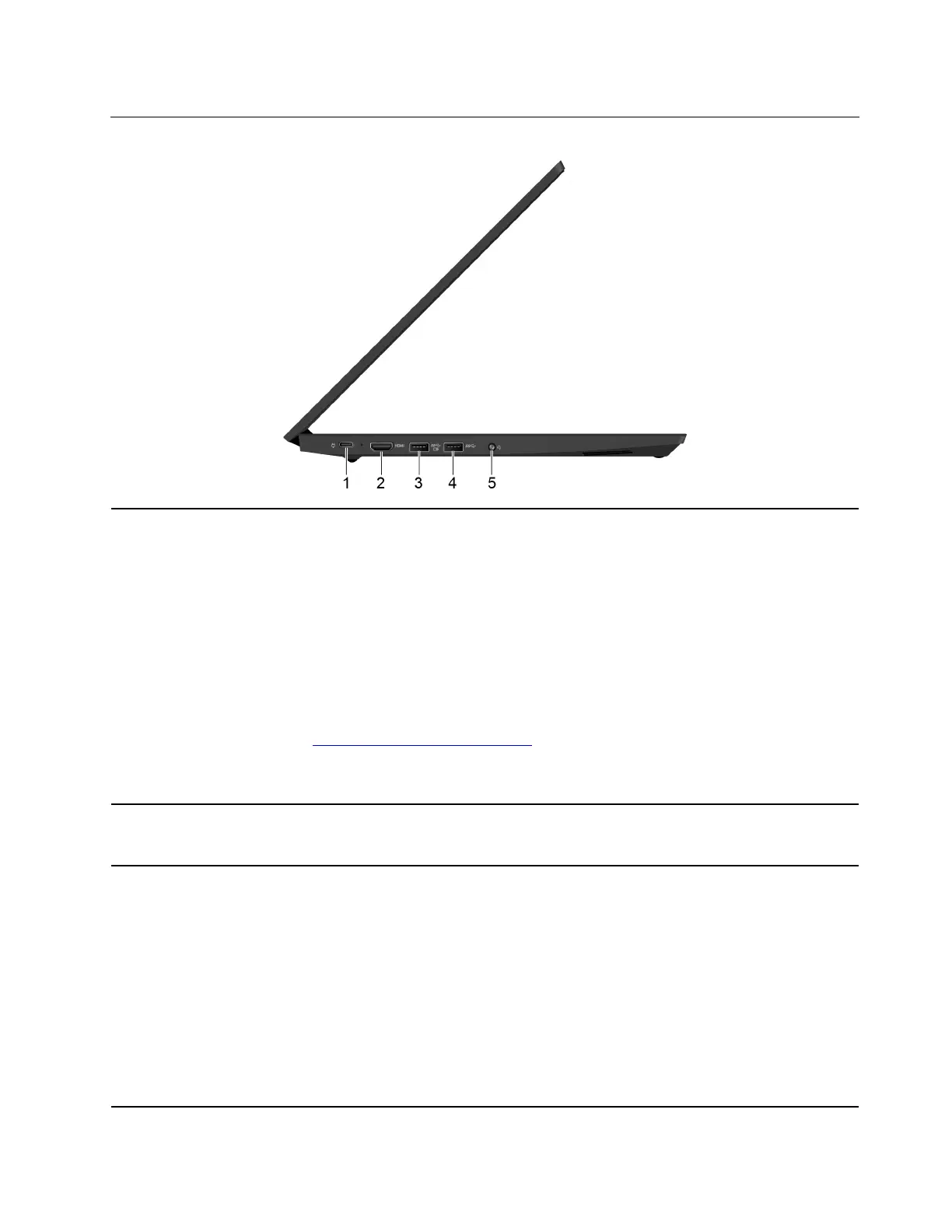
Left
1. USB-C connector / power
connector
The USB-C connector on your computer supports the USB Type-C™ standard. With
an appropriate USB-C cable connected, you can use the connector to transfer data
(USB 3.1 Gen 1, 5 Gbps), charge your device (5 V / 3 A), or connect your computer to
an external display (USB-C to DP: 3840 x 2160 pixels / 30 Hz; USB-C to VGA: 1920 x
1200 pixels / 60 Hz).
The USB-C connector also works as the power connector. Use the shipped USB-C
power adapter and power cord to connect the computer to ac power through the USB-
C connector.
Lenovo provides various USB-C accessories to help you expand your computer
functionality. For more information, go to:
https://www.lenovo.com/accessories
Note: When the battery power is below 10%, the USB-C accessories connected to
the USB-C connector might not work correctly.
2. HDMI connector The HDMI connector is a digital audio and video interface. It enables you to connect
your computer to a compatible digital audio device or video monitor, such as a DVD
player or an HDTV.
3. Always On USB 3.1
connector Gen 1
With the Always On USB feature enabled, the Always On USB 3.1 connector Gen 1 can
charge a USB-compatible device when the computer is on, off, in sleep mode, or in
hibernation mode.
Notes:
• By default, Always On USB is enabled and Charge in Battery Mode is disabled in
UEFI BIOS.
• When the computer is off or in hibernation mode, and Charge in Battery Mode is
disabled in UEFI BIOS, ensure that you have connected the computer to ac power.
To enable the Always On USB feature, do the following:
1. Enter the BIOS menu. See “Enter the BIOS menu” on page 29.
2. Click Config ➙ USB ➙ Always On USB to enable the Always On USB feature.
Chapter 1. Meet your computer 3















 To Next Page