Chapter1.Productoverview
Thischapterprovidesinformationaboutthelocationsofconnectors,locationsofimportantproductlabels,
computerfeatures,specications,operatingenvironment,andpreinstalledprograms.
Thischaptercontainsthefollowingtopics:
•“Locatingcomputercontrols,connectors,andindicators”onpage1
•“Locatingimportantproductinformation”onpage8
•“Features”onpage10
•“Specications”onpage11
•“Operatingenvironment”onpage12
•“Lenovoprograms”onpage12
Locatingcomputercontrols,connectors,andindicators
Thissectionintroducesthecomputerhardwarefeaturestogiveyouthebasicinformationyouwillneed
tostartusingthecomputer.
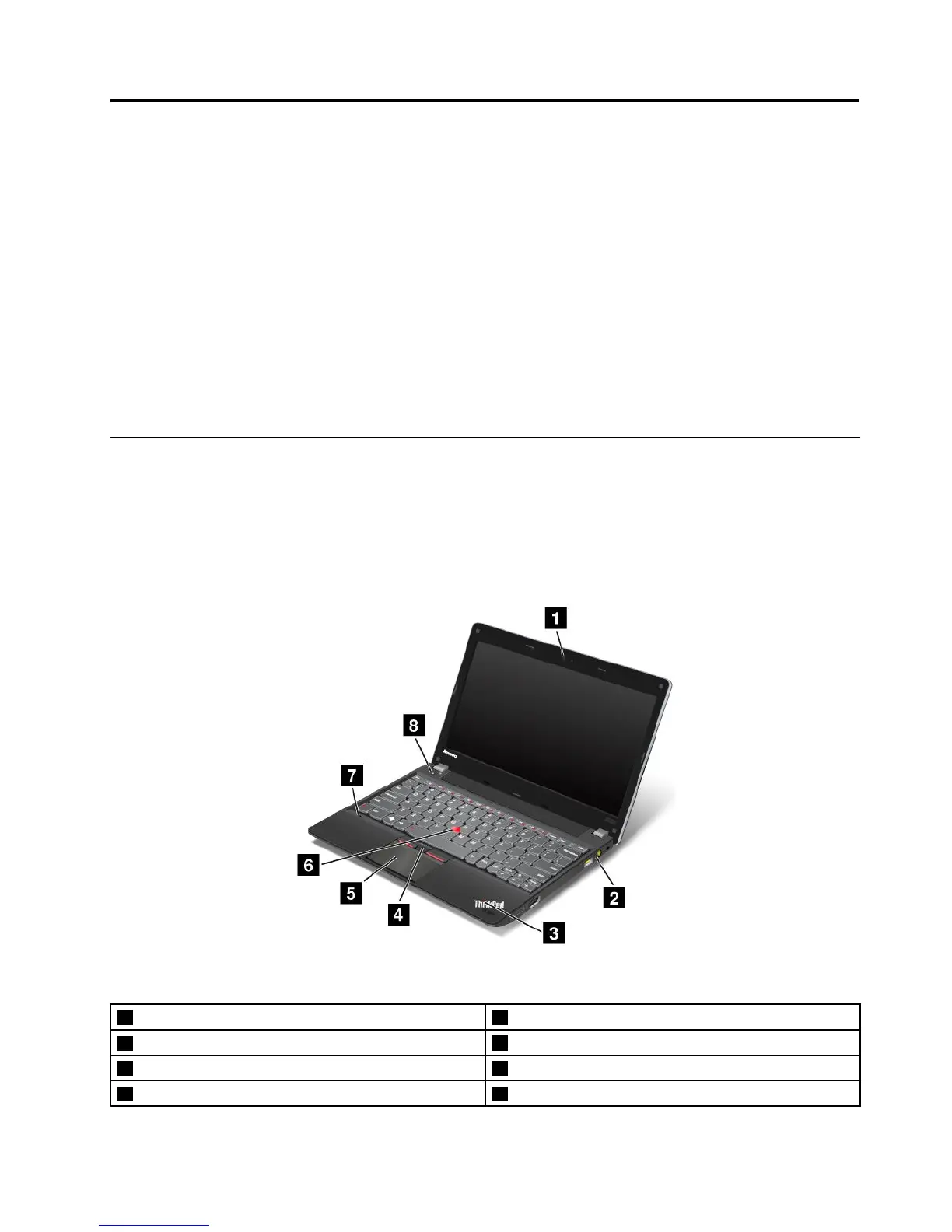
Frontview
Figure1.ThinkPadEdgeE130andE135frontview
1Integratedcamera2Power-statusindicator
3Systemstatusindicator(illuminatedThinkPad
®
logo)
4TrackPoint
®
buttons
5Touchpad6TrackPointpointingstick
7Built-inmicrophone8Powerbutton
©CopyrightLenovo2012
1














 To Next Page