•ForWindows7:StartthePowerManagerprogramandclicktheGlobalPowerSettingstab.Then
selecttheEnableAlwaysOnUSBcheckbox.
•ForWindows8:PresstheWindowskeytogototheStartscreen.ClickLenovoSettings➙Power.
ThenselecttheEnablewhenthecomputerisoffcheckbox.
3Opticaldrive
Theopticaldrivereadsopticaldiscs.
4Ethernetconnector
ConnectyourcomputertoaLANwiththeEthernetconnector.
DANGER
Toavoidtheriskofelectricalshock,donotconnectthetelephonecabletotheEthernetconnector.
YoucanonlyconnectanEthernetcabletothisconnector.
Twoindicators,totheupperrightandleftoftheconnector,showthestatusofthenetworkconnection.
WhenyourcomputerconnectstoaLANandasessionwiththenetworkisavailable,theupperleftindicator
issteadygreen.Whiledataisbeingtransmitted,theupperrightindicatorblinksyellow.
5Powerjack
Connecttheacpoweradaptertothepowerjacktoprovideacpowertothecomputerandchargethebattery.
Anindicatortotheleftoftheconnectorshowsthestatusofacpower.Whentheacpoweradapteris
connected,theindicatorislit.Ifabatteryisinstalledinthecomputer,theindicatorisgreenwhenthe
batterycharges.
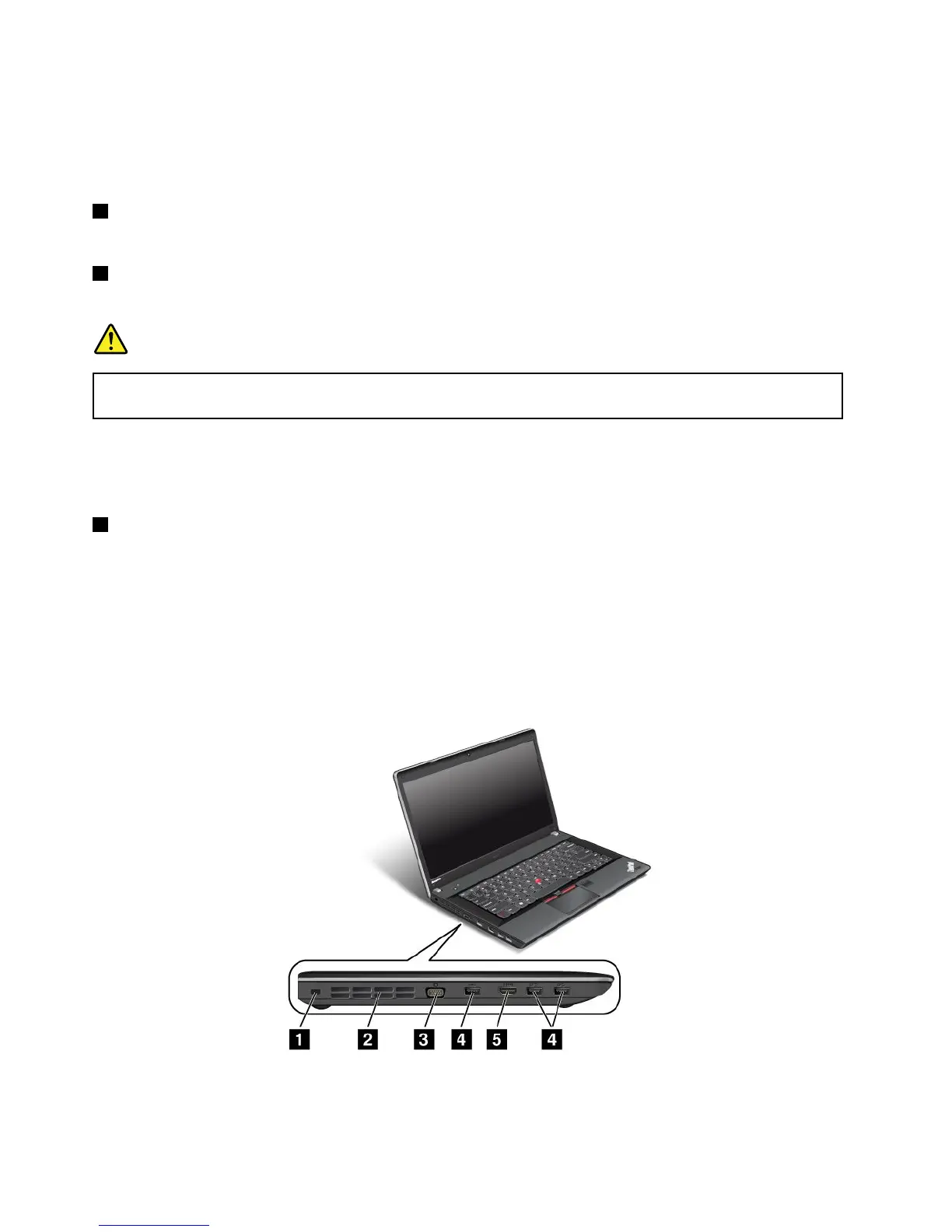
Left-sideview
Figure4.ThinkPadEdgeE430,E430c,E435,E530,E530c,andE535left-sideview
Note:Yourcomputerkeyboardmightlookdifferentfromtheillustrationabove.
6UserGuide












 To Next Page