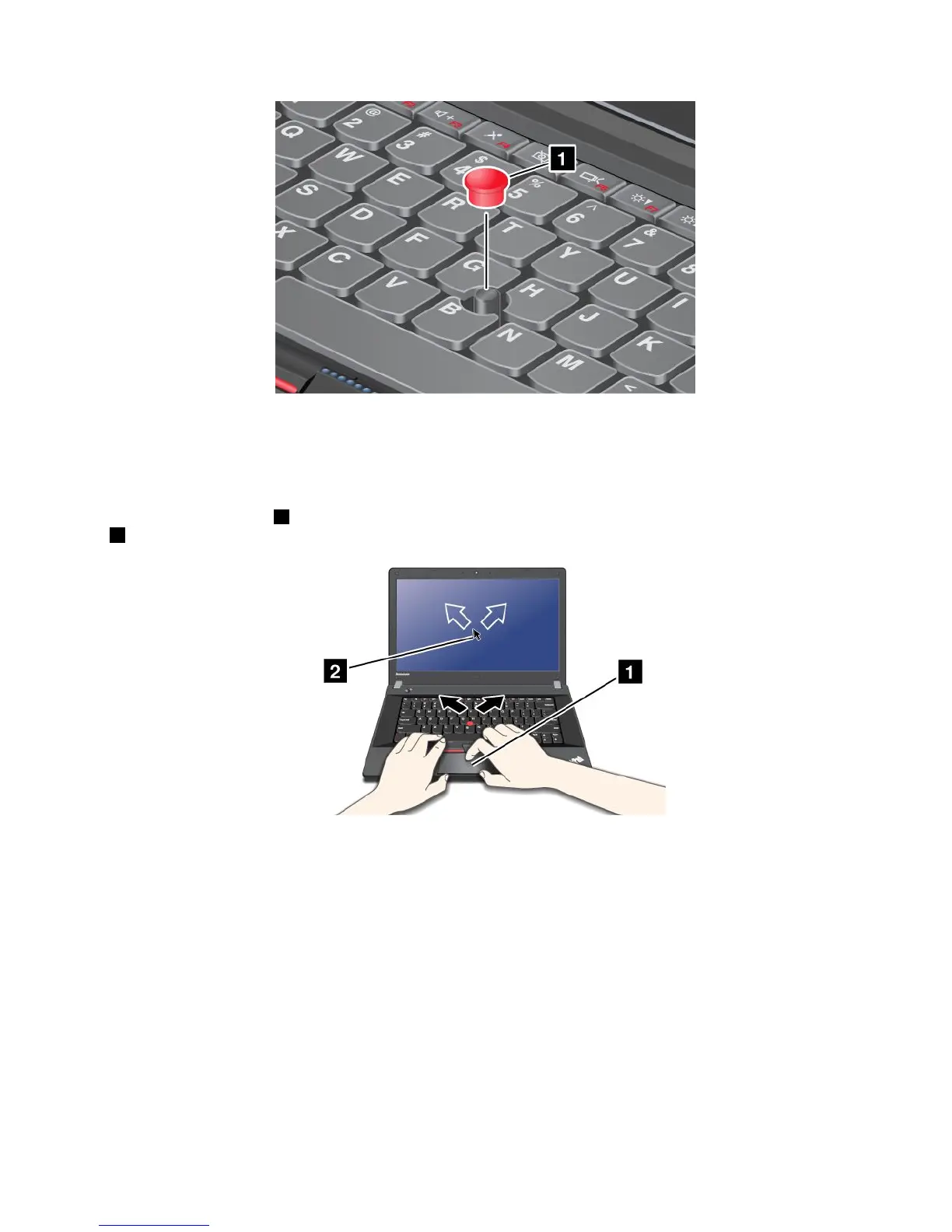
Note:Ifyoureplacethekeyboard,anewkeyboardisshippedwiththedefaultcap.Ifyouwish,youcan
keepthecapfromyouroldkeyboardanduseitonthenewone.
Usingthetouchpad
Thetouchpadisapad1belowtheTrackPointbuttonsatthebottomofthekeyboard.Tomovethepointer
2onthescreen,slideyourngertipoverthepadinthedirectioninwhichyouwantthepointertomove.
Note:Yourcomputerkeyboardmightlookslightlydifferentfromtheillustrationabove.
Usingthemulti-touchtouchpad
Thetouchpadofyourcomputersupportsmulti-touchwithwhichyoucanzoomin,zoomout,scroll,or
rotateonthescreenwhilebrowsingtheInternetorreadingoreditingadocument.
Fordetails,refertotheUltraNavhelpinformationsystem.
Customizingthetouchpad
Tocustomizethetouchpad,doasfollows:
1.GotoControlPanelandclickHardwareandSound➙Mouse➙UltraNav.
2.UnderTouchPad,proceedtochangingthesettings.
Chapter2.Usingyourcomputer29












 To Next Page