
 Need help?
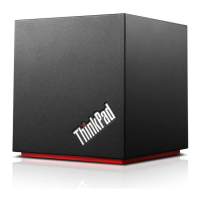
Do you have a question about the Lenovo ThinkPad WiGig Dock and is the answer not in the manual?
Details the dock's WiGig technology, ports, and capabilities.
Identifies and explains the dock's physical connectors and status indicators.
Lists the necessary operating system and hardware for the dock.
Provides step-by-step instructions for the physical installation of the dock.
Guides users on installing necessary drivers and management software.
Guides users on establishing a wireless connection between their computer and the dock.
Explains the available modes for connecting external displays (Extend, Clone).
Provides instructions on how to select and configure display modes.
 General
| Model | ThinkPad WiGig Dock |
|---|---|
| Connectivity | WiGig (802.11ad) |
| HDMI | 1 |
| Power Delivery | No |
| Ports | Ethernet, HDMI, DisplayPort |
| USB 3.0 Ports | 3 |
| Ethernet | Gigabit Ethernet |
| DisplayPort | 1 x DisplayPort |
| Compatibility | Compatible with select Lenovo ThinkPad laptops with WiGig capability |
| Maximum Resolution | 2560 x 1600 |






 To Next Page
