EasyManua.ls Logo

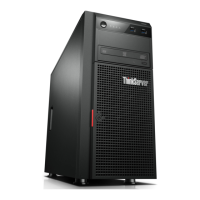
Lenovo ThinkServer TS430 0387 - User Manual

Lenovo ThinkServer TS430 0387
222 pages
Print Icon
To Next Page IconTo Next Page
Loading...
ThinkServerTS430
UserGuide
MachineTypes:0387,0388,0389,0390,0391,0392,0393,and0441

Table of Contents

Other manuals for Lenovo ThinkServer TS430 0387

Questions and Answers

  • J
    John KingAug 17, 2025
    How to fix optical drive not recognized on Lenovo Server?
    • J
      Jimmy ShortAug 17, 2025
      If your optical drive is not recognized on your Lenovo Server, ensure the signal cable and connector are not damaged and the connector pins are not bent. Verify the optical drive is securely connected to the correct SATA connector on the system board, and that the SATA connector is enabled in the Setup Utility program. Also, check that all cables and jumpers are installed correctly. Ensure the correct device driver is installed. You may also want to run optical drive diagnostic programs, reinstall the optical drive and reconnect cables, or replace the signal cable.
  • J
    Jeremiah AyalaAug 19, 2025
    Why do some keys on my Lenovo Server keyboard not work?
    • J
      jessicakramerAug 19, 2025
      If your keyboard is not working correctly on your Lenovo Server, make sure the USB keyboard cable is securely connected to a USB connector on the server and that no keys are stuck. Ensure the USB controller is enabled in the Setup Utility program. Try restarting the server. If the problem persists, replace the keyboard.
  • S
    Sharon BaileyAug 22, 2025
    How to troubleshoot a USB device that is not working on Lenovo ThinkServer TS430 0387 Server?
    • E
      Elizabeth RobinsonAug 22, 2025
      If a USB device is not working on your Lenovo Server, ensure the USB cable is securely connected to the server. Check that the device drivers are installed correctly and that the USB controller is enabled in the Setup Utility program. Restart the server. If the issue persists, replace the USB device.
  • R
    Richard AyersAug 26, 2025
    What to do if mouse or pointing device is not working on Lenovo ThinkServer TS430 0387 Server?
    • W
      walkerbrianAug 26, 2025
      If your mouse or pointing device is not working on your Lenovo Server, ensure the cable is securely connected to the server. Make sure the device is clean and free of dust. Verify that the device drivers are installed correctly and that the USB controller is enabled in the Setup Utility program. Try restarting the server, and if the problem persists, replace the mouse or pointing device.
  • R
    Rhonda OrtizAug 27, 2025
    Why is my disc not working correctly on Lenovo ThinkServer TS430 0387 Server?
    • H
      Harry SchultzAug 28, 2025
      If a disc is not working correctly in your Lenovo Server, make sure the disc is in the optical drive with the shiny side facing down. Ensure the disc surface is clean and not scratched. Check the disc or package for regional coding. Try restarting the disc player program or the server. You can also run optical drive diagnostic programs, reinstall the optical drive and reconnect cables, replace the signal cable, or replace the optical drive.
  • S
    stephen00Aug 30, 2025
    How to fix ThinkServer EasyStartup DVD that does not start on Lenovo ThinkServer TS430 0387 Server?
    • J
      Joanna GarrettAug 30, 2025
      To resolve the issue of the ThinkServer EasyStartup DVD not starting on your Lenovo Server, ensure that the server supports the ThinkServer EasyStartup program and has a bootable DVD drive. Also, make sure that you have set the optical drive with the ThinkServer EasyStartup DVD as the first startup device. You can also verify if the optical drive or the disc has problems.
  • H
    hodgeaprilSep 2, 2025
    What to do if a newly installed hot-swap hard disk drive is not recognized on Lenovo ThinkServer TS430 0387 Server?
    • L
      Laurie ConwaySep 2, 2025
      If a newly installed hot-swap hard disk drive is not recognized on your Lenovo Server, ensure it's in the correct drive bay. Try restarting the server. If that doesn't work, remove the drive, wait 45 seconds, and reinsert it, ensuring it connects to the backplane. Check the backplane seating and cable connections. If issues persist, reconnect the backplane power and signal cables, or consider replacing the backplane signal cable or the backplane itself.
  • E
    Emily ParkSep 5, 2025
    Why is the displayed system memory less than expected on my Lenovo Server?
    • J
      John WagnerSep 5, 2025
      If the amount of system memory displayed is less than the total capacity of the installed physical memory modules on your Lenovo Server, ensure all memory modules are the correct type and installed according to the installation rules. Check that all modules are seated correctly and securely, and that the system firmware is up-to-date. If problems persist, try reinstalling or replacing the memory modules. A trained service technician may need to replace the system board.
  • C
    Colton WardSep 8, 2025
    What causes multiple hard disk drives to fail on Lenovo Server?
    • M
      Manuel HughesSep 8, 2025
      If multiple hard disk drives fail on your Lenovo Server, run diagnostic programs to test the drives. Ensure that the cable connections are correct. Try reconnecting the power and signal cables. If the issue continues, replace the affected signal cable. For hot-swap drives, consider replacing the backplane if you suspect a problem with it.
  • K
    Kristine HuntSep 10, 2025
    What to do if a newly installed non-hot-swap hard disk drive is not recognized on Lenovo ThinkServer TS430 0387?
    • T
      Travis MooneySep 12, 2025
      If a newly installed non-hot-swap hard disk drive is not recognized on your Lenovo Server, ensure the signal cable and connector are not damaged. Verify the drive is securely connected to the correct SATA connector on the system board and that the SATA connector is enabled in the Setup Utility program. Make sure all cables and jumpers are installed correctly. Run diagnostic programs to test the hard disk drive. Reinstall the drive and reconnect cables, or replace the signal cable.

Lenovo ThinkServer TS430 0387 Specifications

General IconGeneral
Form FactorTower
ChipsetIntel C216
Memory Slots4
MemoryUp to 32GB DDR3
Storage BaysUp to 8 bays
RAID SupportRAID 0, 1, 10, 5
Power Supply450W
Network InterfaceDual Gigabit Ethernet
Operating System SupportWindows Server, Red Hat Enterprise Linux, SUSE Linux Enterprise Server, VMware ESXi
ProcessorIntel Xeon E3-1200 v2 series

Related product manuals