EasyManua.ls Logo

Lenovo thinksystem SR630 - User Manual

Lenovo thinksystem SR630
2 pages
Print Icon
To Next Page IconTo Next Page
Loading...
ThinkSystem SR630
Quick Start
In the box
Server
Rail kit*
Cable management arm*
Material box, including items such as accessory kit, power cords*
and documentation
Note: Items marked with asterisk (*) are available on some models
only.
If any item is missing or damaged, contact your place of purchase.
Ensure that you retain your proof of purchase. They might be required
to receive warranty service.
First glance
Front view:
Note: Your server might look different from the following illustrations.
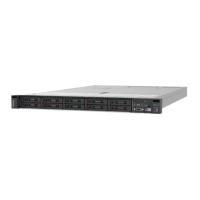
Figure 1. Server models with four 3.5-inch drive bays
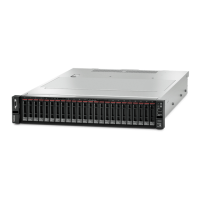
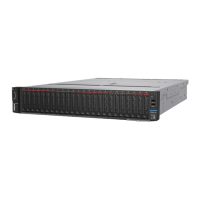
Figure 2. Server models with eight 2.5-inch drive bays
Figure 3. Server models with ten 2.5-inch drive bays
VGA connector (available
on some models)
Pull-out information tab
XClarity Controller USB
connector
USB 3.0 connector
Power button with power
status LED
Network activity LED
System ID button with ID
LED
System error LED
Rack latch (right)
Hot-swap drive bays
Drive status LED (yellow)
Drive activity LED (green)
Rack latch (left)
Rear view:
Figure 4. Server models with three PCIe slots
F
igure 5. Server models with two PCIe slots
F
igure 6. Server models with two hot-swap drive bays and one PCIe
slot
PCIe slot 1 on riser 1
assembly
PCIe slot 2 on riser 1
assembly
PCIe slot 3 on riser 2
assembly
Rear 2.5-inch drive bays
Power supply 1 Power supply 2 (available on
some models)
NMI button
USB 3.0 connectors
VGA connector XClarity Controller network
connector
Ethernet connectors on the
LOM adapter (available on some
models)
Note: For server models with two hot-swap drive bays in the rear, if the
server is installed in a rack and shipped to you, the server comes with
a shipping bracket installed. Before turning on the server, be sure to
remove the shipping bracket. For server models with two hot-swap
drive bays in the rear, if the server is installed in a rack for shipping, be
sure to install the shipping bracket. For details, refer to the
ThinkSystem SR630 Maintenance Manual, which is available at:
http://thinksystem.lenovofiles.com/help/topic/7X01/pdf_files.html

Other manuals for Lenovo thinksystem SR630

Question and Answer IconNeed help?

Do you have a question about the Lenovo thinksystem SR630 and is the answer not in the manual?

Summary

Server Overview and Component Identification

Front View Components

Details and labels for front panel connectors, buttons, LEDs, and drive bays on the server.

Rear View Components

Details and labels for rear panel connectors, slots, power supplies, and drive bays on the server.

System Setup Procedure

Step-by-Step Installation Guide

Outlines the sequential steps for installing and configuring the server hardware.

Technical Specifications and Support

Hardware Specifications

Provides details on dimensions, weight, processor, memory, storage, and networking.

Support and Resources

Lists online resources for product guides, forums, drivers, and compatibility information.

Summary

Server Overview and Component Identification

Front View Components

Details and labels for front panel connectors, buttons, LEDs, and drive bays on the server.

Rear View Components

Details and labels for rear panel connectors, slots, power supplies, and drive bays on the server.

System Setup Procedure

Step-by-Step Installation Guide

Outlines the sequential steps for installing and configuring the server hardware.

Technical Specifications and Support

Hardware Specifications

Provides details on dimensions, weight, processor, memory, storage, and networking.

Support and Resources

Lists online resources for product guides, forums, drivers, and compatibility information.

Overview

The Lenovo ThinkSystem SR630 is a versatile rack server designed for a wide range of data center workloads. This quick start guide provides an overview of its features, setup, and support resources.

Front View Functionality

The front panel of the ThinkSystem SR630 offers essential indicators and connectors for monitoring and basic interaction.

  • VGA Connector (1): Available on some models, this connector allows for direct display output, useful for local troubleshooting or initial setup without network access.
  • Pull-out Information Tab (2): This tab provides quick access to critical server information, such as serial numbers or MAC addresses, without needing to power down or open the server.
  • XClarity Controller USB Connector (3): This dedicated USB port allows for direct connection to the XClarity Controller (XCC), enabling out-of-band management and configuration even when the operating system is not running.
  • USB 3.0 Connector (4): A standard USB 3.0 port for connecting peripherals like keyboards, mice, or USB storage devices for local operations.
  • Power Button with Power Status LED (5): This button controls the server's power state (on/off) and its integrated LED indicates the current power status (e.g., solid green for on, blinking for standby).
  • Network Activity LED (6): This LED provides a visual indication of network traffic on the server's network interfaces.
  • System ID Button with ID LED (7): Pressing this button activates an ID LED on both the front and rear of the server, helping to quickly identify a specific server within a rack, especially in dense environments.
  • System Error LED (8): This critical LED illuminates to indicate a system error or fault, prompting immediate attention for troubleshooting.
  • Rack Latches (9, 13): These latches secure the server within the rack and facilitate easy installation and removal.
  • Hot-swap Drive Bays (10): The server features multiple hot-swap drive bays, allowing for the addition or replacement of storage drives without powering down the server, ensuring continuous operation.
  • Drive Status LED (Yellow) (11): This LED indicates the status of individual drives, such as a fault or a rebuild in progress.
  • Drive Activity LED (Green) (12): This LED flashes to show read/write activity on the corresponding drive.

Rear View Functionality

The rear panel of the ThinkSystem SR630 provides connectivity for power, networking, and expansion. The specific configuration of PCIe slots and drive bays can vary by model.

  • PCIe Slots (1, 2, 3): These slots accommodate various PCIe expansion cards, such as network adapters, storage controllers, or GPUs, allowing for customization and increased functionality. Slot 1 and 2 are on riser 1 assembly, while slot 3 is on riser 2 assembly.
  • Rear 2.5-inch Drive Bays (4): Some models include hot-swap 2.5-inch drive bays at the rear, offering additional storage options, often used for boot drives or specific applications.
  • Power Supplies (5, 6): The server supports redundant hot-swap power supplies (Power Supply 1 and Power Supply 2, with Power Supply 2 being available on some models), ensuring power reliability and allowing for replacement without downtime.
  • NMI Button (7): The Non-Maskable Interrupt (NMI) button is a diagnostic tool used to force a system crash dump for advanced troubleshooting.
  • USB 3.0 Connectors (8): Standard USB 3.0 ports for connecting peripherals at the rear of the server.
  • VGA Connector (9): A VGA connector at the rear for display output, similar to the front VGA connector.
  • XClarity Controller Network Connector (10): This dedicated Ethernet port provides network access to the XClarity Controller for remote management and monitoring.
  • Ethernet Connectors on the LOM Adapter (11): Available on some models, these Ethernet ports provide network connectivity for the server's operating system.

Usage Features

The ThinkSystem SR630 is designed for ease of use and maintenance within a data center environment.

  • Hot-Swap Components: Many components, including power supplies and storage drives, are hot-swappable, minimizing downtime during upgrades or replacements.
  • System Identification: The System ID button and LED facilitate quick identification of a specific server in a crowded rack.
  • Remote Management: The integrated XClarity Controller (XCC) provides comprehensive remote management capabilities, allowing administrators to monitor, configure, and troubleshoot the server from anywhere. This includes power control, firmware updates, and system health monitoring.
  • Flexible Storage Configurations: The server supports various drive bay configurations, including 3.5-inch and 2.5-inch hot-swap bays, as well as rear drive bays, offering flexibility for different storage needs.
  • Expandability: Multiple PCIe slots allow for significant expansion with various adapter cards, adapting the server to evolving workload requirements.
  • Quick Start Guide: The included quick start guide provides clear instructions for initial setup, including installing server components, rack installation, power and network connections, and initial configuration.

Maintenance Features

The ThinkSystem SR630 incorporates several features to simplify maintenance and ensure system reliability.

  • Diagnostic LEDs: The front panel includes various LEDs (Power Status, Network Activity, System Error, Drive Status, Drive Activity) that provide immediate visual feedback on the server's operational status and potential issues, aiding in rapid diagnosis.
  • Pull-out Information Tab: This tab provides essential server information, such as serial numbers, which are crucial for support and warranty claims.
  • Hot-Swap Power Supplies: Redundant power supplies can be replaced without powering down the server, ensuring continuous operation during maintenance.
  • Hot-Swap Drives: Drives can be added or replaced without interrupting server operation, simplifying storage management and fault recovery.
  • XClarity Controller (XCC): The XCC is a powerful tool for proactive maintenance. It monitors system health, logs events, and can send alerts, allowing administrators to address potential issues before they lead to downtime. It also facilitates remote firmware updates and diagnostics.
  • Documentation and Support: Lenovo provides comprehensive documentation, including the ThinkSystem SR630 Maintenance Manual, and various online support resources (Lenovo Press, ThinkSystem forum, Lenovo Support website, Product Security Advisories, ServerProven compatibility information) to assist with troubleshooting and maintenance. These resources offer detailed information on hardware installation, configuration, and problem resolution.
  • Shipping Bracket: For server models with rear hot-swap drive bays, a shipping bracket is installed for protection during transport. It is important to remove this bracket before turning on the server and to reinstall it if the server is being shipped again.

Lenovo thinksystem SR630 Specifications

General IconGeneral
Tcase81 °C
SteppingM0
Scalability4S
Processor codeSR3GF
Processor cache16.5 MB
Processor cores12
Processor model5118
System bus rate- GT/s
Processor socketLGA 3647 (Socket P)
Processor threads24
Processor codenameSkylake
Execute Disable BitYes
Processor frequency2.3 GHz
Processor cache typeL3
Processor lithography14 nm
Processor manufacturerIntel
Processor package size76.0 x 56.5 mm
Processor boost frequency3.2 GHz
Processor operating modes64-bit
Supported instruction setsAVX, AVX 2.0, AVX-512, SSE4.2
Thermal Design Power (TDP)105 W
Number of processors installed1
Maximum number of PCI Express lanes48
Memory types supported by processorDDR4-SDRAM
Memory channels supported by processorHexa
Memory clock speeds supported by processor2666 MHz
Maximum internal memory supported by processor768 GB
Memory slots24x DIMM
Internal memory32 GB
Maximum internal memory3072 GB
Memory layout (slots x size)1 x 32 GB
Power supply750 W
Power supply input frequency50 - 60 Hz
HDD size- \
RAID levels0, 1, 5, 6, 10, 50, 60, JBOD
Optical drive typeNo
Supported HDD sizes2.5 \
Total storage capacity0 GB
Maximum storage capacity61.4 TB
Number of HDDs installed-
Supported storage drive interfacesSAS, Serial ATA III
Cabling technology10/100/1000Base-T(X)
USB 2.0 ports quantityUSB 2.0 ports have a data transmission speed of 480 Mbps, and are backwards compatible with USB 1.1 ports. You can connect all kinds of peripheral devices to them.
PCI Express slots version3.0
PCI Express x8 (Gen 3.x) slots2
Chassis typeRack (1U)
Performance managementXClarity Enterprise
Trusted Platform Module (TPM) version1.2
Operating altitude0 - 3048 m
Storage temperature (T-T)-10 - 60 °C
Operating temperature (T-T)5 - 45 °C
Operating relative humidity (H-H)8 - 90 %
Sustainability certificatesENERGY STAR
Processor ARK ID120473
Intel TSX-NI version1.00
Weight and Dimensions IconWeight and Dimensions
Depth778.3 mm
Width482 mm
Height43 mm

Related product manuals