Chapter 1. 1-6
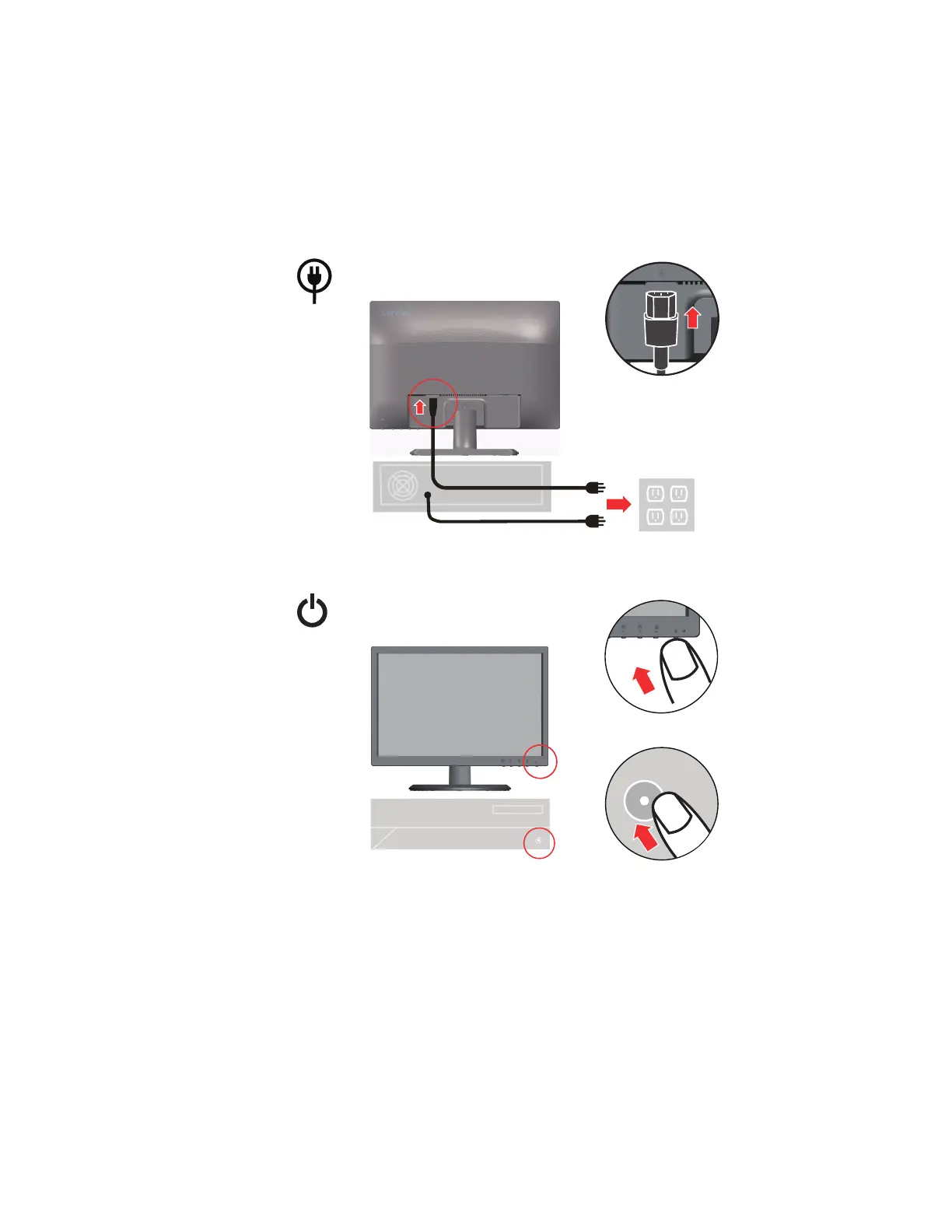
4. Insert the power cord into the monitor, then plug the monitor power cord and the computer
cord into grounded electrical outlets.
Note: A certified power supply cord has to be used with this equipment. The relevant
national installation and or equipment regulations shall be considered. A certified power
supply cord not lighter than ordinary polyvinyl chloride flexible cord according to
IEC 60227 (designation H05VV-F 3G 0.75mm
2
or H05VVH2-F2 3G 0.75mm
2
) shall be
used. Alternative a flexible cord be of synthetic rubber according to IEC 60245
(designation H05RR-F 3G 0.75mm
2
) shall be used.
5. Power on the monitor and the computer.




 To Next Page