Chapter 2. 2-6
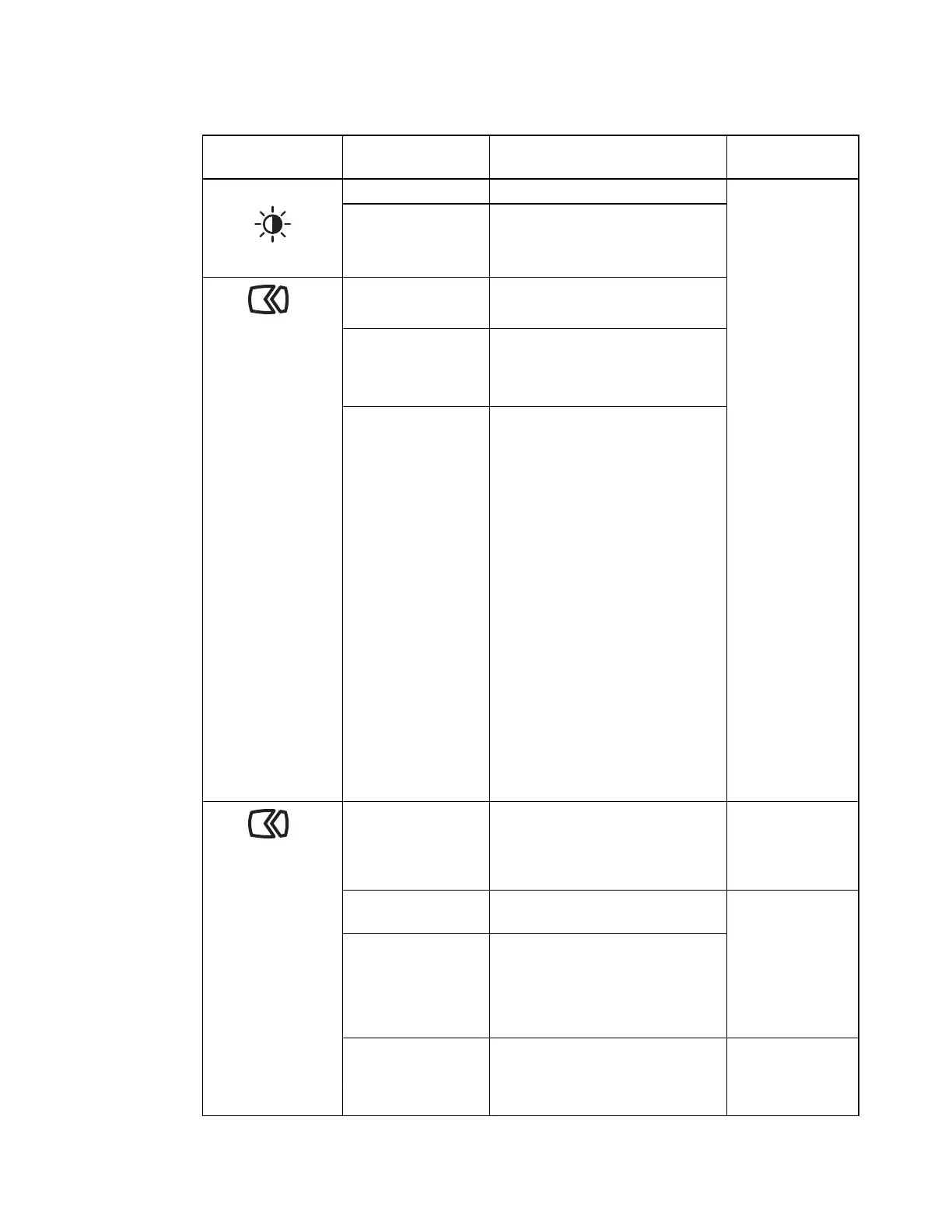
Table 2-2. OSD functions
OSD Icon on Main
Menu
Sub menu Description
Controls and
Adjustments
Monitor Controls
Brightness Adjust overall screen brightness All input ports
Contrast Adjust difference between light and
dark areas
Advanced Settings
Dynamic Contrast • On
•Off
Over Drive • Off
• Normal
• Extreme
Color Mode Adjust intensity of red, green, and
blue.
Preset mode
• SRGB
• Neutral
• Reddish
• Bluish
• Low Blue Light
Custom
• Red: Increases or decreases the
saturation of ’red’ in the image.
• Green: Increases or decreases
the saturation of ’green’ in the
image.
• Blue: Increases or decreases the
saturation of ’blue’ in the
image.
Advanced Settings
Aspect Ratio • Full Screen: Expand image to
full screen.
• Original AR: Same Aspect
Ratio with input signal.
All input ports
Automatic
Optimizes image (size, position, phase
and clock).
Only for VGA
input(Analog)
Image Setup • Clock
• Phase
• H.postion
• V.postion
Button repeat rate • Off
• Default
• Slow
All input ports




 To Next Page